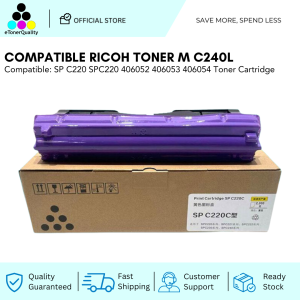
ETQ SP C220 Compatible Toner Cartridge for Ricoh M C240FW / P C200W
ETQ SP C220 Compatible Toner Cartridge for Ricoh M C240FW / P C200W
Introduction to Compatible Toner Cartridges
What Are Compatible Toner Cartridges?
Compatible toner cartridges, like the ETQ SP C220 Compatible Toner Cartridge, are third-party alternatives to original equipment manufacturer (OEM) toner cartridges. These cartridges are designed to work seamlessly with specific printer models, offering users a cost-effective option without compromising print quality. Compatible toner cartridges are often preferred by businesses and individuals looking to save money on printing costs.
Why Choose Compatible Toner Cartridges Over Original Equipment Manufacturer (OEM) Options?
Compatible toner cartridges offer several advantages over OEM options:
- Cost-effectiveness: Compatible toner cartridges generally cost less than OEM options, allowing users to save money on printing costs.
- Quality: Many compatible toner cartridges, like the ETQ SP C220 Compatible Toner Cartridge, offer comparable print quality to OEM options.
- Availability: Compatible toner cartridges are often more readily available than OEM options, making them a convenient choice for users.
Choosing the Right Compatible Toner Cartridge for Ricoh Printers
ETQ SP C220 Compatible Toner Cartridge: A Comprehensive Overview
The ETQ SP C220 Compatible Toner Cartridge is a high-quality option designed specifically for Ricoh M C240FW and P C200W printers. This cartridge offers excellent print quality, reliability, and durability, making it a popular choice among users.
High-Quality Toner Cartridge Options for Ricoh M C240FW & P C200W
When choosing a compatible toner cartridge for your Ricoh M C240FW or P C200W printer, consider the following factors:
- Print quality: Look for a cartridge that produces clear, crisp prints with no smudging or fading.
- Reliability: Choose a cartridge that consistently delivers reliable performance, reducing the risk of print errors or issues.
- Durability: Opt for a cartridge that lasts longer, offering more pages per cartridge.
Installation and Maintenance Tips for Your New Compatible Toner Cartridge
How to Install a Compatible Toner Cartridge in Your Ricoh Printer
Installing a compatible toner cartridge in your Ricoh printer is a straightforward process. Follow these steps:
- Turn off your printer and unplug it from the power source.
- Open the printer's access door and remove the old toner cartridge.
- Carefully remove the new compatible toner cartridge from its packaging.
- Insert the new cartridge into the printer, following the manufacturer's instructions.
- Close the access door and turn on your printer.
Best Practices for Maintaining Your New Toner Cartridge
To ensure your new compatible toner cartridge lasts longer and performs optimally, follow these maintenance tips:
- Store your toner cartridge in a cool, dry place away from direct sunlight.
- Keep the toner cartridge clean and free from dust and debris.
- Regularly check the printer's ink levels and replace the cartridge when necessary.
Conclusion: Making the Switch to Compatible Toner Cartridges
Why ETQ SP C220 Compatible Toner Cartridge Is the Right Choice for Ricoh M C240FW & P C200W Users
The ETQ SP C220 Compatible Toner Cartridge is a high-quality option that offers excellent print quality, reliability, and durability for Ricoh M C240FW and P C200W users. By choosing a compatible toner cartridge, users can save money on printing costs without compromising print quality.
Next Steps for Getting Started with Your New Compatible Toner Cartridge
Once you've purchased your new ETQ SP C220 Compatible Toner Cartridge, follow the installation and maintenance tips outlined above to ensure optimal performance and longevity. With proper care and maintenance, your new toner cartridge will provide reliable, high-quality prints for years to come.

eTonerQuality Reference Number: 250919-16162227
Review

You May Also Like
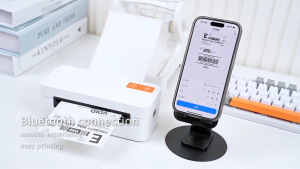
Phomemo M08F Portable Thermal Printer: Support A4/Letter Size Wireless Bluetooth Mini Inkless Printer
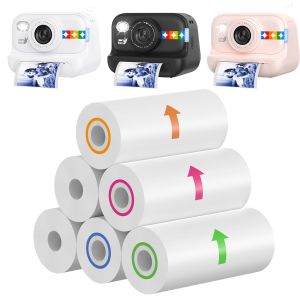
Color Instant Print Paper 57*25mm Blue/Orange/Red/Green Thermal Refill Paper for Kids’ Cameras HD QualityBPA-FreeEasy to Use
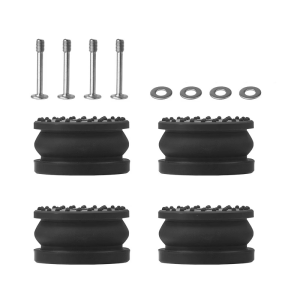
Anti Slip Silicone Vibration Isolator Feet For 3D Printers Metal Reinforced Base Enhances Stability Noise Damping
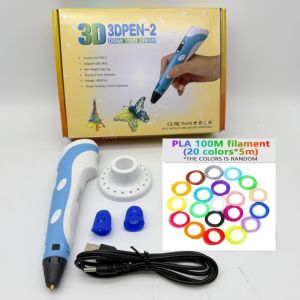
New 3D Printing Pen DIY Drawing 9M PLA Filament Three-dimensional Graffiti Toys Art Tools For Kids Birthday Christmas Day Gift
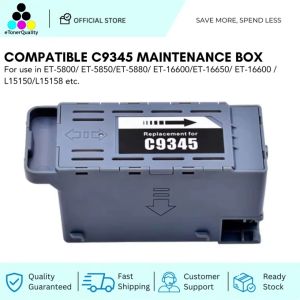
ETQ Compatible C9345 Waste Ink Tank Maintenance Box for Epson ET-5800 L15150 L15160 M15140 Printer
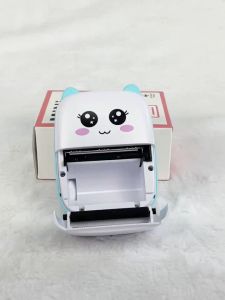
Mini-printer Thermal Printer Ink-free Portable Sticker Printer Compatible With IOS And Android Wireless Photo Printer For Printing Labels Periodicals Study Notes Memos Photos
Premium Iwata E2A Bundy Clock Ink Cartridge
Brandnew Genuine Ink cartridge Black 35 and Colored 36
ZONESUN MT-30 Manual Round Bottle Labeling Machine: Features & Benefits
H36 Combos 3D Printer Tool Board with High Fan Control and Efficient Heat Management System
![[COD] shiou Typewriter Ribbon Twin Spool Typewriter Ribbon Black Twin Spool Replacement Pack for Most Typewriter](https://img.lazcdn.com/g/p/8ce76c253cf43b947e6339ffb164626d.jpg_300x300q80.jpg)
[COD] shiou Typewriter Ribbon Twin Spool Typewriter Ribbon Black Twin Spool Replacement Pack for Most Typewriter