ETQ Lower Pressure Roller: A Comprehensive Guide for Fuji Xerox Printers
ETQ Lower Pressure Roller: A Comprehensive Guide for Fuji Xerox Printers
Introduction to ETQ Lower Pressure Roller
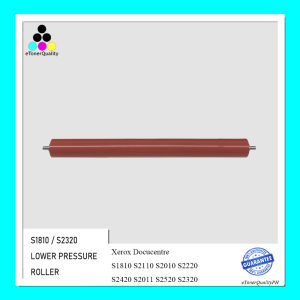
The ETQ Lower Pressure Roller is a crucial component in Fuji Xerox printers, specifically designed to work with models such as S1810, S2110, S2010, S2220, S2420, S2011, S2520, and S2320. This guide will provide you with a thorough understanding of the ETQ Lower Pressure Roller, its role in Fuji Xerox printers, and how to select, install, and maintain it to ensure optimal performance.
Understanding Its Role in Fuji Xerox Printers
The ETQ Lower Pressure Roller plays a vital role in the printing process by applying pressure to the paper as it passes through the printer. This pressure helps transfer toner onto the paper, creating sharp and clear images. By using the ETQ Lower Pressure Roller, you can improve the overall print quality and extend the lifespan of your Fuji Xerox printer.
Key Benefits of Using ETQ Lower Pressure Roller
- Improved print quality: The ETQ Lower Pressure Roller ensures that toner is evenly distributed onto the paper, resulting in sharp and clear images.
- Extended printer lifespan: By reducing wear and tear on other components, the ETQ Lower Pressure Roller helps prolong the life of your Fuji Xerox printer.
- Enhanced durability: The ETQ Lower Pressure Roller is designed to withstand the rigors of daily use, making it a reliable choice for businesses and individuals alike.
Selecting the Right ETQ Lower Pressure Roller for Your Fuji Xerox Printer
When choosing an ETQ Lower Pressure Roller for your Fuji Xerox printer, it's essential to consider compatibility with your specific model. The ETQ Lower Pressure Roller is compatible with models such as S1810, S2110, S2010, S2220, S2420, S2011, S2520, and S2320.
Identifying Compatible Models
To ensure that you select the correct ETQ Lower Pressure Roller for your Fuji Xerox printer, consult the compatibility chart provided by the manufacturer. This will help you avoid purchasing an incompatible component that may cause issues with your printer's performance.
Comparing ETQ Lower Pressure Roller Options
When comparing different ETQ Lower Pressure Roller options, consider factors such as price, quality, and warranty. Opting for a high-quality component can help ensure optimal performance and longevity.
Installing the ETQ Lower Pressure Roller
Installing the ETQ Lower Pressure Roller is a straightforward process that can be completed by following the step-by-step guide provided by the manufacturer.
Step-by-Step Guide for Installation
- Turn off your Fuji Xerox printer and unplug it from the power source.
- Open the access panel to reveal the ETQ Lower Pressure Roller.
- Carefully remove the old roller by pulling it out of its housing.
- Insert the new ETQ Lower Pressure Roller into its housing, ensuring it is securely in place.
- Close the access panel and reconnect your printer to the power source.
- Turn on your printer and test its performance to ensure the new roller is functioning correctly.
Troubleshooting Common Issues During Installation
If you encounter any issues during installation, consult the troubleshooting guide provided by the manufacturer. This may include common problems such as incorrect installation, misalignment, or damage to the roller.
Maintaining Optimal Performance of ETQ Lower Pressure Roller
To maintain optimal performance of your ETQ Lower Pressure Roller, follow these regular maintenance tips:
- Clean the roller periodically using a lint-free cloth and mild cleaning solution.
- Check for signs of wear and tear, such as cracks or damage, and replace the roller if necessary.
- Store the roller in a cool, dry place when not in use to prevent damage.
Extending the Lifespan of ETQ Lower Pressure Roller
By following these maintenance tips, you can extend the lifespan of your ETQ Lower Pressure Roller and ensure optimal performance for years to come.

eTonerQuality Reference Number: 250919-16162227
Review

You May Also Like
NIIMBOT B1 Label Printer Smart Bluetooth Portable Inkless Printers Thermal Printers Sticker Maker
Canon 790 Refill Ink Dye Ink For Printer Pixma E3370 IP2770 MG2500 MG2570S PG810 G1010 G2010
Heatbed Silicone Leveling Column 230Pcs 3D Printers Hot Bed Mounts Column Stable ToolHeat-Resistant Silicone Buffer
Deli Price Labeller 7500: A Comprehensive Guide to Coding Machines & Code Printers
Soonpos 80mm Thermal POS Receipt Printer With Paper Auto Cutter Wall-Mounted USB LAN Bluetooth WiFi Connection Desktop Cashier Compatible with Loyverse POS Salesplay POS Kyte For Restaurant Catering Retail Kitchen
TN3608XL TN-3608XL Toner Powder 500g Chip Toner Cartridge DR3608 Drum unit Compatible for Brother HL-5210DN L6210DWT L6415DW L5510DN MFC-5710D MFC-L5915DW L6915DW DCP-L5510DN
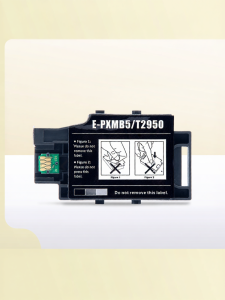
Ink Waste Collector for Epson Printers
12Pcs 0.7mm Fine Tip Permanent Markers For Labeling Writing On Paper Plastic Discs Logistics Packaging Office Supplies
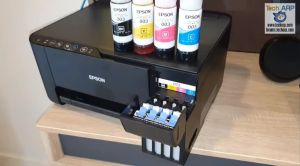
Epson 003 CMYK Genuine Ink Bottles for L1110/L3100/L3101/L3110/L3115/L3116/L3150/L3151/L3152/L3156/L519

1D 2D Barcode Scanner Wired Wireless Bluetooth Bar Code Reader Omni-directional Scanning For Supermarket Logistics Product
HP 60 Black & Tri-Color Ink Cartridge | Original for HP DeskJet Series