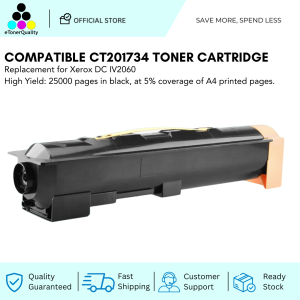
ETQ Compatible Fuji Xerox AP 3065 CT201734 Toner Cartridge
ETQ Compatible Fuji Xerox AP 3065 CT201734 Toner Cartridge
What is ETQ Compatible Toner?
ETQ compatible toner cartridges are high-quality alternatives to original brand toners, designed to work seamlessly with specific printer models. These toners are manufactured by reputable third-party companies and provide cost-effective solutions for businesses and individuals seeking reliable printing performance.
Understanding High-Quality Toner Cartridges
High-quality toner cartridges ensure consistent print quality, accurate color reproduction, and long-lasting performance. They are built using premium materials and undergo rigorous testing to meet strict quality standards.
Why Choose ETQ Compatible Toner?
Choosing ETQ compatible toner offers several advantages:
- Cost savings: ETQ compatible toners are often more affordable than original brand toners.
- Reliability: ETQ compatible toners are tested to ensure they meet the same quality standards as original toners.
- Environmental benefits: By choosing compatible toners, you help reduce waste and promote sustainability.
Compatible Toner for Fuji Xerox AP 3065
The Fuji Xerox AP 3065 is a versatile printer that supports various compatible toner cartridges, including the ETQ compatible CT201734 toner cartridge.
CT201734 Toner: An Overview
The CT201734 toner cartridge is specifically designed for use with the Fuji Xerox AP 3065 printer. This high-quality toner cartridge provides consistent print quality and long-lasting performance, making it an excellent choice for businesses and individuals who value reliability and affordability.
How to Install CT201734 Toner
Installing the CT201734 toner cartridge is a straightforward process:
- Turn off the printer and unplug it from the power source.
- Open the front cover of the printer.
- Locate the empty toner cartridge slot and gently remove the old cartridge.
- Carefully open the packaging of the new CT201734 toner cartridge and remove any protective tape or labels.
- Insert the new CT201734 toner cartridge into the designated slot, ensuring it is properly seated.
- Close the front cover of the printer and plug it back into the power source.
- Power on the printer and allow it to initialize.
Maximizing Printer Performance
To get the most out of your Fuji Xerox AP 3065 printer and CT201734 toner cartridge, follow these best practices:
- Regularly clean the printer to prevent dust buildup and maintain optimal performance.
- Replace the toner cartridge when the low-toner warning appears to avoid compromising print quality.
- Store toner cartridges in a cool, dry place away from direct sunlight to extend their lifespan.
Troubleshooting Common Issues
If you encounter any issues while using the CT201734 toner cartridge, try the following troubleshooting steps:
- Check the printer's error messages and follow the recommended actions.
- Verify that the toner cartridge is properly installed and seated.
- Clean the printer's drum and rollers if print quality deteriorates.
Choosing the Right Toner Cartridge
When selecting a toner cartridge for your Fuji Xerox AP 3065 printer, consider the following factors:
- Compatibility: Ensure the toner cartridge is compatible with your specific printer model.
- Quality: Look for reputable brands that offer high-quality toner cartridges.
- Cost: Compare prices to find the most cost-effective option.
Comparing ETQ Compatible Toner with Original Fuji Xerox Toner
ETQ compatible toners offer several advantages over original Fuji Xerox toners:
- Cost savings: ETQ compatible toners are often more affordable than original brand toners.
- Reliability: ETQ compatible toners are tested to ensure they meet the same quality standards as original toners.
- Environmental benefits: By choosing compatible toners, you help reduce waste and promote sustainability.
Factors to Consider When Selecting a Toner Cartridge
When choosing a toner cartridge for your Fuji Xerox AP 3065 printer, keep the following factors in mind:
- Print volume: Consider how many pages you print regularly to determine the best toner cartridge size for your needs.
- Budget: Determine how much you are willing to spend on toner cartridges and compare prices accordingly.
- Quality: Research the reputation of the toner cartridge manufacturer to ensure you are getting a high-quality product.

eTonerQuality Reference Number: 250919-16162227
Review

You May Also Like
OZER QUICK WIRELESS STENCIL PRINTER Stencil Printers - Lazada

Ricoh Thermistor Original MP2000 MP2001 MP1500 MP1600 MP1900 Series

Brother LC-565XL High Yield Ink Cartridge Cyan MFC-J2510/MFC-J2310
Ink Suction Tool Cartridge Cleaning Solution Suction Tools Kit For Canon / HP

12.7mm Handheld Inkjet Printer Mini Portable Batch Code Date Number Logo Expiry Date Label Printer with 25 Languages ink Ribbon
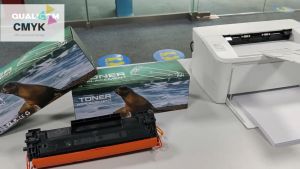
Q2612A toner cartridge q2612 12a 2612 toner cartridge 2612a for For HP printer 12A LaserJet 1010 1012 1022 1015 1020 1018 MFP M1005 M1319f 3050 3015 3020 3030 3055 3052 1022N 1022NW priner
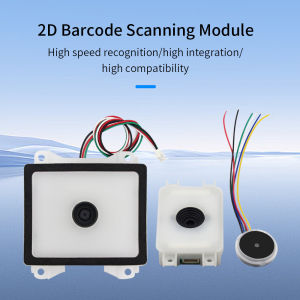
QR Code Module Scanner Reader USB TTL Embedded 1D 2D Barcode Reader QR Code Scanner Module for Vending machine Access Control
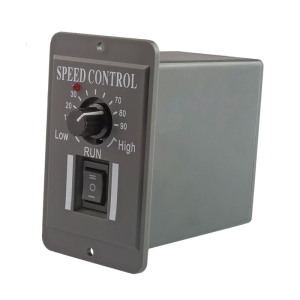
Motor Speed Controllers 10 60V 6A Inversable Operate Speed Regulator for Packaging & Printing Machines

Sticker 30 Sheets PET Film
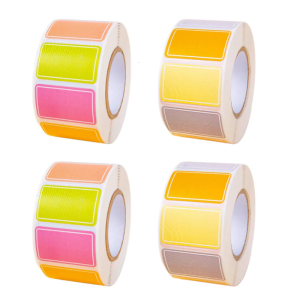
Decorative Labels for School Supplies Art Projects and Household Labeling Crafted With Adhesive Backed Materials
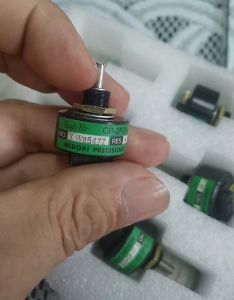
Mitsubishi Printing Machine CP-2FCW Ink Bucket Motor 5K Potentiometer