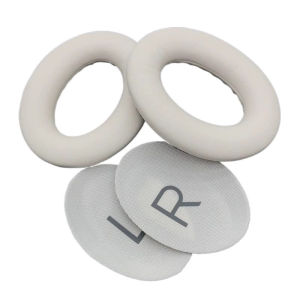
QC45 (QuietComfort 45) Earpads 1 pair with Softer PU Leather Replacement Cushions for Bose QC45 (QuietComfort 45) Headphones
QC45 (QuietComfort 45) Earpads 1 pair with Softer PU Leather Replacement Cushions for Bose QC45 (QuietComfort 45) Headphones
Introduction to Bose QC45 Earpads
The Bose QuietComfort 45 headphones have become a popular choice for audiophiles and casual listeners alike, thanks to their excellent noise cancellation capabilities and rich sound quality. One aspect that significantly contributes to the overall experience is the earpads. In this article, we will discuss the importance of choosing soft PU leather earpads for the QC45 headphones and provide a step-by-step guide on how to replace them.
What Are QC45 Earpads?
Earpads are the cushions that sit directly against your ears, providing comfort and sound isolation. They play a crucial role in enhancing the listening experience by reducing external noise and preventing ear fatigue during extended use. The original earpads supplied with the QC45 headphones are made of memory foam, which offers good comfort. However, some users may prefer softer materials like PU leather for added comfort and durability.
Why Choose Soft PU Leather for Earpads?
Soft PU leather is a synthetic material that mimics the look and feel of genuine leather. It is known for its durability, easy maintenance, and softness, making it an ideal choice for earpad replacements. Additionally, PU leather does not contain any harmful chemicals, making it safe for daily use. The replacement earpads we offer for the QC45 headphones are made of high-quality PU leather, ensuring maximum comfort and longevity.
How to Replace Earpads on QC45 Headphones
Replacing the earpads on your QC45 headphones is a straightforward process that can be completed in just a few minutes. Follow the steps below to install new earpads:
Step-by-Step Guide to Removing Old Earpads
- Turn off your QC45 headphones and unplug them from any power source.
- Locate the small tabs on either side of the earcup.
- Gently press these tabs while pulling the earpad away from the earcup.
- Once the earpad is loose, carefully lift it off the earcup.
Installing New Earpads on QC45 Headphones
- Align the new earpad with the earcup, ensuring the tabs are properly positioned.
- Press the earpad firmly onto the earcup, making sure it clicks into place.
- Repeat the process for the other earcup.
- Turn on your headphones and enjoy the enhanced comfort and sound quality.
Benefits of Using Replacement Earpads for QC45
Enhanced Comfort & Reduced Fatigue
One of the primary advantages of replacing the earpads on your QC45 headphones is the improved comfort they provide. Soft PU leather earpads are more breathable and less likely to cause discomfort or irritation during extended listening sessions. This feature helps reduce ear fatigue, allowing you to enjoy your music or podcasts for longer periods without experiencing discomfort.
Improved Sound Quality & Noise Cancellation
In addition to enhancing comfort, replacing the earpads on your QC45 headphones can also improve their sound quality and noise cancellation capabilities. The new earpads provide better sound isolation, allowing you to hear every detail of your music or audio content. Moreover, they help maintain the integrity of the noise cancellation technology, ensuring that you can enjoy a quiet listening experience even in noisy environments.
Frequently Asked Questions About QC45 Earpads
Are Replacement Earpads Compatible with Other Headphones?
The replacement earpads we offer are specifically designed for the Bose QuietComfort 45 headphones. They may not be compatible with other models or brands of headphones. However, if you have any doubts about compatibility, feel free to contact our customer support team for assistance.
How Long Do Replacement Earpads Last?
The lifespan of replacement earpads depends on various factors, such as usage frequency, maintenance, and individual wear patterns. With proper care and regular cleaning, the PU leather earpads we offer can last for several years. However, it is essential to inspect them periodically for signs of wear and tear and replace them if necessary to maintain optimal performance.

LinJe
Review

You May Also Like
MagSafe Transparent Protective Case for iPhone 17 pro Max Apple 17 Mobile Phone Shell with Stand Cartoon Design Acrylic Material
Artisan Keycaps: Customizing Your Mechanical Keyboard Experience
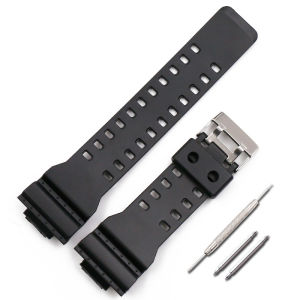
Smart Watch Band For G-Shock GA-110GB & GA400: A Comprehensive Guide
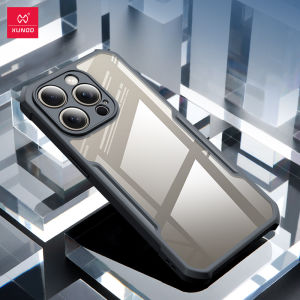
XUNDD Phone Case For Apple iPhone15 Pro Max Plus Pro Case 4-corner Shockproof Protection Phone Casing Anti Drop Anti Scratch Protective Covers soft shell

5 Gallon Water Bottle Top Spigot Water Drinking Dispenser Valve Faucet Hand Pump
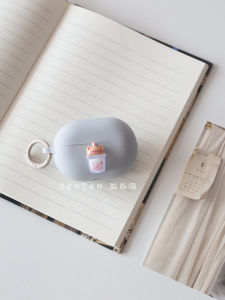
Huawei Freebuds5i/6i/Pro4 Protective Silicone Case Integrated Design Anti-Fall Earphone Cover Soft Cute Minimalist Style

ANYTROX 2025 Wireless Selfie Screen: Magnetic Phone Vlog & Wireless Connection
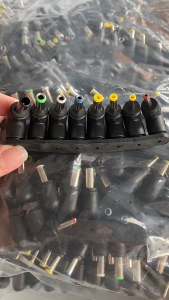
1Set USB Jack Charging Cord Plug Connector 3.5mm With 8 Heads USB To Universal DC Power Cable
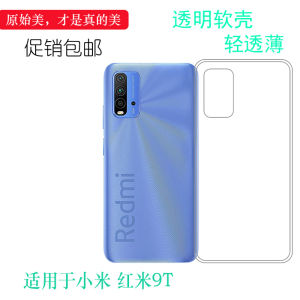
Transparent Soft Silicone Case for Xiaomi Redmi 9T Mobile Phone Protective Cover Anti-Fall Wear-Resistant Clear Plastic Shell

Infinix Hot 11s Softcase: Aesthetic & NFC Compatible Phone Case
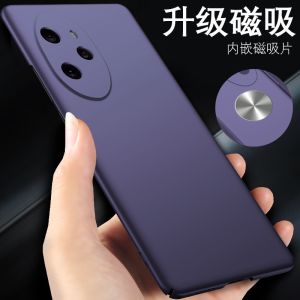
Applicable to Huawei Honor 100 Phone Case Matte Simple Ultra-Thin Drop-Resistant Honor 100 Protective Case New Arrival Fancy Honor100 Business Men and Women Pure Color Non Slip All-Inclusive Anti-Fingerprint Hard Case