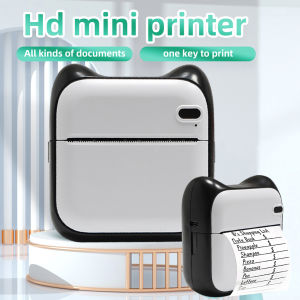
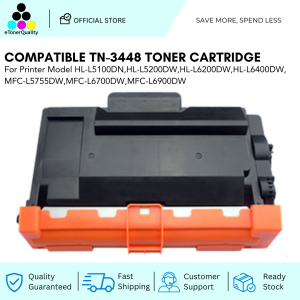
ETQ Compatible Toner Cartridge for HL-L6400 DW / HL-6200DW
ETQ Compatible Toner Cartridge for HL-L6400 DW / HL-6200DW
What is ETQ Compatible Toner Cartridge
Overview of ETQ Compatible Toner Cartridge
ETQ Compatible Toner Cartridge is a high-quality alternative to original toner cartridges for business printers, specifically designed for HL-L6400 DW and HL-6200DW printers. ETQ toner cartridges provide a cost-effective solution for businesses looking to save money on printing costs without compromising on print quality.
Key Features of ETQ Compatible Toner Cartridge
- High-quality print output comparable to original toner cartridges
- Cost-effective solution for businesses
- Compatible with HL-L6400 DW and HL-6200DW printers
- 1pc Toner Cartridge included
Choosing the Right Toner Cartridge for Business Printers
HL-6200DW Toner Cartridge: A Closer Look
When choosing a toner cartridge for your HL-6200DW printer, consider the compatibility and quality of the cartridge. ETQ Compatible Toner Cartridge is specifically designed for this printer model and provides high-quality print output comparable to original toner cartridges. It is also a cost-effective solution for businesses looking to save money on printing costs.
HL-L6400 DW Toner: Performance & Quality
ETQ Compatible Toner Cartridge for HL-L6400 DW printer provides excellent print quality and performance. It is compatible with the printer model and provides high-quality print output comparable to original toner cartridges. The cartridge is also cost-effective, making it a great choice for businesses looking to save money on printing costs.
How to Install ETQ Compatible Toner Cartridge
Step-by-Step Guide for HL-L6400 DW
- Turn off the printer and unplug it from the power source.
- Open the front cover of the printer and remove the original toner cartridge.
- Remove the new ETQ Compatible Toner Cartridge from its packaging and remove the protective tape.
- Insert the new cartridge into the printer and close the front cover.
- Turn on the printer and wait for it to initialize.
Step-by-Step Guide for HL-6200DW
- Turn off the printer and unplug it from the power source.
- Open the front cover of the printer and remove the original toner cartridge.
- Remove the new ETQ Compatible Toner Cartridge from its packaging and remove the protective tape.
- Insert the new cartridge into the printer and close the front cover.
- Turn on the printer and wait for it to initialize.
Troubleshooting Common Issues
Dealing with Print Quality Problems
If you experience print quality problems after installing the ETQ Compatible Toner Cartridge, try the following steps:
- Check if the cartridge is properly installed and aligned in the printer.
- Clean the print head and drum unit.
- Run a print test page to check the print quality.
Addressing Toner Cartridge Installation Challenges
If you encounter difficulties installing the ETQ Compatible Toner Cartridge, refer to the step-by-step guide provided above. Ensure that you follow the instructions carefully and seek help if needed.
Conclusion
ETQ Compatible Toner Cartridge is a cost-effective solution for businesses looking to save money on printing costs without compromising on print quality. It is specifically designed for HL-L6400 DW and HL-6200DW printers and provides high-quality print output comparable to original toner cartridges. With proper installation and maintenance, ETQ Compatible Toner Cartridge can help businesses achieve their printing goals while saving money.

eTonerQuality Reference Number: 250919-16162227
Review

You May Also Like
AOS Compatible DR267CL DR263CL DR-267 DR-263 DR 267CL DR 263CL for Brother Printer
ERYONE PLA Matte Rainbow Premium Filament 3D PrintMacaron+Watercolor New Style1kg pla matte rainbow filamentsale1KG/Spool
Rubber Line Dater Adjustable English Date for Scrapbooking Packaging Rubber Date Roller for Office
AOS Compatible Toner Cartridge for OKI MC332 MC363N OB332 Black Cyan Yellow Magenta

Brother BTD60BK & BT6000BK Ink Bottle Set: Compatible Inks for T-Series Printers
Brother MFC-J3540DW Inkjet Printer
Original CT351075 Drum Unit Fuji Xerox DocuCentre S2011 S2110 S2320 S2520
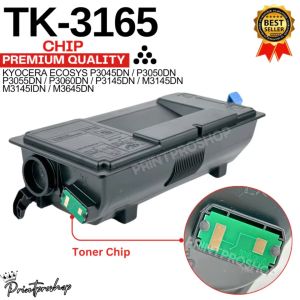
TK3165 TK 3165 Toner chip for Ecosys P3045DN P3050DN M3145DN etc.
SALEZONE - 500ml Ink for Ep Printer CUYI Pigment Ink & CUYI Sublimation Ink Refillable Ink
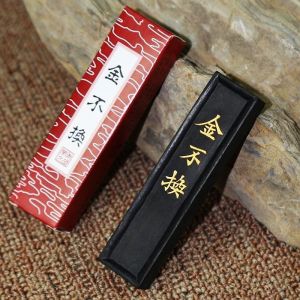
Anhui Ink Stick Ink for Chinese brush calligraphy Grinding ink blocks Lao Hu Kaiwen Ink Stick from She County Pure handmade ink
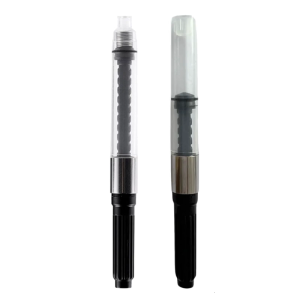
Fountain Pen Ink Piston Converter 2.6mm OR 3.4mm Bore Diameter Rotating Fountain Pen Ink Converter for Smooth Writing