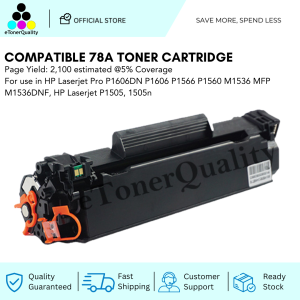
ETQ Compatible 78A CE278A Black Toner Cartridge for use in HP Printer
ETQ Compatible 78A CE278A Black Toner Cartridge for use in HP Printer
What is ETQ Compatible 78A CE278A Black Toner Cartridge?
ETQ Compatible 78A CE278A Black Toner Cartridge is a high-quality toner cartridge compatible with HP printers. It is designed to provide users with a reliable alternative to original HP toner cartridges while offering comparable performance at a more affordable price. This cartridge is specifically engineered to work seamlessly with HP printers, ensuring optimal printing quality and efficiency.
Key Features & Benefits
-
High-Quality Printing: ETQ Compatible 78A CE278A Black Toner Cartridge delivers sharp and clear prints, making it ideal for both personal and professional use.
-
Cost-Effective: As a compatible toner cartridge, ETQ Compatible 78A CE278A Black Toner Cartridge offers significant cost savings compared to original HP toner cartridges, without compromising on print quality.
-
Easy Installation: Designed for hassle-free installation, this toner cartridge is simple to install, even for users with limited technical knowledge.
-
Extended Lifespan: ETQ Compatible 78A CE278A Black Toner Cartridge is built to last, providing a longer lifespan compared to generic alternatives.
How to Choose the Right Toner Cartridge
When selecting a toner cartridge, it is essential to consider factors such as print quality, cost-effectiveness, and compatibility with your HP printer. ETQ Compatible 78A CE278A Black Toner Cartridge offers a perfect balance of these factors, making it an excellent choice for users seeking a reliable alternative to original HP toner cartridges.
How to Install the ETQ Compatible 78A CE278A Black Toner Cartridge
Installing the ETQ Compatible 78A CE278A Black Toner Cartridge is a straightforward process. Follow these steps to ensure a smooth installation:
Step-by-Step Installation Guide
-
Power off your HP printer and unplug it from the power source.
-
Open the printer's front cover and locate the empty toner cartridge slot.
-
Remove the protective tape from the new toner cartridge.
-
Insert the new toner cartridge into the designated slot, ensuring it is securely seated.
-
Close the printer's front cover and reconnect the power source.
-
Power on your HP printer and allow it to perform its initialization process.
Troubleshooting Common Issues
If you encounter any issues during installation or while using the ETQ Compatible 78A CE278A Black Toner Cartridge, refer to the following troubleshooting tips:
-
Cartridge Not Detected: Ensure the toner cartridge is properly seated in its slot and the printer's front cover is closed securely.
-
Print Quality Issues: Check if the toner cartridge is correctly installed and if there are any debris or blockages in the printer's print head.
-
Cartridge Not Working: Verify that the toner cartridge is compatible with your HP printer model and that it is not expired.
Maximizing the Performance of Your ETQ Compatible Toner Cartridge
To ensure optimal performance and longevity of your ETQ Compatible 78A CE278A Black Toner Cartridge, follow these tips:
Tips for Optimal Printing Quality
-
Regular Maintenance: Clean the printer's print head and toner cartridge regularly to maintain optimal print quality.
-
Proper Storage: Store the toner cartridge in a cool, dry place away from direct sunlight and moisture.
-
Use Compatible Paper: Use high-quality paper compatible with your HP printer to achieve the best print results.
Extending the Lifespan of Your Toner Cartridge
-
Print in Draft Mode: Printing in draft mode can significantly extend the lifespan of your toner cartridge.
-
Reduce Print Volume: Limit unnecessary printing to conserve toner and prolong the life of your toner cartridge.
-
Proper Handling: Handle the toner cartridge with care to avoid damage or premature wear.
Where to Buy ETQ Compatible 78A CE278A Black Toner Cartridge
To purchase the ETQ Compatible 78A CE278A Black Toner Cartridge, consider the following options:
Trusted Online Retailers
- Amazon
- eBay
- Walmart
Locating Authorized Resellers
Visit the official ETQ website or contact their customer support to locate authorized resellers near you.

eTonerQuality Reference Number: 250919-16162227
You May Also Like
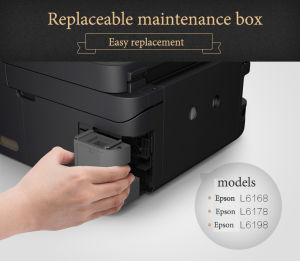
For Epson L6170 L6290 L6190 L6191 L617 L6168 L6178 L6198 M1140 ET-2700 ET-2760 Epson Maintenance Box T04D1
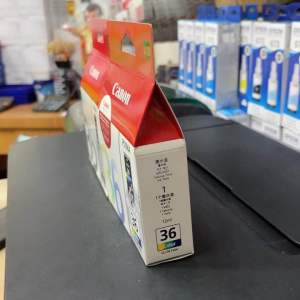
Brandnew Genuine ink cartridge PG35 black & CL 36: A Comprehensive Guide
![[COD] SHGMYD 20PCS A4 Sheets Heat Toner Transfer Paper For DIY PCB Electronic Prototype Mak](https://img.lazcdn.com/g/p/641add4f00b4780ca660e5a93885130e.jpg_300x300q80.jpg)
[COD] SHGMYD 20PCS A4 Sheets Heat Toner Transfer Paper For DIY PCB Electronic Prototype Mak
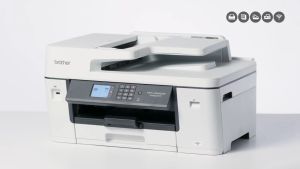
Brother MFC-J3540DW Inkjet Printer
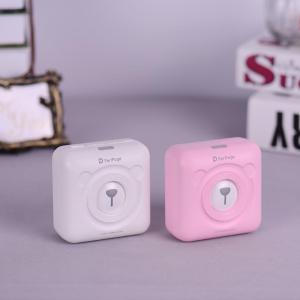
PeriPage A6 Mini Pocket Wireless BT Thermal Printer: Features & Benefits

【PH Ready Stock】L&C Refill for HP GT51 GT52 Ink Set Dye Ink For Inkjet Printer 410 319 500 GT5810 GT5810 GT5820 70ML
Epson Waste Ink Pad For Epson L110 L111 L120 L130 L132 L210 L211 L220 L222 L300 L301 L303 L310 L312 L313 L350 L351 L353 L355 L358 L361 L362 L363 L364 L365 L366 L375 L380 L382 L385 L386 L395L396 L400 L405 L455
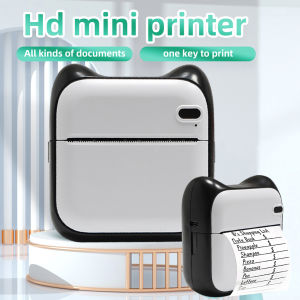
Mini Photo Pocket Printer: A Comprehensive Guide
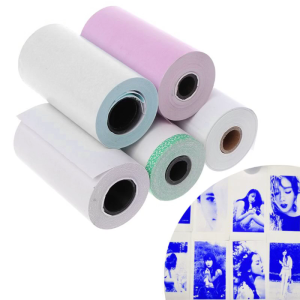
Photo Paper Mini Printable Sticker Roll Thermal Printers Clear Printing Smudge-P
【PH Ready Stock】L&C DTF Hotmelt Powder For DTF Transfer Film Fine Particle High Elasticity Premium Quality
【Super low price】P1 Label Maker Machine 57mm Pocket Thermal Sticker Printer for Organizing Adhesive Tag DIY Date Journal Study Stickers 20-50mm label Width Support Wireless BT Connect Compatible with iOS Android