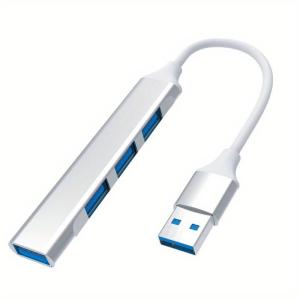
4-Port USB 2.0 Hub: High-Speed Data Transfer for Laptops & More
4-Port USB 2.0 Hub: High-Speed Data Transfer for Laptops & More
Product Overview
The 4-Port USB 2.0 Hub is a versatile Aluminum Alloy Multiport Adapter designed to meet the high-speed data transfer needs of various devices, including laptops, consoles, printers, cameras, keyboards, and mice. This compact and portable hub offers enhanced compatibility and port expansion capabilities, making it an ideal choice for professionals and enthusiasts alike.
Key Features
- High-Speed Data Transfer: With a maximum data transfer rate of 480 Mbps, this hub ensures seamless connectivity and efficient data exchange between devices.
- Aluminum Alloy Construction: The all-aluminum body provides durability and heat dissipation, ensuring optimal performance during extended use.
- USB-A & USB-C Connectors: This hub supports both USB-A and USB-C connectors, allowing users to connect a wide range of devices effortlessly.
- Plug-and-Play Compatibility: The hub is designed for conflict-free plug-in and plug-out functionality, making it easy to use with minimal setup required.
Design Highlights
- Fine Craftsmanship: The sleek, silvery finish and compact size make this hub a stylish addition to any workspace.
- Portability: Weighing just a few ounces, the hub is easy to carry around, ensuring you always have access to multiple USB ports wherever you go.
- Multi-Port Expansion: The hub's four USB 2.0 ports provide ample space for connecting multiple devices simultaneously, addressing the port expansion requirements of modern devices.
How to Use the 4-Port USB 2.0 Hub
Connecting Devices
To connect devices to the hub, simply plug the hub into a USB port on your laptop or console using the provided USB-A or USB-C connector. Then, connect your desired devices to any of the four available USB 2.0 ports. The hub will automatically detect and recognize connected devices, allowing for seamless data transfer.
Troubleshooting Common Issues
If you encounter issues with the hub, such as slow data transfer or connectivity problems, try the following troubleshooting steps:
- Restart the hub: Disconnect the hub from your device, wait a few seconds, and then reconnect it.
- Check connections: Ensure that all cables and connectors are securely connected and free from damage.
- Update drivers: Visit the manufacturer's website to download and install any available driver updates for your device.
Benefits of Using the Aluminum Alloy Multiport Adapter
Enhanced Compatibility
The hub's support for both USB-A and USB-C connectors allows users to connect a wide range of devices, including laptops, consoles, printers, cameras, keyboards, and mice. This versatility makes it an ideal choice for professionals and enthusiasts who require multiple USB ports for various applications.
Port Expansion Requirements
With four USB 2.0 ports, this hub provides ample space for connecting multiple devices simultaneously, addressing the port expansion requirements of modern devices. This feature is particularly useful for users who frequently switch between different devices or need to connect multiple peripherals at once.
Conclusion
The 4-Port USB 2.0 Hub is a reliable and versatile solution for high-speed data transfer needs. Its compact size, aluminum alloy construction, and support for USB-A and USB-C connectors make it an ideal choice for professionals and enthusiasts alike. By expanding the number of available USB ports, this hub addresses the port expansion requirements of modern devices while providing enhanced compatibility and seamless connectivity." }

SeaSpark
Review

You May Also Like

Cute Bear Wrist Support Mouse Pad for Office Ergonomic Gaming Desk Mat Comfortable Keyboard Wrist Cushion

Caile Creative Tulip Flower Leaves Mobile Phone Straps Charms Hand Rope Cute Keychain Fashion Bag Camera Pendant Lanyard Decorations
New Phone Case For Samsung Galaxy A51 A50 A50S A30S Business Magnetic Leather Wallet Card Slot Flip Cover Casing
Oppo Reno Series Full Screen Water Condensing Tempered Glass Mobile Phone Film Original Protective Film for Reno 7 8 9 pro
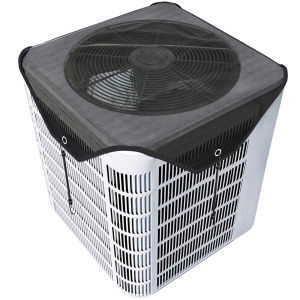
Central Air Conditioner Cover for Outside Units 71/81/91CM Top Universal Outdoor AC Cover Defender
OKI5100F Ribbon Universal Four-Prong Dot Matrix Printer Ribbon Holder OKI5200f/5700f/5600f Ribbon
SAMSUNG S23 FE / S21 FE / S20 FE Tempered Glass FSHANG Clear Screen Protector
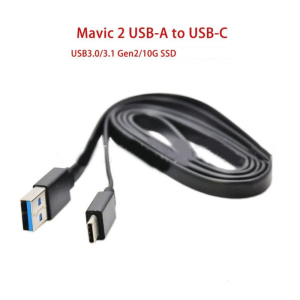
Type-C Gen2 USB 3.0 Data Cable for DJI Mavic 2 Pro Zoom - A Must-Have Accessory

Compact US Travel Adapter: A Comprehensive Guide
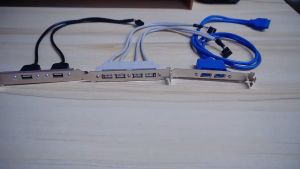
2/4 Ports USB Rear Panel Bracket Motherboard Cable USB 2.0 Connector Cable Adapter Computer Accessories PC Mainboard 9pin To Dual USB 2.0 Ports Cable Motherboard 2 USB2.0 Panel Bracket Extension PCI Cable
Phone Case for Realme C30 C30S Realme Narzo 50i Prime Light Luxury Rhinestone Womens Sparkling Butterfly Bracket Casing