True Vision Dual Articulating Vertical Monitor Stand: A Comprehensive Guide
True Vision Dual Articulating Vertical Monitor Stand: A Comprehensive Guide
Introduction to the True Vision TV12-C02V Monitor Stand
The True Vision Dual Articulating Vertical Monitor Stand, model TV12-C02V, offers a versatile solution for optimizing your workspace with dual monitors. This comprehensive guide will provide you with an in-depth understanding of its features, installation process, and benefits.
Key Features & Benefits
- Compatibility: Supports monitors ranging from 13 to 32 inches, making it ideal for various applications.
- Mounting System: Equipped with both C-clamp and grommet mounting options for secure installation.
- Adjustability: Offers vertical adjustment and articulating arm flexibility for customizable viewing angles.
Compatibility with 13-32 Inch Monitors
The True Vision TV12-C02V monitor stand is designed to accommodate a wide range of monitor sizes, from 13 inches up to 32 inches. This versatility ensures that it can fit seamlessly into any workspace, whether you're using a compact laptop display or a large desktop monitor.
Overview of the C-Clamp and Grommet Mounting System
The TV12-C02V comes equipped with both a C-clamp and grommet mounting system, providing you with multiple options for securing the stand to your desk or wall. The C-clamp allows for easy attachment to a desktop, while the grommet mount enables secure installation onto a wall or vertical surface.
How to Install the Dual Articulating Monitor Stand
Installing the True Vision TV12-C02V monitor stand is a straightforward process that can be completed in just a few steps.
Step-by-Step Installation Process
- Choose your preferred mounting method (C-clamp or grommet).
- Attach the mounting hardware to your desk or wall.
- Install the monitor stand onto the mounting hardware.
- Secure the monitors onto the articulating arms.
Tips for Securing the Monitor Safely
- Always ensure that the monitor stand is securely attached to your desk or wall before mounting the monitors.
- Follow the manufacturer's guidelines for weight limits and monitor size compatibility.
Troubleshooting Common Installation Issues
If you encounter any issues during installation, refer to the troubleshooting guide included with the product or contact customer support for assistance.
Adjusting Your Monitor for Optimal Viewing
Once installed, the True Vision TV12-C02V offers various adjustments to optimize your viewing experience.
Understanding the Vertical Adjustment Range
The vertical adjustment range allows you to position the monitors at eye level, reducing strain on your neck and improving overall comfort.
Exploring the Articulating Arm's Flexibility
The articulating arms enable you to adjust the angle and tilt of each monitor, providing a customizable viewing experience tailored to your needs.
Tips for Customizing Your Viewing Experience
- Experiment with different monitor positions to find the most comfortable setup for your eyes and posture.
- Utilize the adjustable features to minimize glare and reflections from external light sources.
Enhancing Productivity with the True Vision Monitor Stand
By utilizing the True Vision TV12-C02V monitor stand, you can significantly boost your productivity and efficiency.
How the Adjustable Vertical Monitor Stand Boosts Efficiency
The vertical adjustment range allows you to position the monitors at eye level, reducing strain on your neck and improving overall comfort. This leads to increased focus and productivity during extended work sessions.
Best Practices for Multitasking with Dual Monitors
- Utilize one monitor for primary tasks and the other for reference materials or secondary applications.
- Customize the monitor positions to suit your workflow and minimize distractions.
Ergonomic Benefits of Using a Vertical Monitor Stand
The True Vision TV12-C02V monitor stand promotes good posture and reduces strain on your neck and eyes by allowing you to position the monitors at eye level. This contributes to a healthier working environment and improved overall well-being.
Conclusion & Final Thoughts
The True Vision Dual Articulating Vertical Monitor Stand, model TV12-C02V, offers a versatile solution for enhancing your workspace with dual monitors. With its compatibility with 13-32 inch monitors, C-clamp and grommet mounting system, and adjustable vertical positioning, this monitor stand provides a customizable viewing experience tailored to your needs. By following the installation process and utilizing the ergonomic features, you can boost your productivity and maintain a healthy working environment.

Ti Mi

Review
You May Also Like

Regulable Quickly Release Shoulder Strap Heavy Type Oxfords Shoulder Strap With Rotating Hook And Multiple Attachments

Original Apple 7 plus Charging Interface Cable Speaker Microphone Built-In Tail Plug Line Compatible with iPhone 7 plus
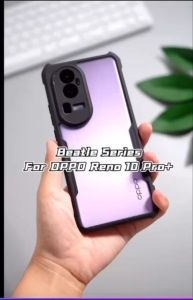
OPPO A55 A54 A53 A17K A17 A16K A16 A36 A15 A15S A12 A5S XUNDD Beatle Series AIRBAG Shockproof Case
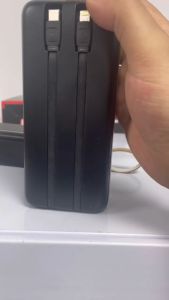
Samsung 150000mAh Powerbank 22.5W Fast Charger with LED Portable Digital Display Power Bank

COMPTYCO A-80S fully automatic fiber fusion splicer 6 motors OPM/VFL 10 languages button/touch bidirectional operation fiber optic fusion splicer

TECNO POVA 4/4 Pro XUNDD Beatle Shockproof Case + FREEBIE

Matte Tempered Glass For Tecno Camon 40 Pro Camon40 40Pro 5G 4G 2025 Frosted Anti Fingerprint Curved Screen Protector Cover Film Protective Glass Anti Scratch 9H Hardness

Portable Travel Short Cable: A Comprehensive Guide

Vivo Y39 5G Case For Vivo Y39 5G【Vintage Leather Flip Wallet Case with Card Holder Phone Cover Casing】
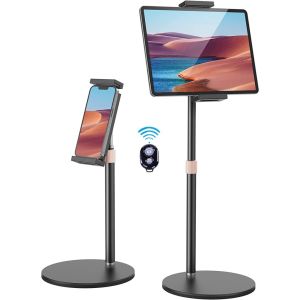
Aluminum Metal Tablet Stand: A Comprehensive Guide
New Laptop Keyboard for Lenovo IdeaPad Slim 3 & Air 15 Series (F10 Lock Key)