Inverter Ceiling Fan With LED Light 2 IN 1 Ceiling Light With Fan Ceiling Fan Light with Remote Control And 3 Color 7 Blades Smart Celling Fan
Inverter Ceiling Fan With LED Light 2 IN 1 Ceiling Light With Fan Ceiling Fan Light with Remote Control And 3 Color 7 Blades Smart Celling Fan
What is the Inverter Ceiling Fan with LED Light?
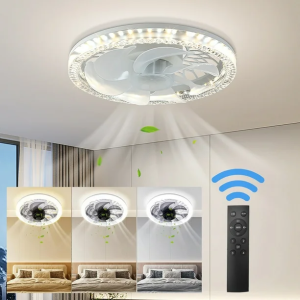
The Inverter Ceiling Fan with LED Light is a versatile home appliance that combines the functionality of a ceiling fan and a light fixture. It features an energy-efficient motor and a remote control that allows users to adjust wind speeds and change light colors, making it an excellent choice for enhancing comfort and ambiance in any room.
Key Features of the Inverter Ceiling Fan
- 7-blade design for optimal air circulation
- Inverter technology for energy efficiency
- Remote control for adjusting wind speeds and changing light colors
- Directional lamp head for focused lighting
How the LED Light Works with the Fan
The LED light is integrated into the lamp head of the ceiling fan, providing a bright and energy-efficient source of illumination. The light can be controlled through the remote control, allowing users to switch between three different color options to create the desired atmosphere in their space.
Why Choose the Inverter Ceiling Fan with LED Light
Investing in an Inverter Ceiling Fan with LED Light offers numerous benefits, including:
- Energy efficiency and cost savings due to inverter technology
- Enhanced comfort and ambiance through adjustable wind speeds and color-changing lights
- Easy installation and remote control operation
Installation Guide for the Inverter Ceiling Fan with LED Light
Step-by-Step Instructions for Installing the Fan
- Turn off the power supply at the circuit breaker
- Assemble the fan according to the manufacturer's instructions
- Install the fan onto the mounting bracket
- Connect the wires according to the wiring diagram
- Turn on the power supply and test the fan
Troubleshooting Common Issues During Installation
If you encounter any issues during installation, refer to the troubleshooting guide in the user manual or contact customer support for assistance. Some common problems include incorrect wiring connections, loose mounting brackets, and malfunctioning components.
Tips for Proper Installation
- Ensure that the mounting bracket is securely attached to the ceiling joist
- Follow the manufacturer's instructions carefully to avoid damaging the fan or causing electrical hazards
- Hire a professional electrician if you are unsure about any aspect of the installation process
Remote Control Functionality of the Inverter Ceiling Fan with LED Light
How to Use the Remote Control for Wind Speeds
The remote control allows users to adjust the wind speed of the ceiling fan to their desired level. Simply press the up or down arrow buttons to increase or decrease the speed, respectively.
Exploring the 3-Color Light Options
The remote control also enables users to change the color of the LED light to one of three options: warm white, cool white, or natural daylight. Press the color-changing button to cycle through the available options.
Additional Features of the Remote Control
In addition to controlling wind speeds and light colors, the remote control may also offer other features such as timer settings and preset modes. Refer to the user manual for more information on these functions.
Product Specifications & Dimensions
Detailed Size Information
- Diameter: 30 cm
- Height: 12.5 cm
Power Consumption & Energy Efficiency
- Product power: 45W
- Energy efficiency: Inverter technology reduces energy consumption and costs
Lamp Head & Fan Blade Specifications
- Lamp head: Directional lamp head
- Fan blades: 7 blades for optimal air circulation

Amy PH
You May Also Like
O-RING FOR BLUE HOUSING WATER FILTER HOUSING ACCESSORIES / WATER FILTRATION SUPPLIES / WATER TREATMENT / WATER PURIFIER
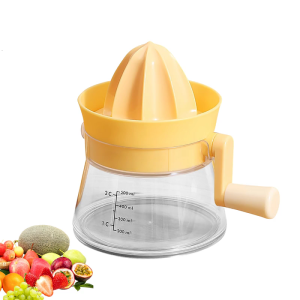
Hand Operated Citrus Squeezer with Ergonomic Handle Handheld Juicer for Home Use and Outdoor Picnics Kitchen Accessory

✅100% Original Yoky ULTRA HIGH-SPEED MINI Air Fan Handheld Turbo Fan 9m/s Strongwind Speed Micro Wind Fan
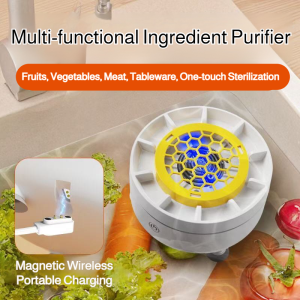
🥬Fruit and Vegetable Washing Machine Household Vegetable and Fruit Pesticide Residue Removal Turbine Purifier Portable Cordless Automatic Vegetable Washing Machine除农残涡轮净化果蔬清洗机
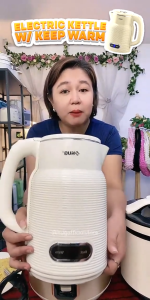
Hug 2.0 Liters Stainless Steel Fast Boiling Electric Kettle with Keep Warm Feature - EK-23W
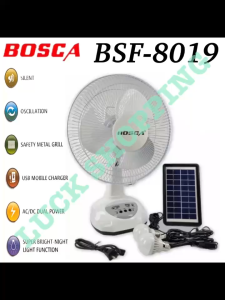
BOSCA 12 Inch AC/DC Solar Rechargeable Fan Desk Fan Box Fan with LED Light BSF-8019

Super Professional 1250W Blower Hair Dryer: Quick Dry & Negative Ion Benefits

Professional USB Rechargeable Lipstick Electric Shaver & Hair Removal Device: A Comprehensive Guide
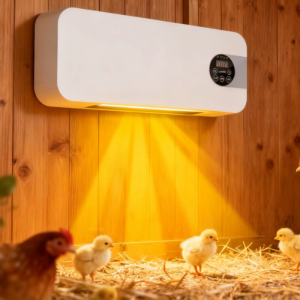
Winter chicken Coops heater Duals-mode wall-mounted chicken Coops heater with timer and remote control heats up quickly suitable for various rooms.
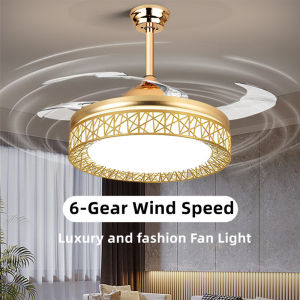
Modern Fan Chandeliers & LED Ceiling Fans: A Comprehensive Guide
2pcs Without Safety Valves for Household Water Heaters Suitable for Family with Children and Elderly