V380 Pro CCTV Camera: A Comprehensive Guide
V380 Pro CCTV Camera: A Comprehensive Guide
The V380 Pro CCTV Camera is a high-quality, versatile security camera that combines advanced technology with ease of use. This guide will walk you through the key features, setup process, security enhancements, and troubleshooting tips for this camera. Let's dive into the details!
Key Features of V380 Pro CCTV Camera
8MP Wireless Indoor Outdoor Camera
The V380 Pro CCTV Camera is a wireless indoor/outdoor camera that delivers exceptional image quality with its 8MP sensor. This allows you to capture clear, crisp images and videos, even in low-light conditions.
Connect Cellphone CCTV Camera
The V380 Pro CCTV Camera can easily connect to your smartphone, allowing you to monitor your home or business remotely. With this feature, you can access live feeds, receive notifications, and control the camera's settings from anywhere.
Two-Way Auto Tracking Night Vision Security Camera
The V380 Pro CCTV Camera features two-way auto tracking, which means it can automatically track moving objects within its field of view. It also has night vision capabilities, enabling it to capture clear images even in complete darkness.
How to Set Up Your V380 Pro CCTV Camera
Setting up the V380 Pro CCTV Camera is straightforward and easy. Follow these steps to get started:
Installation and Connection Process
- Unpack the camera and all included accessories.
- Mount the camera on a wall or ceiling using the provided bracket.
- Connect the camera to power and Wi-Fi.
- Download the V380 Pro app and follow the on-screen instructions to connect the camera to your smartphone.
Configuring Cloud Storage & TF Card Storage
The V380 Pro CCTV Camera supports both cloud storage and TF card storage. To configure these settings, follow these steps:
- Open the V380 Pro app and navigate to the camera's settings.
- Select the desired storage option (cloud or TF card).
- Configure any additional settings, such as recording intervals or motion detection sensitivity.
Adjusting PTZ and Field of View Settings
The V380 Pro CCTV Camera has a wide field of view and supports PTZ (pan, tilt, zoom) adjustments. To adjust these settings, follow these steps:
- Open the V380 Pro app and navigate to the camera's settings.
- Adjust the pan, tilt, and zoom settings as desired.
- Set the horizontal direction angle to 355°.
Enhancing Security with V380 Pro CCTV Camera
The V380 Pro CCTV Camera offers several features to enhance your security:
Utilizing AI Humanoid Auto Tracking
The V380 Pro CCTV Camera features AI humanoid auto tracking, which allows it to automatically track moving objects within its field of view. This feature can help you quickly identify potential threats and respond accordingly.
Monitoring & Recording Capabilities
The V380 Pro CCTV Camera offers advanced monitoring and recording capabilities, including live feeds, motion detection, and event-based recording. These features can help you stay informed about what's happening at your home or business.
Audio and Speaker Integration
The V380 Pro CCTV Camera supports audio and speaker integration, allowing you to communicate with people within its field of view. This feature can be useful for deterring intruders or communicating with family members or employees.
Troubleshooting Common Issues
If you encounter any issues with your V380 Pro CCTV Camera, try these troubleshooting tips:
Connectivity Problems
If you're experiencing connectivity problems, check the following:
- Ensure the camera is connected to Wi-Fi.
- Restart the camera and smartphone app.
- Check for firmware updates.
Image Quality Concerns
If you're experiencing image quality concerns, try the following:
- Adjust the camera's settings, such as exposure and white balance.
- Clean the camera lens.
- Check the camera's firmware version and update if necessary.
Power Consumption and Battery Life
The V380 Pro CCTV Camera has a power consumption of 911.83mW for colorful picture viewing and 1310.19mW for night vision + infrared viewing. To extend battery life, try the following:
- Reduce the camera's power consumption by adjusting its settings.
- Use a power adapter instead of battery power.
- Place the camera in a location with good Wi-Fi coverage to reduce power consumption.

momoini
![[BUY 1 TAKE 1] V380 Pro CCTV Camera no need Internet Bulb Camera CCTV Camera Connect Cellphone 8MP cctv camera wifi connect Two-Way Auto Tracking Night Vision Wireless Indoor Outdoor CCTV IP Security Camera cctv with audio and speaker](https://img.lazcdn.com/g/p/bec9c8c094fc55ed4b62891292ed62e0.jpg_300x300q80.jpg)
Review
You May Also Like
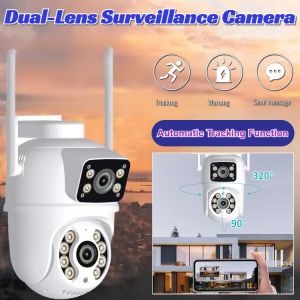
HD Outdoor Dual Lens Dual Screen Alarm Camera Night Vision Surveillance CCTV Camera Waterproof Outdoor Wifi Camera
A9 Mini Camera WiFi Wireless Monitoring Security Protection Remote Monitor Camcorders Video Surveillance Smart Home
V380 P2 3MP / 5MP Ball CCTV Camera 1080P PTZ IP65 Camera Outdoor Waterproof 4X Digital Zoom Speed Dome WiFi Camera Audio AI Human Detection Super Mini Home Security Camera
![[BUY 1 TAKE 1]A7 PRO CCTV camera connect to cellphone CCTV Camera No Needed WIFI 8MP Two-Way Voice IP66 360° rotation CCTV Camera No Need Internet Wireless IP Camera Audio Night Vision HD Dome IP Camera motion detection Smart Outdoor Waterproof Camera](https://img.lazcdn.com/g/ff/kf/Sff10cee8bdc4422f9f45832bece969003.jpg_300x300q80.jpg)
[BUY 1 TAKE 1]A7 PRO CCTV camera connect to cellphone CCTV Camera No Needed WIFI 8MP Two-Way Voice IP66 360° rotation CCTV Camera No Need Internet Wireless IP Camera Audio Night Vision HD Dome IP Camera motion detection Smart Outdoor Waterproof Camera
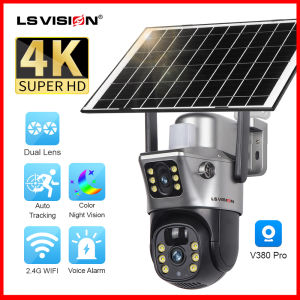
LS VISION V380 8MP 4G SIM Card Dual Lens WIFI Camera 24 Hours Video Recording PTZ Surveillance Camera Outdoor Waterproof Camera Security Camera 360 Mobile Tracking Color Night Vision
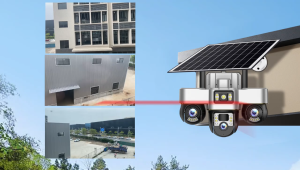
V380 3-lens 6MP pixel high-definition solar-powered surveillance camera 360-degree all-round camera
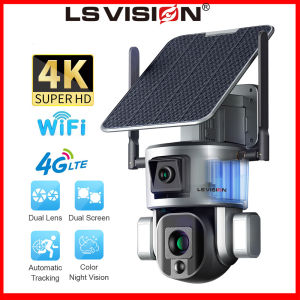
LS VISION 4K 8MP Dual Lens Solar CCTV Camera: A Comprehensive Guide
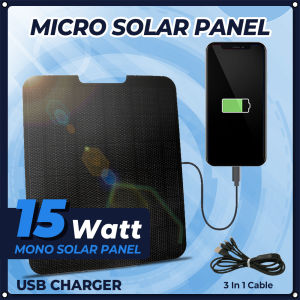
15W Outdoor Camera Solar Panel 5V USB Solar Panel Charger IP67 Waterproof High Monocrystalline for Camping Picnic
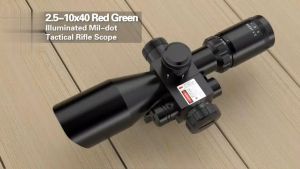
2.5-10x40E Tactical Scope Red Green Illuminated Optics Reflex Sight With Red La-ser Combo For 20mm

Motorcycle Driving Recorder Electric Vehicle Motorcycle Riding WIFI HD Anti-Shake Action Camera Digital Camcorder
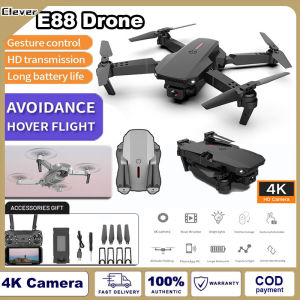
Clever E88 Pro Drone 4K HD Drone Camera Wifi Remote Control obstacle avoidance Portable Foldable mini Drone Wide Angle 3D Pin/Flip Holding WiFi Fpv Drone Height Hold Rc Quadcopter