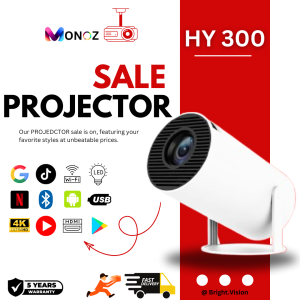
HY300 Projector: A Comprehensive Guide
HY300 Projector: A Comprehensive Guide
The HY300 Projector is a top-of-the-line Android 11.0 LCD projector designed to provide an immersive viewing experience with its 4K 6000 lumens brightness and a stunning HD 130-inch screen. This comprehensive guide will walk you through everything you need to know about the HY300 Projector, including its key features, how to set it up, and how to troubleshoot common issues.
What is the HY300 Projector?
The HY300 Projector is a versatile device that allows you to project high-definition content onto any surface, transforming any room into a home theater. With its Android 11.0 operating system, this projector offers a seamless user experience and access to a wide range of apps and streaming services. The HY300 Projector boasts several impressive features, including:
- 4K resolution with 6000 lumens brightness
- 130-inch HD screen size
- Dual Wi-Fi and Bluetooth connectivity
- HDMI port for easy connection to external devices
Key Features & Specifications
The HY300 Projector offers a range of features that set it apart from other projectors on the market. Some of its key features include:
- 4K resolution with 6000 lumens brightness, providing stunning picture quality even in bright environments
- 130-inch HD screen size, allowing you to enjoy movies and TV shows in a large, immersive format
- Dual Wi-Fi and Bluetooth connectivity, enabling seamless streaming from your favorite devices
- HDMI port for easy connection to external devices, such as gaming consoles, laptops, and DVD players
Comparison with Other Projectors
Compared to other projectors, the HY300 stands out due to its high brightness and resolution, which ensure that your content looks crisp and clear even in well-lit rooms. Additionally, its dual Wi-Fi and Bluetooth connectivity make it easy to stream content from a variety of devices, while its HDMI port provides a simple way to connect to external devices. Overall, the HY300 Projector offers a comprehensive set of features that make it an excellent choice for home theater enthusiasts.
How to Set Up Your HY300 Projector
Setting up your HY300 Projector is simple and straightforward. Follow these steps to get started:
- Unpack the projector and connect it to a power source using the included AC adapter.
- Connect the HDMI cable to the projector and your desired device.
- Turn on the projector and select the appropriate input source.
- Connect to Wi-Fi or Bluetooth by following the on-screen instructions.
Connecting to Wi-Fi & Bluetooth
To connect your HY300 Projector to Wi-Fi or Bluetooth, follow these steps:
- Press the 'Menu' button on the remote control to access the settings menu.
- Select 'Network Settings' and choose either 'Wi-Fi' or 'Bluetooth' depending on your preference.
- Follow the on-screen instructions to connect to your desired network.
Connecting to HDMI
To connect your HY300 Projector to an external device via HDMI, follow these steps:
- Locate the HDMI port on the side of the projector.
- Insert one end of the HDMI cable into the port on the projector and the other end into your desired device.
- Turn on the projector and select the appropriate input source.
How to Use Your HY300 Projector
Once your HY300 Projector is set up, you're ready to start enjoying your favorite movies, TV shows, and games. Here are some tips for using your projector:
Displaying 4K Content
To display 4K content on your HY300 Projector, simply connect your 4K source device via HDMI and select the appropriate input source. The projector will automatically adjust to display the content at its highest resolution.
Adjusting Screen Size & Resolution
To adjust the screen size and resolution of your HY300 Projector, use the zoom and focus controls on the remote control. These controls allow you to fine-tune the image to ensure it fits perfectly on your screen and looks as sharp as possible.
Troubleshooting Common Issues
If you encounter any issues with your HY300 Projector, here are some common solutions:
Connection Problems
If you're having trouble connecting your projector to Wi-Fi, Bluetooth, or HDMI, try the following steps:
- Check that your device is within range of the projector and that the connection settings are correct.
- Restart both the projector and your device.
- Try connecting to a different network or using a different HDMI cable.
Image Quality Issues
If you're experiencing issues with the image quality on your HY300 Projector, try the following steps:
- Adjust the zoom and focus controls on the remote control to fine-tune the image.
- Clean the lens of the projector with a soft, lint-free cloth.
- Check that the projector is properly calibrated and that the settings are correct.
In conclusion, the HY300 Projector is a top-of-the-line Android 11.0 LCD projector that offers a range of impressive features and a seamless user experience. Whether you're a home theater enthusiast or simply looking for a way to enjoy movies and TV shows in a larger-than-life format, the HY300 Projector is sure to impress.

GLOGLO
Review

You May Also Like
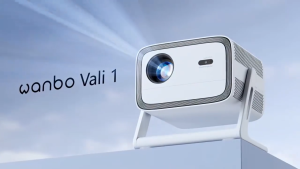
Wanbo Vali 1 Projector Wide Angle Video Cinema Projector
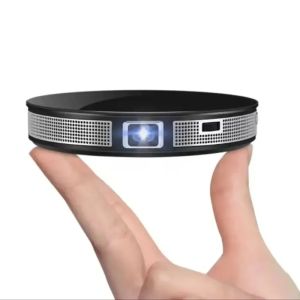
Mini 4K Portable Projector Home Theater DLP Android Smart Ceiling Car Outdoor Wifi Bluetooth Mobile Battery Rechargeable LED
Metal Projector Mount With Collapsible Design Lightweight And Space Saving For Indoor Outdoor
2025 Mortal Q1 MINI+ Android Box TV Dual UI interface Android 14.0 RK3518 8K Wifi 6 Google Assistant Netflix Smart TV Box
T1 Smart TV Box Android14 Allwinner H313 Bluetooth 5.4 Settings Top Box HDR10 Media Player TV Box Support Google Dual WiFi 2025
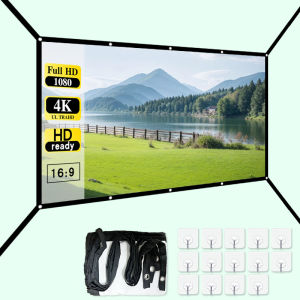
Salange Projector Screen 60 72 84 100 130 inch Anti-light Screen High Viewing Angle Portable 3D HD Projection Screen With Velcro
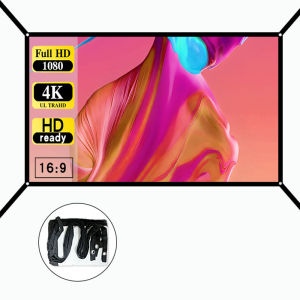
60-150 inches high-definition 16:9 projection screen foldable lightweight and portable design - extended version
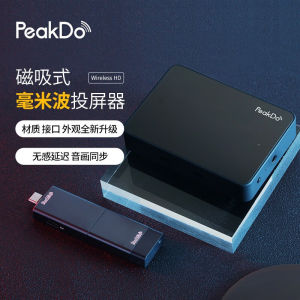
Peakdo Millimeter Wave Projector: A Game-Changer for Home Conferences
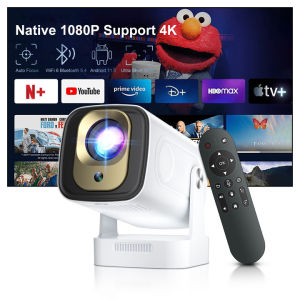
ZDSSY Smart Projector HY260 PRO Android 11 Projector 4K Native 1080P Auto Focus Native 330ANSI Dual Wifi6 BT5.4 WiFi6 Allwinner H713 Quad-core For Home Cinema Outdoor Movie Projectors
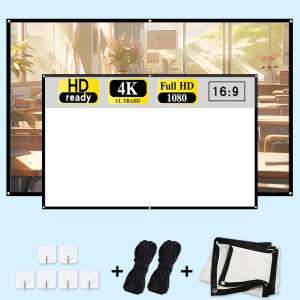
84 inch projection screen with rope. Suitable for office meeting rooms home theaters outdoor camping etc.
T95 TV Box Android14 Allwinner H616 Smart Tv Box Quad Core 32G 64G 128G 4K Set Top Box Media Player Dual Wifi 2.5G&5G Bluetooth