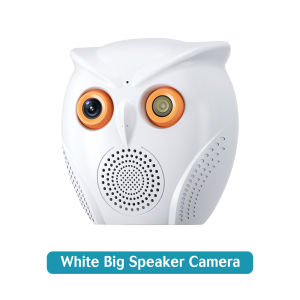
Owning the Best Owl Shape HD 5MP WiFi Indoor Security Camera
Owning the Best Owl Shape HD 5MP WiFi Indoor Security Camera
The Owl Shape HD 5MP WiFi Indoor Security Camera is a top-notch security solution designed to offer unparalleled protection for your home or office. This innovative camera combines a sleek owl shape design with advanced features like two-way audio functionality, color night vision surveillance, and seamless connectivity.
What is an Owl Shape HD 5MP WiFi Indoor Security Camera?
The Owl Shape HD 5MP WiFi Indoor Security Camera is a cutting-edge surveillance device that provides high-definition video footage with exceptional clarity. This camera features a 5-megapixel sensor, enabling it to capture detailed images even in low-light conditions. The owl-shaped design adds a touch of elegance while maintaining its primary function of safeguarding your premises.
Key Features & Benefits
- High-Definition Video: With a 5-megapixel sensor, this camera captures crystal-clear images and videos, allowing you to monitor your surroundings effortlessly.
- Two-Way Audio: The camera supports two-way audio communication, enabling you to interact with visitors or deter potential intruders remotely.
- Color Night Vision: Equipped with advanced night vision technology, the camera produces vibrant color footage even in the dark, providing a more accurate representation of your environment.
- Seamless Connectivity: The camera connects effortlessly to your Wi-Fi network, allowing you to access live feeds and recorded footage from anywhere using a compatible monitoring app.
How It Compares to Other Models
Compared to other indoor security cameras, the Owl Shape HD 5MP WiFi Indoor Security Camera stands out due to its unique owl-shaped design, superior image quality, and advanced features. While other models may offer similar functionalities, none can match the combination of aesthetics, performance, and ease of use that this camera provides.
Setting Up Your Owl Shape HD 5MP WiFi Indoor Security Camera
Setting up your new security camera is a straightforward process that can be completed in just a few simple steps.
Step-by-Step Installation Guide
- Unpack the camera and mount it in a desired location using the included mounting hardware.
- Connect the power adapter to the camera and plug it into a nearby outlet.
- Download the compatible monitoring app from the App Store or Google Play.
- Follow the on-screen instructions to connect the camera to your Wi-Fi network.
Connecting to Wi-Fi & Monitoring Apps
Once connected to your Wi-Fi network, the camera will automatically sync with your monitoring app, allowing you to access live feeds and recorded footage from anywhere. The app also enables you to configure settings, customize alerts, and manage multiple cameras if needed.
Maximizing the Features of Your Owl Shape HD 5MP WiFi Indoor Security Camera
To get the most out of your new security camera, it's essential to understand how to utilize its various features effectively.
Utilizing Two-Way Audio Functionality
The two-way audio feature allows you to communicate with individuals within the camera's range, whether they're visitors or potential intruders. To use this feature, simply open the monitoring app and tap the microphone icon to initiate a conversation.
Color Night Vision Surveillance: How to Get the Most Out of It
Color night vision technology ensures that your camera captures vibrant, color footage even in low-light conditions. To maximize this feature, position the camera in a well-lit area or near a light source to enhance visibility during nighttime hours.
Troubleshooting Common Issues
While the Owl Shape HD 5MP WiFi Indoor Security Camera is designed to provide reliable performance, you may encounter some issues during setup or operation. Here are some common problems and their solutions:
Connectivity Problems
If you're experiencing connectivity issues, try restarting both the camera and your router. If the problem persists, ensure that your Wi-Fi network is stable and secure.
Image Quality Concerns
If the image quality appears blurry or distorted, check the camera's position and angle. Adjusting the camera's placement or orientation can significantly improve image clarity. Additionally, make sure that the camera is clean and free from dust or debris.
Conclusion: Why Choose the Owl Shape HD 5MP WiFi Indoor Security Camera?
The Owl Shape HD 5MP WiFi Indoor Security Camera is an excellent choice for anyone looking to enhance their home or office security. With its high-definition video capabilities, two-way audio functionality, color night vision surveillance, and seamless connectivity, this camera offers a comprehensive solution for protecting your property. Whether you're a first-time buyer or an experienced user, the Owl Shape HD 5MP WiFi Indoor Security Camera is sure to exceed your expectations.

GlobalLifestyle
Review

You May Also Like
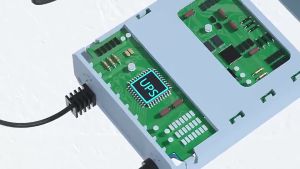
V380 PRO 12V 1.5A Mini UPS: A Comprehensive Guide
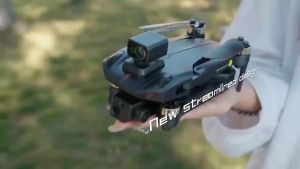
BKmall K911 se Brushless Drone 8k HD three Camera 5G WiFi GPS Drone Real -time transmission video picture Brushless Motor FPV Drone intelligent follow 1000M Distance RC Quadcopter
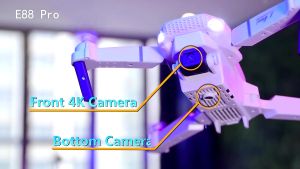
BODO E88PRO: Mini Drone with Camera & Automatic Return
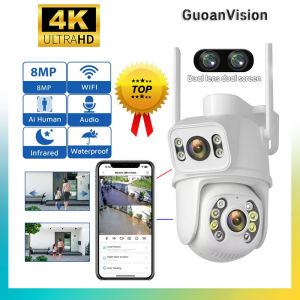
Guoan 8MP 4K WiFi Camera Dual-Lens AI Human Detection CCTV Camera Wireless Outdoor CCTV Video Wifi Surveillance Camera Security Protection PTZ IP Camera Camara Wifi Camera Wi Fi - Lazada
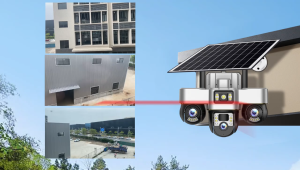
V380 3-lens 6MP pixel high-definition solar-powered surveillance camera 360-degree all-round camera
TTArtisan 35mm T2.1 Dual Bokeh Cine Lens
A21djl Mini Quadcopter Drone with 4K Dual Camera Automatic Obstacle Avoidance Long-Lasting Flight
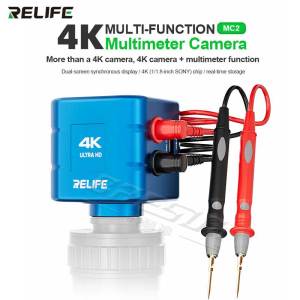
RELIFE MC2 4K Multifunction Camera with Multimeter Display for Phone Motherboard Repair with Dual Output and Sony IMX Sensor Too
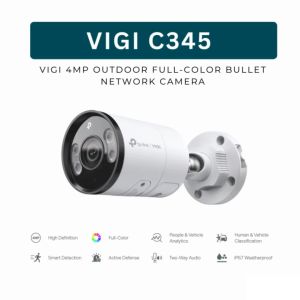
TP-Link Official | VIGI C345 | 4MP Full-Color Bullet Outdoor WiFi IP Security CCTV Sale Camera Connect to Cellphone with Mic and Speaker with SD Card
A9 Mini Camera WiFi Wireless Monitoring Security Protection Remote Monitor Camcorders Video Surveillance Smart Home
![[Bundles] Action Camera For GoPro Hero 9 Black Go Pro Sport Cam for vlog](https://img.lazcdn.com/g/ff/kf/Sef159397f1d44d8aaafd758ed368badaC.jpg_300x300q80.jpg)
[Bundles] Action Camera For GoPro Hero 9 Black Go Pro Sport Cam for vlog