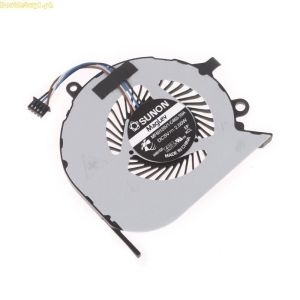
Doublebuy CPU Cooling Fan for Dell Latitude E7270 & E7470: A Comprehensive Guide
Doublebuy CPU Cooling Fan for Dell Latitude E7270 & E7470: A Comprehensive Guide
Introduction
In today's fast-paced digital world, laptop computers have become indispensable tools for work, entertainment, and communication. However, overheating can severely impact their performance and lifespan. To address this issue, Doublebuy offers a high-quality CPU cooling fan specifically designed for Dell Latitude E7270 and E7470 laptops. This article will explore the key features and benefits of this product, provide a step-by-step installation guide, and address frequently asked questions.
Key Features & Benefits
High-Quality Construction
The Doublebuy CPU cooling fan is built with durable metal components, ensuring long-lasting performance and reliability. It is designed to withstand the rigors of daily use, making it an excellent choice for laptop repair professionals and enthusiasts alike.
Compatibility & Versatility
This cooling fan is compatible with various Dell Latitude models, including the E7270 and E7470. Its universal design allows for easy installation, making it a versatile solution for upgrading your laptop's cooling system.
Enhanced Performance & Quiet Operation
By improving heat dissipation, the Doublebuy CPU cooling fan enables your laptop to perform smoothly during demanding tasks. Additionally, its quiet operation ensures a comfortable computing experience, free from distracting noise.
Installation & Usage Guide
Preparation & Tools Needed
Before installing the Doublebuy CPU cooling fan, gather the necessary tools and materials:
- Screwdriver set
- Anti-static wrist strap
- Thermal paste (if required)
Step-by-Step Installation Process
Follow these steps to install the cooling fan:
- Power off your laptop and disconnect all cables and peripherals.
- Remove the laptop's bottom cover to access the internal components.
- Locate the existing CPU cooler and carefully remove it.
- Clean the CPU surface and apply thermal paste if needed.
- Install the Doublebuy CPU cooling fan according to the manufacturer's instructions.
- Reassemble the laptop and reconnect all cables and peripherals.
Tips for Optimal Performance
To ensure the best possible performance from your Doublebuy CPU cooling fan, follow these tips:
- Regularly clean the fan and laptop vents to prevent dust buildup.
- Monitor your laptop's temperature using software tools.
- Avoid placing your laptop on soft surfaces, such as beds or couches, which can impede airflow.
Frequently Asked Questions
Is This Fan Compatible With Other Laptops?
While the Doublebuy CPU cooling fan is specifically designed for Dell Latitude E7270 and E7470 laptops, its universal design may allow for compatibility with other models. However, it is essential to consult the manufacturer's specifications and ensure proper fitment before attempting installation.
What Are the Main Differences Between This Fan & Others?
Compared to other CPU cooling fans, the Doublebuy model offers several advantages, including its durable metal construction, compatibility with multiple Dell Latitude models, and quiet operation. Additionally, its ease of installation and optimal heat dissipation make it an excellent choice for upgrading your laptop's cooling system.
How Can I Ensure Proper Heat Dissipation?
To ensure proper heat dissipation, follow these guidelines:
- Regularly clean the cooling fan and laptop vents to prevent dust buildup.
- Monitor your laptop's temperature using software tools.
- Avoid placing your laptop on soft surfaces, such as beds or couches, which can impede airflow.
Conclusion
The Doublebuy CPU cooling fan is an excellent choice for upgrading your Dell Latitude E7270 or E7470 laptop's cooling system. Its high-quality construction, compatibility, and enhanced performance make it a reliable solution for improving your laptop's overall performance and lifespan. By following the installation guide and tips provided in this article, you can enjoy a quieter, more efficient computing experience.

Topway Laptop
Review

You May Also Like
Myobo Cheap ADT Silver PCIE 3.0 X16 Riser Extender & Shielded RTX3090 Graphics Cards

EXPOSE Gaming Monitor for PC 24 inch IPS Monitor 165HZ Monitors Monitor for laptop extension 27 inch Monitor 144HZ 100HZ 75HZ
24W Dimmable LED Driver Dimming LED Power Supply Converter LED Driver Constant Current Light Converter Enduring
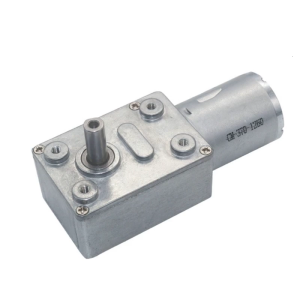
JGY370 Reversible Worm Gear Motor High Torque Speed Reducer 6V/12V24V Miniature Metal Motor with Shaft 2 RPM to 375 RPM
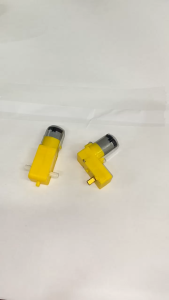
Circuitrocks DC3V-6V DC gear motor TT motor
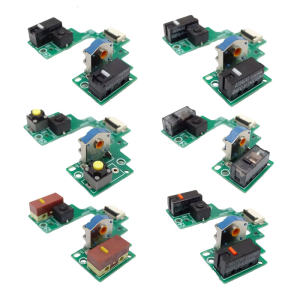
Mouse Key Motherboards Microswitches Button Board for GPRO2 LIGHTSPEEDs Welded Switches
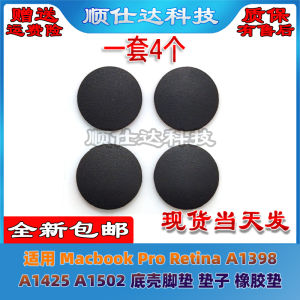
Macbook pro Retina A1398 A1425 A1502 Rubber Footpad Bottom Case Compatible Laptop Computer Accessories Digital Parts And Components

Vention USB Sound Card Adapter: A Comprehensive Guide
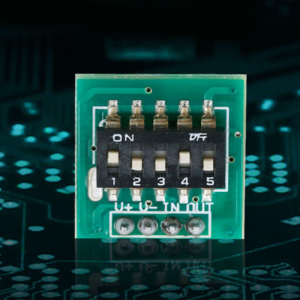
DC5V 12V 24V Time Delay Relay Triggers Cycle Timer Delay Switch Circuit Board Timing Control Module
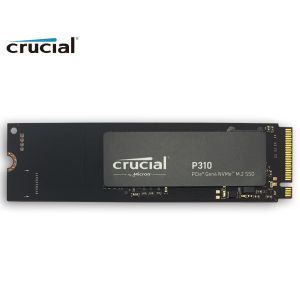
Crucial SSD P310 M.2 2280 500GB 1TB 2TB PCI-Express 4.0 x4 NVMe 3D NAND Internal Solid State Drive – Up to 7100 MB/s
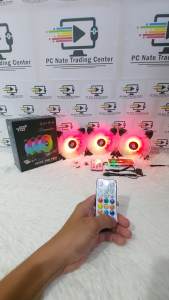
YGT 1255 ARGB LED FAN with Remote Controller