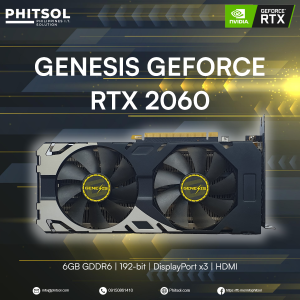
GENESIS GEFORCE RTX 2060 GPU | 6GB DDR6 | 192-BIT | Display Port x3 | HDMI | (SLIGHTLY USED)
GENESIS GEFORCE RTX 2060 GPU | 6GB DDR6 | 192-BIT | Display Port x3 | HDMI | (SLIGHTLY USED)
What is the GENESIS GEFORCE RTX 2060 GPU?
The GENESIS GEFORCE RTX 2060 GPU is a high-performance graphics card designed specifically for gamers and professionals who require powerful visuals. This slightly used graphics card features 6GB DDR6 memory, a 192-bit display port, and three DisplayPort outputs along with an HDMI port for gaming.
Key Specifications
- Memory: 6GB DDR6
- Display Port: 192-Bit
- Ports: DisplayPort x3, HDMI
- Condition: Slightly Used
Performance & Features
The GENESIS GEFORCE RTX 2060 GPU delivers outstanding performance with its advanced architecture, providing smooth gameplay and immersive visuals. It supports real-time ray tracing, allowing for more realistic lighting and reflections in games. Additionally, the graphics card features DLSS technology, which enhances frame rates while maintaining image quality.
How to Choose the Right Graphics Card
When selecting a graphics card, consider your specific needs and preferences. For gamers, the GENESIS GEFORCE RTX 2060 GPU is an excellent choice due to its powerful performance and compatibility with popular gaming platforms.
Considerations for Gamers
- Resolution: Determine the resolution at which you plan to play games, as this will impact the required performance level.
- Frame Rate: Higher frame rates provide smoother gameplay, so consider investing in a graphics card that supports higher frame rates.
- Ray Tracing: If you enjoy realistic lighting and reflections, look for a graphics card that supports real-time ray tracing.
Evaluating Slightly Used Graphics Cards
When purchasing a slightly used graphics card, it's essential to evaluate its condition and performance. Check for any signs of damage or wear, and ensure that the card functions correctly.
Connecting Your GENESIS GEFORCE RTX 2060 GPU
To connect your GENESIS GEFORCE RTX 2060 GPU, follow these steps:
HDMI Port for Gaming
- Step 1: Locate the HDMI port on your monitor or TV.
- Step 2: Connect the HDMI cable from your GENESIS GEFORCE RTX 2060 GPU to the HDMI port on your display device.
Utilizing 192-Bit Display Port
- Step 1: Connect the DisplayPort cable from your GENESIS GEFORCE RTX 2060 GPU to the DisplayPort on your monitor.
- Step 2: Adjust the settings on your monitor to ensure optimal performance.
Maximizing Your GENESIS GEFORCE RTX 2060 GPU Experience
To get the most out of your GENESIS GEFORCE RTX 2060 GPU, follow these tips:
Optimizing Performance
- Update Drivers: Regularly update your graphics card drivers to ensure optimal performance.
- Adjust Settings: Customize your game settings to balance performance and visual quality.
- Monitor Temperatures: Keep an eye on your graphics card temperatures to prevent overheating.
Troubleshooting Common Issues
- Check Connections: Ensure all cables are securely connected to avoid connectivity issues.
- Restart Computer: Restart your computer to resolve any temporary glitches.
- Contact Support: If you encounter persistent issues, reach out to the manufacturer's support team for assistance.

PHITSOL
Review

You May Also Like
EXPOSE Portable Monitor Touchscreen 15.6 inch 144Hz for Laptop Extension FHD 116% sRGB IPS for Mobile Phone PS5 Xbox
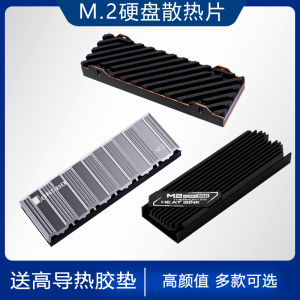
All Aluminum M2 Solid State Heat Sink M.2 SSD Heatsink Veste NVMe Universal for PS5 Computer Hardware Monitor Accessories
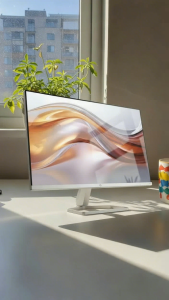
HP S5 IPS 100Hz FHD 1920x1080 VGA/*HDMI Monitor 5ms VESA Mount HDM I| HP Monitor| Pc Monitor | Desktop Monitor
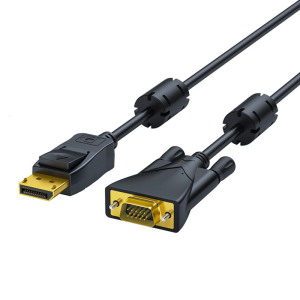
DisplayPort to VGA Adapter Cable Double Magnetic Rings Anti Interferences Design Ensures Long Distanced Connection
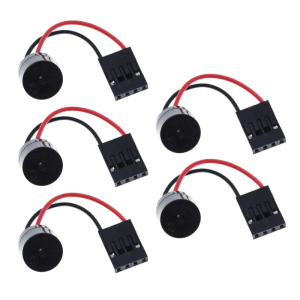
5Pieces/set Mini Plug Speaker For PC Internal Computer Motherboard Mini Mainboard Case Buzzer Board Beep Alarm

AVIDUS 12V 1.5A Uninterruptible Power Supply Mini UPS up or WiFi Router Modem Outdoor
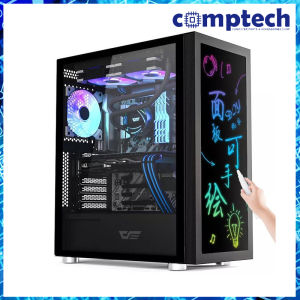
Darkflash DK210 (Black)

40mm Fan For Sunon KDE2404PKS2 24V 1.2W 4CM 40X40X20MM 4020 2 Wire Magnetic Bearing HYPRO Cooling Fan
Nextfun Intel Atom X5 Z8350 processor Wind10 laptop computer 8GB+128GB office laptop computer

High Responsiveness 4x4Matrix Keypad Module 16Button For Microcontroller Prototyping Projects for Stem Educators

24-Bladee Turbofans Fan Bladee Fan Bladee Propellers Technology Building Block Parts DIY Materials