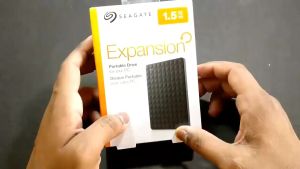
Seagate 1TB & 2TB External Hard Drive: Key Features & Benefits
Seagate 1TB & 2TB External Hard Drive: Key Features & Benefits
Introduction to Seagate One Touch External Hard Drive
The Seagate One Touch External Hard Drive is a versatile storage solution that offers both convenience and reliability. With its sleek design and robust features, this hard drive is perfect for anyone looking to expand their storage capacity. In this article, we will explore the key features and benefits of the Seagate One Touch External Hard Drive, including its USB3.0 connectivity, password protection, and data recovery capabilities.
Overview of Seagate One Touch External Hard Drive
The Seagate One Touch External Hard Drive is available in both 1TB and 2TB storage capacities, making it suitable for a wide range of users. Its compact size and lightweight design make it easy to carry around, while its USB3.0 connectivity ensures fast transfer speeds. Additionally, the drive comes with a free 10-year warranty, giving users peace of mind and long-term reliability.
Key Features: USB3.0, Password Protection, and Data Recovery
USB3.0 Connectivity
The Seagate One Touch External Hard Drive supports USB3.0, which offers significantly faster transfer speeds compared to previous USB versions. This means that users can quickly transfer large files, such as videos and photos, without having to wait for lengthy transfer times.
Password Protection
Password protection is another key feature of the Seagate One Touch External Hard Drive. This feature allows users to encrypt their data and protect it from unauthorized access. By setting up a password, users can ensure that their sensitive files remain secure and private.
Data Recovery
The Seagate One Touch External Hard Drive also comes with a built-in data recovery feature called One Touch Data Recovery. This feature allows users to easily recover lost or deleted files, providing an added layer of protection against data loss.
Understanding the Free 10 Year Warranty
One of the most attractive features of the Seagate One Touch External Hard Drive is its free 10-year warranty. This warranty covers both hardware and software issues, giving users peace of mind and long-term reliability.
What is Included in the Free 10 Year Warranty?
The free 10-year warranty includes coverage for both hardware and software issues. This means that if the hard drive fails due to a manufacturing defect or if there is an issue with the software, users can easily get it repaired or replaced.
How to Claim the Free 10 Year Warranty
To claim the free 10-year warranty, users will need to register their Seagate One Touch External Hard Drive online within 90 days of purchase. Once registered, users can easily submit a warranty claim if they experience any issues with the hard drive.
Exploring One Touch Data Recovery
One Touch Data Recovery is a built-in feature of the Seagate One Touch External Hard Drive that allows users to easily recover lost or deleted files. This feature provides an added layer of protection against data loss and helps ensure that users never lose important files.
What is One Touch Data Recovery?
One Touch Data Recovery is a simple and easy-to-use data recovery feature that comes built-in with the Seagate One Touch External Hard Drive. This feature allows users to recover lost or deleted files without the need for complex software or technical knowledge.
How One Touch Data Recovery Works
To use One Touch Data Recovery, users simply need to connect their Seagate One Touch External Hard Drive to their computer and launch the One Touch Data Recovery software. From there, users can easily search for lost or deleted files and recover them with just a few clicks.
Password Protected Storage: Enhancing Security
Password protection is another key feature of the Seagate One Touch External Hard Drive that helps enhance security and protect sensitive files. By setting up a password, users can ensure that their data remains secure and private.
Why Use Password Protection for Your External Hard Drive?
Password protection is important because it helps prevent unauthorized access to sensitive files. This is especially important for businesses and individuals who store confidential information on their external hard drives.
How to Set Up Password Protection on Seagate One Touch External Hard Drive
To set up password protection on the Seagate One Touch External Hard Drive, users simply need to launch the Seagate Dashboard software and select the 'Security' tab. From there, users can easily set up a password and encrypt their data to protect it from unauthorized access.
In conclusion, the Seagate One Touch External Hard Drive is a versatile storage solution that offers both convenience and reliability. With its USB3.0 connectivity, password protection, and data recovery capabilities, this hard drive is perfect for anyone looking to expand their storage capacity. Additionally, its free 10-year warranty provides peace of mind and long-term reliability, making it a great investment for both businesses and individuals.

Hard disk Stores
Review
You May Also Like

Classic Cantonese And Chinese Music Car USB Drive High Quality Lossless Old Song DJ Mix USB Flash Drive for Vehicle Entertainment
SD Card For CCTV Loop Recording Universal Memory Card FAT32 Format Class 10 High Speed Card
💖FREE+COD+Ready Stock💖 4-in-1 Flash Drive USB 3.0 Memory Stick OTG Pendrive Fast Speed Type-C
USB Efficient Lightweight Design

32 gb Usb Reyna Platinum (1200+ Mtv Files) December Post upgrade 2025 Mtv Expansion Also For 1/2/3/4/3C/Piano XLSD/SE/Junior/K-Box/KS-Series
![[The Cici Shop] 2.5 USB 3.0 to SATA SSD HDD Hard Drive Disk External Case Enclosure](https://img.lazcdn.com/g/p/f8623b9404d9204ddfd6f5fc6c79b0cd.jpg_300x300q80.jpg)
[The Cici Shop] 2.5 USB 3.0 to SATA SSD HDD Hard Drive Disk External Case Enclosure
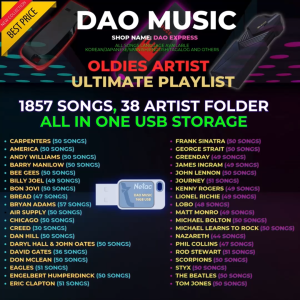
OLDIES MUSIC | USB FLASHDRIVE WITH SONGS MUSIC + OTG ADAPTER | 320 KBPS QUALITY MP3 | MEMORY CARD
USB3.0 HDD Case USB3.0 to SATA 5Gbps External Hard Drive Enclosure 2.5inch SSD HDD Hard Disk Box
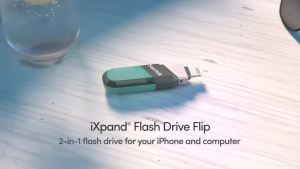
Sandisk iXpand Flash Drive Flip ~ 128GB (SDIX90N)

DAN DA DAN DANDADAN Video Animated Manga Cartoon Anime Series Complete 13 Episodes English and Japanese Audio Dub English Subtitle in 32GB USB Flash Drive with Free Surprise Gifts
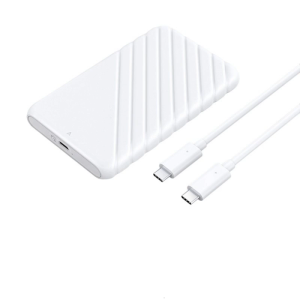
USB3.0 2.5inch External Hard Drive Enclosure Easy Installation Hard Drive Disk Box Enclosure 5Gbps Data Transfer