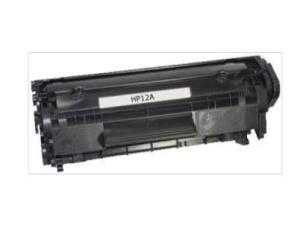
AOS Compatible Toner Cartridge 12A Q2612A Replacement for HP12A
AOS Compatible Toner Cartridge 12A Q2612A Replacement for HP12A
Understanding the AOS Compatible Toner Cartridge
What is an AOS Compatible Toner Cartridge?
The AOS Compatible Toner Cartridge is a high-quality alternative to the original HP12A toner cartridge. Designed specifically for laser printers, this toner cartridge provides an excellent printing experience while saving you money compared to the original HP cartridge.
Benefits of Using AOS Compatible Toner Cartridges
- Cost-effective: Save money on printing costs by choosing an AOS compatible toner cartridge instead of the original HP12A.
- High-quality prints: With AOS compatible toner cartridges, you can enjoy crisp, clear, and consistent prints every time.
- Environmentally friendly: By choosing a compatible toner cartridge, you help reduce waste and promote sustainability.
Comparing AOS Compatible Toner Cartridge with HP12A
Cost Comparison
The AOS Compatible Toner Cartridge offers significant cost savings compared to the original HP12A. While the exact price may vary depending on the retailer, you can expect to save around 30-50% on printing costs by using an AOS compatible toner cartridge.
Quality Comparison
In terms of print quality, the AOS Compatible Toner Cartridge performs exceptionally well, delivering results comparable to the original HP12A. With its high-quality toner and advanced printing technology, you can expect sharp, clear, and consistent prints every time.
Installation and Usage Tips
How to Install the AOS Compatible Toner Cartridge
Installing the AOS Compatible Toner Cartridge is simple and straightforward. Follow these steps to install the cartridge:
- Turn off your printer and unplug it from the power source.
- Open the front cover of your printer and remove the original toner cartridge.
- Carefully remove the new AOS compatible toner cartridge from its packaging.
- Remove the protective tape from the cartridge.
- Insert the new cartridge into the printer, making sure it clicks into place.
- Close the front cover of the printer and turn it back on.
How to Use the AOS Compatible Toner Cartridge
Using the AOS Compatible Toner Cartridge is just like using any other toner cartridge. Simply load your paper into the printer, select your desired print settings, and hit the print button. The AOS compatible toner cartridge will provide consistent, high-quality prints every time.
Troubleshooting Common Issues
Resolving Printer Errors
If you encounter any printer errors after installing the AOS Compatible Toner Cartridge, try the following steps:
- Turn off your printer and unplug it from the power source.
- Wait a few minutes before plugging it back in and turning it on.
- Check that the cartridge is properly installed and aligned in the printer.
- Consult your printer's manual or online support resources for further assistance.
Dealing with Low-Quality Prints
If you notice low-quality prints after installing the AOS Compatible Toner Cartridge, try the following steps:
- Clean the drum unit and toner cartridge using a soft, lint-free cloth.
- Check that the cartridge is properly installed and aligned in the printer.
- Perform a printer maintenance routine, such as cleaning the print head or resetting the printer.
- If the issue persists, consult your printer's manual or online support resources for further assistance.
In conclusion, the AOS Compatible Toner Cartridge is a cost-effective and high-quality alternative to the original HP12A toner cartridge. By following the installation and usage tips provided, you can enjoy consistent, high-quality prints every time while saving money on printing costs. Remember to troubleshoot common issues if they arise, and don't hesitate to seek help from your printer's manual or online support resources if needed.

AllOfficeSolutions Reference Number: 250923-161608
You May Also Like

RF Printing Supplies - HP-4 10MM Eyelet Machine w/ Rolling Stand & Flower Mold
Two-color Silk PLA Filament Dimensional Accuracy +/- 0.03 mm 250g Spool(0.55lbs) 1.75 mm Bronze Black
Sui Cai Applies to Dell B1160 Chip 1160 116x 1163 1165 Toner Cartridge Counting Chip
Hotend 3D Printer Nozzle Upgraded 0.2/0.4/0.6/0.8mm Hardened Steel Nozzle Hotend Kit for H2D Hotend 3D Printer Extruder
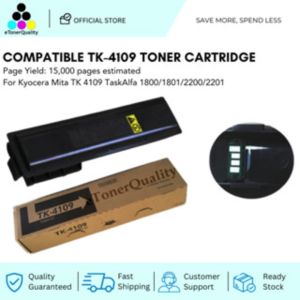
ETQ Compatible Toner Cartridge for Kyocera TK 4109 TaskAlfa 1800/1801/2200/2201
Soonpos 6G+64GB Android 13 Handheld PDA Scanner with 2D Mobile Data Collector Terminal Hot-swappable Rugged PDA Device 4G Network NFC Google GMS 5200mah Battery

Sunlu Silk PLA+ (PLA Plus) Tri-Color Filament 1.75mm for 3D Printing (1kg per spool)
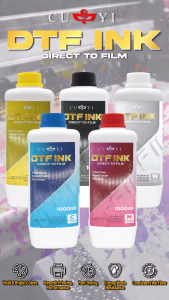
PrinTEE - CUYI High Quality DTF Ink 1000ml Black | Cyan | Yellow | Magenta | White
Phomemo A4 Thermal Paper Quick-dry Continuous Thermal Printing Paper Compatible with M08F/M832/M833/M834 MT810 and Other Portable Thermal Printer 8.5\"x11\" Documents Study Notes 2 Rolls
ETQ Compatible Upper Roller for DCP-L2700 series
![[minnan] Universal Ink Bottle For Printer L3110 L4160 L6190 L3150 ET-8550 L8160 L8180 L8050 101 103 105 502 522 544 T552](https://img.lazcdn.com/g/p/017ff73b7c6900e459691e5848b108a9.jpg_300x300q80.jpg)
[minnan] Universal Ink Bottle For Printer L3110 L4160 L6190 L3150 ET-8550 L8160 L8180 L8050 101 103 105 502 522 544 T552