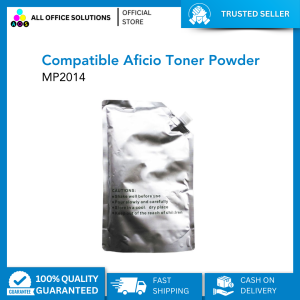
AOS Ricoh Toner Powder Compatible Aficio MP2014 MP1600 MP1900 MP2000 MP2550 MP4000 MP3350 MP1500 MP2500 MP2851 MP5000 Toner Powder 1Kg for Ricoh Copier and all other Monochrome Machine
AOS Ricoh Toner Powder Compatible Aficio MP2014 MP1600 MP1900 MP2000 MP2550 MP4000 MP3350 MP1500 MP2500 MP2851 MP5000 Toner Powder 1Kg for Ricoh Copier and all other Monochrome Machine
What is AOS Ricoh Toner Powder Compatible?
AOS Ricoh Toner Powder Compatible is a high-quality toner powder specifically designed for monochrome printers and copiers. This 1kg toner powder is compatible with various Ricoh models, including the Aficio MP2014, MP1600, MP1900, MP2000, MP2550, MP4000, MP3350, MP1500, MP2500, MP2851, and MP5000. The product is perfect for businesses and individuals looking for a cost-effective alternative to original toner cartridges.
Key Features & Benefits
- High-Quality Output: AOS Ricoh Toner Powder Compatible produces sharp, clear, and consistent print quality.
- Cost-Efficient: By using this compatible toner powder, you can save up to 50% compared to original toner cartridges.
- Easy Installation: The toner powder comes in a convenient pouch, making it easy to install in your printer or copier.
- Long-Lasting: Each 1kg pouch provides enough toner powder for approximately 10,000 pages, depending on your printing needs.
How It Differs From Other Toner Powders
AOS Ricoh Toner Powder Compatible is specifically formulated to work seamlessly with Ricoh monochrome machines. Unlike generic toner powders, this product has been rigorously tested to ensure optimal performance and compatibility with the mentioned Ricoh models.
How to Choose the Right Toner Powder for Your Printer
When selecting a toner powder for your printer, consider the following factors:
-
Identifying Your Printer Model: Before purchasing any toner powder, make sure it is compatible with your printer model. In this case, AOS Ricoh Toner Powder Compatible is suitable for various Ricoh monochrome machines, including the Aficio MP2014, MP1600, MP1900, MP2000, MP2550, MP4000, MP3350, MP1500, MP2500, MP2851, and MP5000.
-
Assessing Your Printing Needs: Determine how many pages you typically print per month. This will help you choose the right toner powder size and quantity to meet your needs. AOS Ricoh Toner Powder Compatible comes in a 1kg pouch, which is ideal for businesses or individuals with moderate to heavy printing requirements.
Installation Guide: Using AOS Ricoh Toner Powder Compatible
Follow these step-by-step instructions to install AOS Ricoh Toner Powder Compatible in your printer or copier:
- Turn off your printer or copier and unplug it from the power source.
- Open the toner compartment and remove the empty toner cartridge.
- Carefully pour the toner powder from the pouch into the empty cartridge, making sure not to spill any excess powder.
- Close the toner compartment and turn on your printer or copier.
- Follow the manufacturer's instructions to reset the toner cartridge counter.
Troubleshooting Common Issues
If you encounter any issues during installation, refer to the following troubleshooting tips:
- Toner Powder Spillage: If you accidentally spill toner powder, use a damp cloth to clean up the mess. Avoid using water or solvents, as they may damage your printer or copier.
- Inconsistent Print Quality: If you notice inconsistent print quality, check the toner cartridge for any debris or foreign objects that may be causing the issue. Clean the cartridge and reinsert it into the printer or copier.
Maximizing Printer Performance With AOS Ricoh Toner Powder Compatible
To achieve optimal results and extend the lifespan of your printer or copier, follow these tips:
- Regular Maintenance: Clean your printer or copier regularly to remove dust and debris that may affect print quality.
- Use High-Quality Paper: Using high-quality paper can help improve print quality and reduce wear and tear on your printer or copier.
- Monitor Toner Levels: Keep track of your toner levels to avoid running out of toner powder unexpectedly.
By following these guidelines, you can maximize the performance of your Ricoh monochrome printer or copier while using AOS Ricoh Toner Powder Compatible.
This article provides comprehensive information about AOS Ricoh Toner Powder Compatible, including its key features, benefits, installation guide, and tips for maximizing printer performance. By following these guidelines, you can enjoy high-quality prints and extend the lifespan of your Ricoh monochrome machine." }

AllOfficeSolutions Reference Number: 250923-161608
You May Also Like
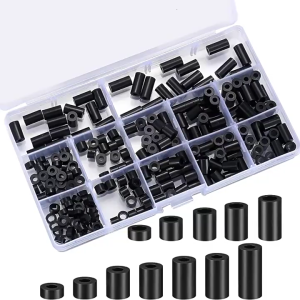
Heatbed Silicone Leveling Column 230Pcs 3D Printers Hot Bed Mounts Column Stable ToolHeat-Resistant Silicone Buffer
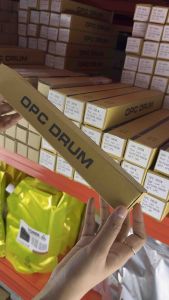
OPC Drum DR-2255 DR-2355 DR-2455 Compatible for DCP-L2540DW HL-2130 HL-2240D HL-2270DW HL-L2365DW etc.
![Compatible Toner Cartridge TN261 TN-261 TN 261 TN221 TN-221 TN 221 for Brother Color Printer [CMYB]](https://img.lazcdn.com/g/ff/kf/Sc6f9944069184dbd879ea3fc0099981aI.jpg_300x300q80.jpg)
Compatible Toner Cartridge TN261 TN-261 TN 261 TN221 TN-221 TN 221 for Brother Color Printer [CMYB]
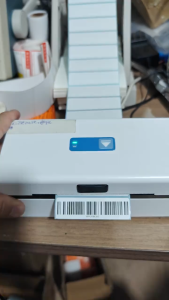
App Edit Sticker A6 Thermal Printer Shipping Label Printer Air WayBill Barcode Consignment Note
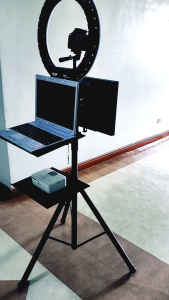
PHOTO BOOTH LAPTOP OR PRINTER TRAY
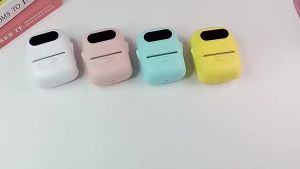
LIOTOG P50 Thermal Label Printer Portable Bluetooth Wireless Sticker Label Maker DIY for IOS Android
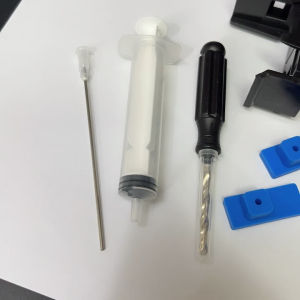
Suction tools for empty cartridges or refill kit
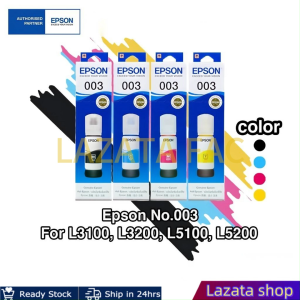
Epson L5290 Printer Ink Box: Brightly Colored Replacement Ink for L3210 & L3250
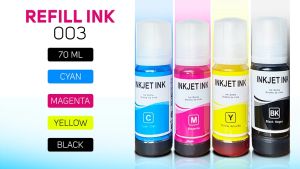
PSD - Refill Ink 003 For Epson L-Series 70ML EP L1210 L1250 L3210 L3216 L3250 L3256 L5290 L1110 L3110 L3116 L3150 L3156 L5190
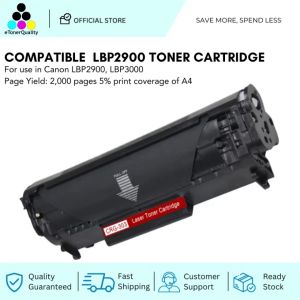
ETQ Compatible Toner Cartridge for Canon LBP2900

Epson T673 Series ( 6 Color Original Ink Bottles Inks)