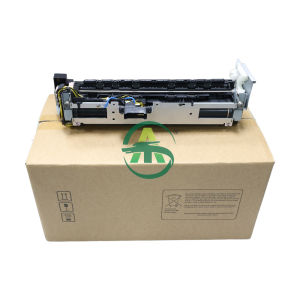
AOS Compatible Fuser Unit M355df P355: Key Features & Installation
AOS Compatible Fuser Unit M355df P355: Key Features & Installation
Introduction to AOS Compatible Fuser Unit M355df P355
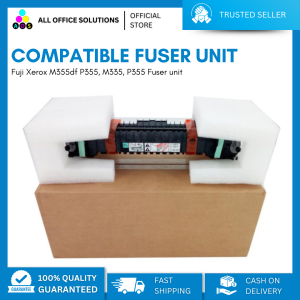
A fuser unit is a crucial component in laser printers, responsible for melting toner onto paper to create crisp, permanent prints. The Fuji Xerox M355df P355 printer is a reliable device that requires a compatible fuser unit to maintain optimal performance. The AOS Compatible Fuser Unit M355df P355 is specifically designed for the M355df P355 printer, ensuring seamless integration and top-notch print quality.
What is a Fuser Unit?
A fuser unit consists of two rollers - a heating roller and a pressure roller. As paper passes through the rollers, the heat from the heating roller melts the toner onto the paper surface, while the pressure roller ensures even distribution and bonding. This process results in high-quality prints that are smudge-proof and long-lasting.
Understanding the Fuji Xerox M355df P355 Printer
The Fuji Xerox M355df P355 printer is a versatile device suitable for small to medium-sized businesses. It offers fast print speeds, reliable performance, and a user-friendly interface. However, like any other printer, it requires regular maintenance, including replacing the fuser unit when necessary.
Why Choose an AOS Compatible Fuser Unit?
The AOS Compatible Fuser Unit M355df P355 is a high-quality alternative to the original Fuji Xerox fuser unit. It offers the same level of performance and compatibility while being more affordable. By choosing the AOS Compatible Fuser Unit, you can save money without compromising on print quality or reliability.
How to Install the AOS Compatible Fuser Unit
Installing the AOS Compatible Fuser Unit M355df P355 is a straightforward process. Follow these steps to ensure a smooth installation:
Step-by-Step Installation Guide
- Turn off the Fuji Xerox M355df P355 printer and unplug it from the power source.
- Open the front cover of the printer to access the fuser unit compartment.
- Remove the old fuser unit by gently pulling it out of the printer.
- Insert the new AOS Compatible Fuser Unit M355df P355 into the compartment, ensuring it is properly aligned and securely connected.
- Close the front cover of the printer and reconnect it to the power source.
- Turn on the printer and run a test print to verify the installation.
Troubleshooting Common Issues
If you encounter any issues during the installation process, refer to the printer's user manual or contact AOS customer support for assistance. Common problems may include misalignment, incorrect connections, or hardware malfunctions.
Tips for Maintaining Your Fuser Unit
To ensure the longevity and optimal performance of your AOS Compatible Fuser Unit M355df P355, follow these maintenance tips:
- Regularly clean the fuser unit rollers to prevent buildup of toner residue and paper debris.
- Monitor the printer's toner levels and replace cartridges as needed to avoid excessive wear on the fuser unit.
- Keep the printer clean and free from dust and debris to prevent damage to the fuser unit.
Comparing AOS Compatible Fuser Units with Other Brands
When choosing a compatible fuser unit for your Fuji Xerox M355df P355 printer, consider the following factors:
Benefits of Choosing AOS Compatible Fuser Units
- High-quality performance and compatibility with the M355df P355 printer
- Affordable pricing compared to original Fuji Xerox fuser units
- Easy installation and maintenance
Long-Term Savings with AOS Compatible Fuser Units
By choosing the AOS Compatible Fuser Unit M355df P355, you can save money on replacement costs without compromising on print quality or reliability. Over time, these savings can add up, making it a cost-effective choice for small to medium-sized businesses.
Conclusion: Optimize Your Fuji Xerox Printer with AOS Compatible Fuser Unit M355df P355
The AOS Compatible Fuser Unit M355df P355 is a high-quality alternative to the original Fuji Xerox fuser unit, offering the same level of performance and compatibility at a lower price point. By following the installation guide and maintenance tips provided, you can ensure optimal performance and longevity for your Fuji Xerox M355df P355 printer.

AllOfficeSolutions Reference Number: 250923-161608
Review

You May Also Like
6 in 1 Multifunction Heat Press Machine mini printer for T-Shirt / Mug / Plate / Cap printer for small business
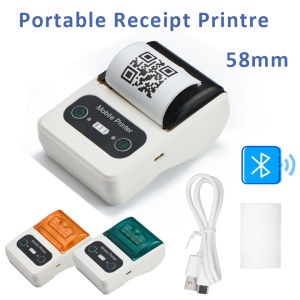
Portable Mini 58mm Receipt Printer USB Bluetooth Wireless Mobile Thermal printer Ink-free POS Printer for Small Business
PrinTEE - CUYI Cleaning Solution 1L For Eco Solvent Ink & Large Format Printer

XPRINTER XP-D463B Thermal Label Printer
AOS Compatible Ink Ribbon ERC 30 ERC 34 ERC 38 ERC 30/34/38 black (12 Packs)
ETQ Compatible C9345 Waste Ink Tank Maintenance Box for Epson ET-5800 L15150 L15160 M15140 Printer
AOS Compatible HP Toner Cartridge 90A CE390A CE390X For HP M4555 600 M601 printer
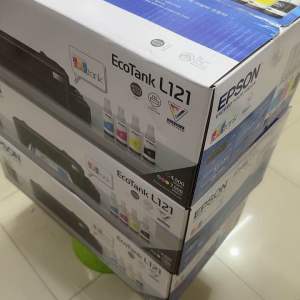
Brandnew L121 Printer w/ Set of Ink 664 Pigment Ink or Sublimation Ink
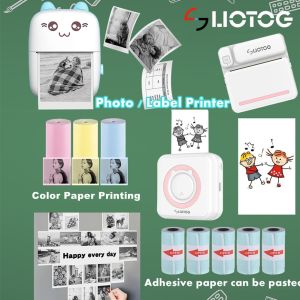
【Manila Stock】LIOTOG C9/C15/C19 Bluetooth Thermal Printer Photo Printer Mini Printer Paper Printer Sticker Paper Portable

Eyoyo 1D Wireless Ring Barcode Scanner: A Comprehensive Guide

DPS Sublimation Ink Set 1 Liter for Sublimation Printers - Durable Long-Lasting Compatible with Inkjet Printers