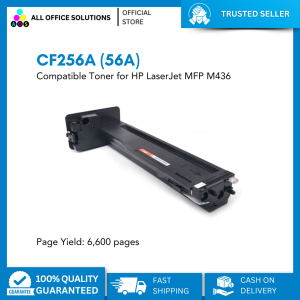
CF256A (56A) Compatible Toner for HP LaserJet MFP
CF256A (56A) Compatible Toner for HP LaserJet MFP
What is CF256A Compatible Toner?
CF256A compatible toner is a high-quality laser printer toner cartridge designed specifically for HP LaserJet MFP (Multi-Function Printer) models like the M436. This toner cartridge is a cost-effective alternative to the original HP toner, offering similar performance and reliability at a lower price point. It is available in black color and has a page yield of up to 6,600 pages, making it a great choice for businesses and individuals looking to save on printing costs without compromising on quality.
Key Features & Benefits
- High-quality printing: CF256A compatible toner produces sharp, clear text and images, ensuring professional-looking prints every time.
- Cost-effective: By choosing a compatible toner over the original HP toner, users can save up to 50% on their printing expenses.
- Long-lasting: With a page yield of up to 6,600 pages, CF256A compatible toner provides excellent value for money.
- Compatible with HP LaserJet MFP models: This toner cartridge is designed to work seamlessly with HP LaserJet MFP models like the M436, ensuring reliable performance and compatibility.
How to Choose the Right Toner
When selecting a compatible toner for your HP LaserJet MFP, consider the following factors:
- Compatibility: Make sure the toner cartridge is compatible with your specific printer model.
- Page yield: Choose a toner cartridge with a page yield that meets your printing needs.
- Quality: Look for a reputable brand that offers high-quality toner cartridges with consistent performance.
- Price: Compare prices of different brands and models to find the best value for money.
High-Quality Laser Printer Toner: Why It Matters
High-quality laser printer toner is essential for producing professional-looking prints and maintaining the reliability of your printer. A good toner cartridge should provide sharp, clear text and images, have a consistent print quality, and last for a reasonable number of pages. Investing in a high-quality toner cartridge can help you save money in the long run by reducing the frequency of replacements and minimizing downtime due to printer malfunctions.
Compatible Toner for HP LaserJet: Ensuring Quality
When choosing a compatible toner for your HP LaserJet MFP, it is crucial to ensure that the toner cartridge meets the quality standards set by HP. Look for a reputable brand that offers toner cartridges with consistent performance and reliability. It is also important to check the page yield of the toner cartridge to ensure that it meets your printing needs.
HP LaserJet MFP Toner: Performance & Reliability
HP LaserJet MFP printers are known for their reliability and performance, and choosing the right toner cartridge can help maintain these qualities. A good toner cartridge should provide consistent print quality, have a long page yield, and be compatible with your printer model. By investing in a high-quality toner cartridge, you can ensure that your HP LaserJet MFP continues to perform at its best.
How to Replace Your 56A Toner
Replacing your 56A toner cartridge is a straightforward process that can be completed in just a few simple steps. Here is a step-by-step guide to replacing your 56A toner cartridge:
Preparing for Replacement
Before replacing your 56A toner cartridge, make sure you have the following items:
- New CF256A compatible toner cartridge
- Printer manual (if available)
Step-by-Step Guide to Replacement
- Turn off your printer and unplug it from the power source.
- Open the front cover of your printer and remove the old toner cartridge.
- Carefully remove the new CF256A compatible toner cartridge from its packaging.
- Remove any protective tape or labels from the new toner cartridge.
- Insert the new toner cartridge into the printer, making sure it is seated properly.
- Close the front cover of your printer and plug it back into the power source.
- Turn on your printer and follow any prompts to initialize the new toner cartridge.
Troubleshooting Common Issues
If you encounter any issues during the replacement process, here are some common solutions:
- Printer not recognizing new toner cartridge: Make sure the toner cartridge is properly seated in the printer and try restarting the printer.
- Print quality issues: Check the printer settings to ensure they are set correctly for the new toner cartridge. If the issue persists, try replacing the toner cartridge again.
- Error messages: Consult your printer manual or contact HP support for assistance with error messages.
In conclusion, CF256A compatible toner is a great choice for businesses and individuals looking to save on printing costs without compromising on quality. By choosing a reputable brand that offers high-quality toner cartridges with consistent performance, you can ensure that your HP LaserJet MFP continues to perform at its best. Remember to follow the step-by-step guide to replacing your 56A toner cartridge and troubleshoot any issues that may arise.

AllOfficeSolutions Reference Number: 250923-161608
You May Also Like

PP Supplies - Waste ink pad maintenance box sponge pad set without shell and With shell for Epson Printers
Compatible Toner Cartridge TN1000 Compatible For HL1110 1210 MFC1810 1815 DCP 1510 1511 1610w: A Comprehensive Guide
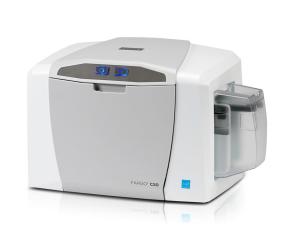
Fargo 045453 YMCKO Color EZ Ribbon 250 printer per ribbon for Fargo C50 card printer this ribbon needs Cassette Fargo 044261
For Lab Lithophane Led Panel CMYK LED Backlight Board CMYK Lithophane Bundle 3D Print Lithophane Photo Accessories
304dpi 203DPI Peripage A4 Thermal Printer Photo Note World PDF Printing Label Maker Tattoo Stencil Transfer Printer Travel Office School Home free App with Case
Mini Portable Thermal Printer: A Wireless Bluetooth Pocket Printer
T7413 T7412 T7411 T7414 T741X Ink Packs Dye Sublimation Ink 7412 For Epson SureColor F6000 F6070 F6200 F9300 F9330 9340
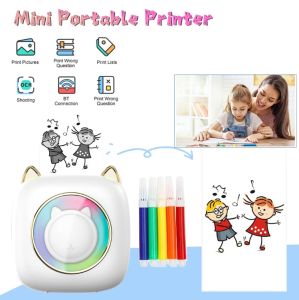
LIOTOG C23 Mini Bluetooth Thermal Printer 1200mAh Rechargeable Portable Thermal Receipt Printer With 1 Rolls Printing Paper For Android Or IOS APP BT Inkless Printer Gift For Kids Friends Used In Home Office Study Work List Printing
Universal Ink for Brother Refill For Brother Ink Dye Ink T220 T420W T425W T428 T810 Original Ink
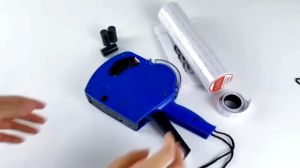
8 Digits Price Tag Gun Price Labeller With Labels Price Tag Labeler Stickers for Clothes Hang Tag Price Label Labeling Ink Roller Labeling
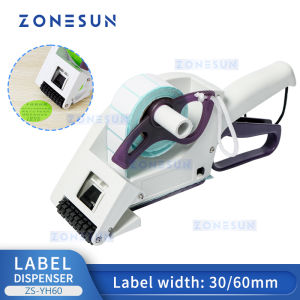
ZONESUN ZS-YH30 Semi-automatic Round Bottle Adhesive Sticker Manual Labeling Machine Price Tag&Flat Labeler