GOOJODOQ GD03 Universal Stylus Pen for Android Phones or iPads: A Comprehensive Guide
GOOJODOQ GD03 Universal Stylus Pen for Android Phones or iPads: A Comprehensive Guide
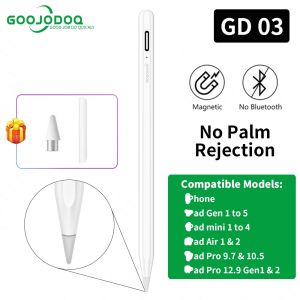
What is the GOOJODOQ GD03 Stylus Pen?
The GOOJODOQ GD03 Universal Stylus Pen is a versatile and reliable stylus pen designed specifically for use with Android phones and iPads, both released before and after 2018. This high-quality stylus pen offers users a more precise and comfortable way to navigate their devices and create digital art.
Key Features & Benefits
- Universal Compatibility: The GD03 stylus pen is compatible with a wide range of devices, making it a versatile choice for users with different types of tablets and smartphones.
- Precision: The stylus tip is designed to provide accurate and responsive control, allowing users to draw, write, and navigate their devices with ease.
- Ergonomic Design: The GOOJODOQ GD03 stylus pen features a comfortable grip, making it easy to hold and use for extended periods.
- Durability: This stylus pen is built to last, with a robust design that can withstand daily use and accidental drops.
Compatibility & Versatility
The GOOJODOQ GD03 stylus pen is compatible with a wide range of devices, including Android phones and iPads released both before and after 2018. This makes it a versatile choice for users who own multiple devices or want a stylus pen that can adapt to their changing needs.
How to Use the GOOJODOQ GD03 Stylus Pen
Using the GOOJODOQ GD03 stylus pen is simple and straightforward. Follow these steps to get started:
Setup & Installation
- Remove the protective cap from the stylus tip.
- Turn on your device and open the app or program you wish to use with the stylus pen.
- Hold the stylus pen in your hand, placing your thumb on the grip area for added control.
- Begin using the stylus pen to navigate your device, draw, write, or perform other tasks.
Tips & Tricks
- To get the most out of your GOOJODOQ GD03 stylus pen, experiment with different pressure levels and angles to find the right balance for your needs.
- For best results, keep the stylus tip clean and free of debris.
- If you experience any issues with the stylus pen, refer to the troubleshooting section below.
Stylus Pen Comparison: GOOJODOQ GD03 vs. Other Brands
When comparing the GOOJODOQ GD03 stylus pen to other brands, several factors come into play, including performance, reliability, price, and value.
Performance & Reliability
The GOOJODOQ GD03 stylus pen offers excellent performance and reliability, with a precision tip that responds quickly and accurately to user input. Its ergonomic design and durable construction make it a reliable choice for daily use.
Price & Value
The GOOJODOQ GD03 stylus pen offers excellent value for its price, providing users with a high-quality stylus pen that is both versatile and reliable. Compared to other brands, the GD03 stylus pen offers a great balance of performance, reliability, and affordability.
Frequently Asked Questions (FAQs)
Troubleshooting & Support
If you experience any issues with your GOOJODOQ GD03 stylus pen, refer to the troubleshooting guide below:
- Stylus pen not working: Ensure that the protective cap has been removed from the stylus tip and that your device is turned on. If the issue persists, try restarting your device.
- Stylus pen not responding: Check that the stylus tip is clean and free of debris. If the issue continues, try resetting your device or contact customer support for further assistance.
Customer Reviews & Testimonials
The GOOJODOQ GD03 stylus pen has received positive reviews from customers who appreciate its precision, versatility, and ergonomic design. Users have reported that the stylus pen is easy to use and provides accurate control, making it a valuable tool for digital artists and tech enthusiasts alike.

GOOJODOQ Philippines Store
Review

You May Also Like
Artstickers Casting Level Decals with Ventilation Groove Suitable for Apple Tablet iPad Air/Pro Full Series Logo Stickers Waterproof Non-Residuous Decoration Concealment
Ultra-Thin Frosted Silicone Phone Case for Huawei Honor X10 X10 Max Protective Cover Simple Design Anti-Fall Soft Shell for Men And Women
Luxury Plating AG Magnetic Case For Samsung Galaxy Z Flip 7 Flip6 Flip5 Flip4 Flip3 Ultra Thin Electroplate Anti-Fingerprint Matte Cover Back Protector
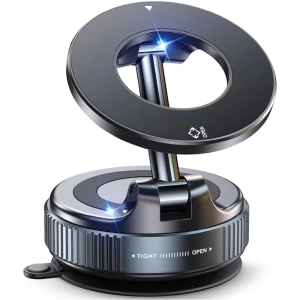
Vacuum Magnetic Suction Cup Phone Mount for Magsafe 360° Adjustable Magnetic Phone Holder Foldable Portable Cell Phone Holders
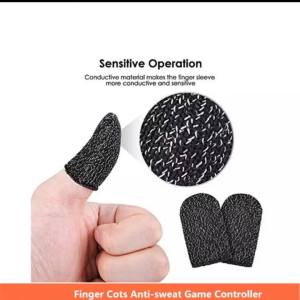
Finger Sleeve: A Solution for Sweat & Water Removal & Enhanced Grip for PUBG Mobile Legends
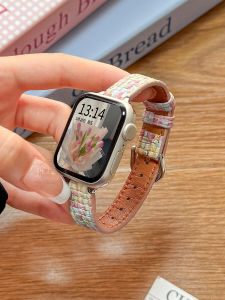
Huawei Fit3/4 Creative Woven Leather Bracelet Smart Sport Watch Band Womens Autumn Winter Model Compatible with Fit1 Fit2
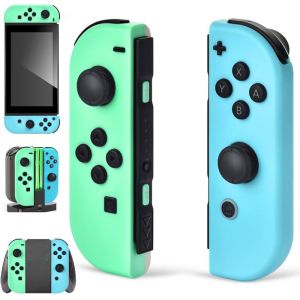
Joy con wireless Switch Control Joycon Controller with Dual Vibration Joystick Gamepad For switch video game consoles Accessorie
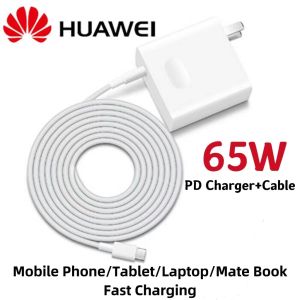
Huawei 65W PD Super Fast Charger With USB C To Type-C Cable For Huawei P40 P30 Pro Matebook 15 14 13 X Pro D15 D14 MagicBook Laptop
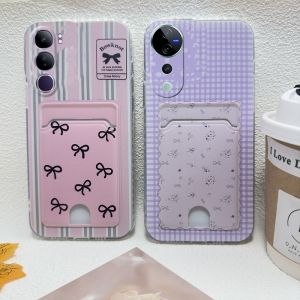
VIVO Y200 Y19s Phone Case: Retro Fashion Polka Dot & Ultra-thin Silicone Soft Cover
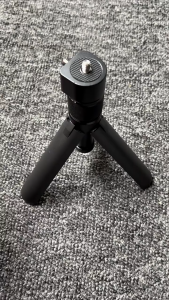
Bullet Time Rotary Handle Tripod for Insta360 X5 / X4 / X3 / Dji OSMO 360
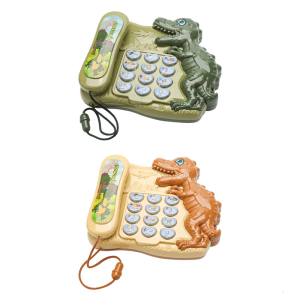
Early Learning Dinosaur Toy With 5 in 1 Functions Story Mode Number Games Telephone Simulator For Children Over 3 Years