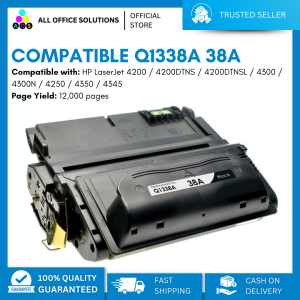
AOS Compatible Toner Cartridge Q1338A 38A
AOS Compatible Toner Cartridge Q1338A 38A
Introduction to AOS Compatible Toner Cartridge Q1338A 38A
The AOS Compatible Toner Cartridge Q1338A 38A is a high-quality toner cartridge designed to provide exceptional print quality and performance. This compatible toner cartridge is engineered to work seamlessly with select HP LaserJet printers, offering a reliable and cost-effective alternative to original equipment manufacturer (OEM) cartridges.
Key Features of Q1338A Toner Cartridge
- Standard Ink Cartridge: The Q1338A toner cartridge is a standard ink cartridge, providing consistent and reliable printing for a wide range of documents and applications.
- High Yield: With a yield of up to 12,000 pages, the Q1338A toner cartridge offers excellent value for money, making it an ideal choice for businesses and individuals who require frequent printing.
- Black Print Color: The Q1338A toner cartridge produces crisp and clear black prints, ensuring professional-looking documents every time.
Compatible Devices for AOS Compatible Toner Cartridge
The Q1338A toner cartridge is compatible with the following HP LaserJet printers:
- LaserJet 4200
- LaserJet 4200dtn
- LaserJet 4200dtns
- LaserJet 4200dtnsl
- LaserJet 4200L
- LaserJet 4200Ln
- LaserJet 4200Lvn
- LaserJet 4200n
- LaserJet 4200tn
Toner Cartridge Specifications & Performance
Yield & Print Quality of Q1338A Toner Cartridge
The Q1338A toner cartridge has a yield of up to 12,000 pages, making it an excellent choice for high-volume printing needs. The cartridge produces sharp and clear black prints, ensuring that your documents look professional and polished.
Printing Speed & Efficiency
The Q1338A toner cartridge is designed to work efficiently with compatible HP LaserJet printers, allowing for fast and reliable printing. With its high yield and consistent print quality, the Q1338A toner cartridge is perfect for businesses and individuals who require frequent printing.
How to Install AOS Compatible Toner Cartridge Q1338A 38A
Step-by-Step Guide to Installing Q1338A Toner Cartridge
To install the Q1338A toner cartridge, follow these steps:
- Turn off your printer and unplug it from the power source.
- Open the front cover of your printer and remove the old toner cartridge.
- Carefully remove the new Q1338A toner cartridge from its packaging and remove the protective tape.
- Insert the new toner cartridge into the designated slot and close the front cover of your printer.
- Plug your printer back into the power source and turn it on.
Troubleshooting Common Issues with AOS Compatible Toner Cartridge
If you experience issues with the Q1338A toner cartridge, try the following troubleshooting steps:
- Ensure that the toner cartridge is properly installed and seated in the printer.
- Check that the protective tape has been removed from the toner cartridge.
- Make sure that the toner cartridge is compatible with your printer model.
- If the issue persists, consult the user manual or contact AOS customer support for further assistance.
Frequently Asked Questions about AOS Compatible Toner Cartridge Q1338A 38A
What Is the Best Way to Store Q1338A Toner Cartridge?
To store the Q1338A toner cartridge properly, keep it in a cool, dry place away from direct sunlight and extreme temperatures. It is also important to keep the protective tape on the toner cartridge until you are ready to install it in your printer.
How Long Does Q1338A Toner Cartridge Last?
The Q1338A toner cartridge has a yield of up to 12,000 pages, which means it can last for a significant amount of time depending on your printing needs. However, the exact lifespan of the toner cartridge will depend on factors such as the frequency of use and the type of documents being printed.

AllOfficeSolutions Reference Number: 250923-161608
Review

You May Also Like

Transparent Label For NIIMBOT B1 / B21 / B3S / B203 Label Printing Paper
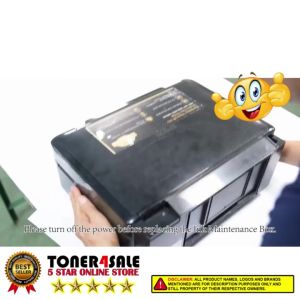
Epson Printer Maintenance Box and Waste Ink Tank Sponge Pad Absorber for L360 T664 L350 L358 L380

Brother ink DCP-T300/DCP-T428W/DCP-T500W Refill ink Compatible T220 T420W T425W T428 T810

005 ink bottled with box compatible to printers: Monochrome M1100 Monochrome M1120
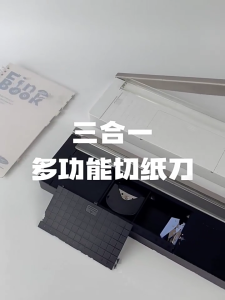
Practical Paper and Photo Cutter Photo Trimming Device Three in One Paper Tool Produced for Easy Use in Any Setting
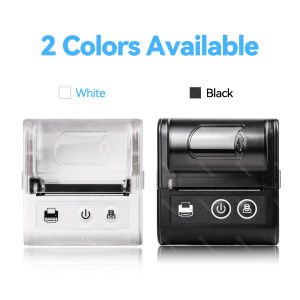
Mini 58mm Thermal Portable Receipt Wireless Ticket Printer Mobile Bluetooth For Android IOS Thermal Bill Maker Machine
80mm POS Printer With Auto Cutter USB/LAN/Serial/WIFI/Bluetooth Interface Option Connect With Cash Box Kitchen Printer
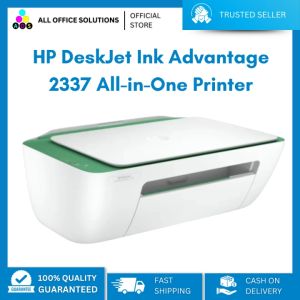
HP Deskjet IA 2337 Palm Print Copy Scan
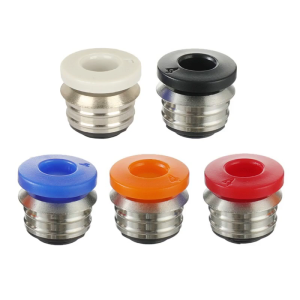
3D Printer Pneumatic Straight Connector Fitting Straight Push for V6 BP6 2IN1 Nozzle Pneumatic Connector StainlessSteel
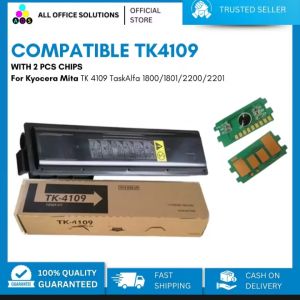
AOS Compatible Toner Cartridge for Kyocera mita TK4109 with bundle of 2pcs Chips
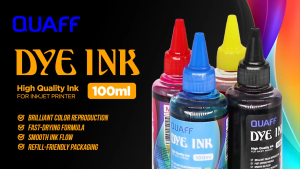
Print Digital QUAFF Dye Ink for All Types of Inkjet Printer 100ml