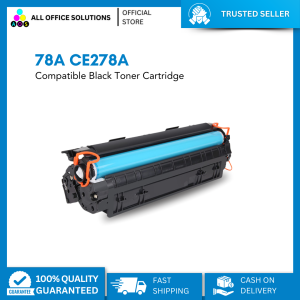
Compatible 78A CE278A Black Toner Cartridge for use in Laser Printer
Compatible 78A CE278A Black Toner Cartridge for use in Laser Printer
What is a Compatible 78A CE278A Black Toner Cartridge?
A compatible 78A CE278A black toner cartridge is a high-quality alternative to the original manufacturer's toner cartridges. Designed specifically for laser printers, these cartridges provide reliable printing performance at a more affordable price point.
Key Features of Compatible 78A CE278A Black Toner Cartridge
- High-Quality Printing: Produces sharp, crisp text and images for professional documents.
- Cost-Effective: Offers significant savings compared to OEM toner cartridges while maintaining print quality.
- Compatible with Multiple Printer Models: Works seamlessly with various laser printer brands and models.
Benefits of Using Compatible 78A CE278A Black Toner Cartridge
- Budget-Friendly: Reduce printing costs without compromising on quality.
- Environmental Impact: Lower production costs and energy consumption compared to OEM cartridges.
- Wide Availability: Easily accessible from multiple retailers and online marketplaces.
How to Choose the Right High-Quality Toner Cartridge
Selecting the right toner cartridge for your laser printer requires careful consideration of several factors.
Factors to Consider When Selecting a Toner Cartridge
- Compatibility: Verify that the cartridge is compatible with your specific printer model.
- Page Yield: Determine the expected number of pages the cartridge can print before needing replacement.
- Brand Reputation: Research reputable manufacturers known for producing high-quality compatible toner cartridges.
Comparing CE278A Compatible Toner with Original Toner Cartridges
When comparing CE278A compatible toner cartridges with OEM options, consider the following:
- Price: Compatible cartridges typically offer better value for money.
- Print Quality: Many compatible cartridges provide comparable print quality to OEM options.
- Warranty: Some compatible cartridges come with limited warranties, while OEM cartridges often have more comprehensive coverage.
How to Install a Compatible 78A CE278A Black Toner Cartridge
Installing a compatible toner cartridge is a straightforward process that can be completed in just a few steps.
Step-by-Step Guide to Installing a Toner Cartridge
- Turn off your laser printer and unplug it from the power source.
- Open the toner cartridge access door and remove the old cartridge carefully.
- Take the new compatible 78A CE278A black toner cartridge out of its packaging and remove any protective materials.
- Insert the new cartridge into the printer, aligning it with the guides provided.
- Close the toner cartridge access door and reconnect the power cord.
- Turn on the printer and allow it to initialize the new cartridge.
Troubleshooting Common Issues During Installation
If you encounter issues during installation, consider the following troubleshooting tips:
- Incorrect Cartridge Placement: Double-check that the cartridge is properly aligned and seated within the printer.
- Printer Error Messages: Consult your printer's user manual or online support resources for specific error codes and solutions.
- Low Print Quality: Run a test page to assess print quality; if issues persist, try cleaning the printer's print head or replacing the cartridge.
Maximizing Print Quality with Compatible 78A CE278A Black Toner Cartridge
To maintain optimal print quality and extend the life of your compatible toner cartridge, follow these best practices:
Tips for Maintaining Print Quality
- Regular Printer Maintenance: Clean the printer's print head and internal components according to the manufacturer's recommendations.
- Use High-Quality Paper: Opt for paper with a smooth finish and appropriate weight for your printing needs.
- Monitor Ink Levels: Keep track of ink levels and replace the cartridge before it runs out completely.
Best Practices for Extending Toner Cartridge Life
- Print in Draft Mode: Use draft mode for non-critical documents to conserve ink.
- Avoid Overuse: Limit the number of consecutive prints to prevent excessive wear on the cartridge.
- Store Properly: Store unused cartridges in a cool, dry place away from direct sunlight.

AllOfficeSolutions Reference Number: 250923-161608
Review

You May Also Like
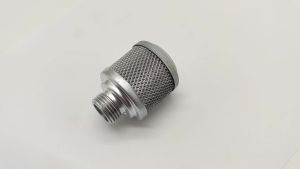
4 Piece Offset Printing Machine Spare Parts GTO Air Filter 00.250.0086
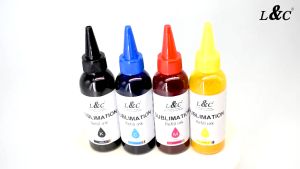
L&C Sublimation Ink for Epson Printers 100ml Refill Ink Set With Needle Gloves Compatible with Epson Printers
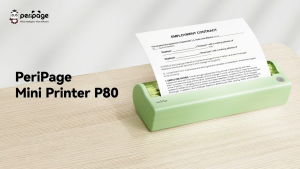
Fantasy T Mall PeriPage P80 prints A4 documents without ink using thermal technology High quality 300dpi prints Connect via Bluetooth or USB Works with Android iOS Windows and Mac Built in rechargeable battery perfect for printing on the go

Toner Powder For Use Compatible TA1800 FS1135 TK1175 KM3040 KM2810 M2535 M2540 kyocera other models
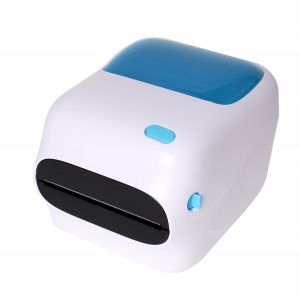
WIFI + USB Black and White 4x6 Shipping Label Printer with Large Paper Bin
SUNLU SP2 Filament Dryer 2-in-1 Filament Dryer Combine with Storage Box (220v)
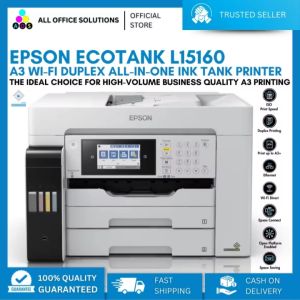
Epson EcoTank L15160 A3 Wi-Fi Duplex All-in-One Ink Tank Printer Imprimante A3 Couleur Impresora A3 - Lazada
Soonpos Android 13 Handheld Pos Terminals With 58mm Thermal Printer 5.5 Inch Mobile Cash Register Compatible With Loyverse POS Grab Merchant Grabfood 4g Network GPS WiFi Billing Printing - Lazada
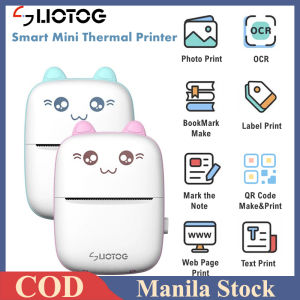
LIOTOG Wireless Bluetooth Printer: A Compact Solution for Study & Office Work
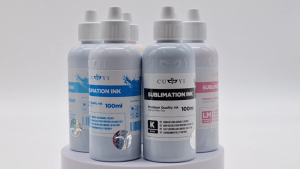
PaperCornerPh - Sublimation CUYI Ink for Epson Printer Sublimation Paper (CMYK LC LM) 100ML
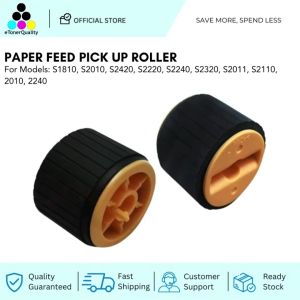
ETQ Paper Feed Pickup Roller for Xerox Docucentre S1810 S2010 S2420 S2220 S2240 S2320 S2011 S2110 2010 2240