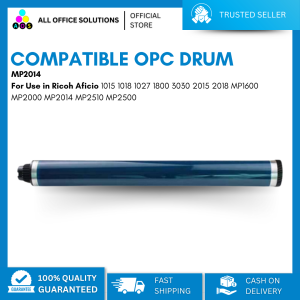
AOS OPC Drum Compatible for Use in Ricoh MP2014 MP2014AD MP2014C MP2014HS MP2000 MP2550 MP3025 MP2852 MP3553 MP1600 SERIES
AOS OPC Drum Compatible for Use in Ricoh MP2014 MP2014AD MP2014C MP2014HS MP2000 MP2550 MP3025 MP2852 MP3553 MP1600 SERIES
What Are Compatible OPC Drums for Ricoh?
Compatible OPC drums, like the AOS OPC Drum Compatible, are third-party alternatives to the original Ricoh printer drum. They offer a cost-effective solution for users who want to maintain the quality of their prints while reducing expenses. In this article, we will explore the benefits of using compatible drums, their key features, and how to choose the right one for your Ricoh printer model, such as the MP2014AD, MP2014C, and MP2014HS.
Understanding the Benefits of Using Compatible Drums
Opting for compatible drums, such as the AOS OPC Drum Compatible, can provide numerous advantages. First and foremost, they offer significant cost savings compared to purchasing original Ricoh printer drums. Additionally, compatible drums can still produce high-quality prints, ensuring that your documents and images maintain their clarity and sharpness. Furthermore, using compatible drums allows you to extend the lifespan of your printer by reducing wear and tear caused by frequent drum replacements.
Key Features of AOS OPC Drum Compatible
The AOS OPC Drum Compatible boasts several features that make it an attractive option for Ricoh MP2014 series users. These include:
- High-quality printing: The AOS OPC Drum Compatible is designed to produce crisp and clear prints, rivaling those of original Ricoh printer drums.
- Long-lasting performance: This compatible drum offers extended print life, allowing you to save money on frequent replacements.
- Easy installation: The AOS OPC Drum Compatible is straightforward to install, requiring minimal effort and time.
How to Choose the Right Compatible Drum for Your Ricoh Printer
When selecting a compatible drum for your Ricoh printer, it is essential to consider several factors. In this section, we will discuss how to identify your Ricoh printer model and compare compatible drums with original Ricoh printer drums.
Identifying Your Ricoh Printer Model (MP2014AD, MP2014C, MP2014HS)
Before purchasing a compatible drum, ensure that it is compatible with your specific Ricoh printer model. For instance, the AOS OPC Drum Compatible is suitable for the Ricoh MP2014AD, MP2014C, and MP2014HS printers. To identify your printer model, check the label on the back or side of your printer or consult the user manual.
Comparing Compatible Drums with Original Ricoh Printer Drum
When comparing compatible drums, such as the AOS OPC Drum Compatible, with original Ricoh printer drums, consider factors like print quality, print life, and cost-effectiveness. While compatible drums may offer lower prices, ensure that they still provide high-quality prints and extended print life to justify their purchase.
Installation & Maintenance Tips for AOS OPC Drum Compatible
To ensure optimal performance of your AOS OPC Drum Compatible, follow these installation and maintenance tips:
Step-by-Step Guide to Installing AOS OPC Drum Compatible
- Turn off your Ricoh printer and unplug it from the power source.
- Open the front cover of your printer and remove the old drum unit.
- Insert the new AOS OPC Drum Compatible into the designated slot, ensuring it is properly aligned.
- Close the front cover and reconnect your printer to the power source.
- Turn on your printer and allow it to initialize the new drum unit.
Extending the Life of Your Compatible Drum with Proper Maintenance
To maximize the lifespan of your AOS OPC Drum Compatible, follow these maintenance tips:
- Regularly clean the drum unit to prevent dust buildup.
- Avoid exposing the drum unit to direct sunlight or extreme temperatures.
- Store the drum unit in a cool, dry place when not in use.
Frequently Asked Questions About AOS OPC Drum Compatible
In this section, we will address some common questions about the AOS OPC Drum Compatible.
Are Compatible Drums as Reliable as Original Ricoh Printer Drum?
While compatible drums like the AOS OPC Drum Compatible may offer lower prices, they can still provide reliable performance and high-quality prints. However, it is crucial to choose reputable brands and products to ensure optimal results.
How to Troubleshoot Common Issues with Compatible Drums
If you encounter issues with your AOS OPC Drum Compatible, try these troubleshooting steps:
- Clean the drum unit to remove any dust or debris.
- Check the alignment of the drum unit to ensure proper installation.
- Consult the user manual or contact customer support for further assistance.

AllOfficeSolutions Reference Number: 250923-161608
You May Also Like
【PH Ready Stock】L&C Dye Ink UV Ink 100ml 4 Colors Universal Dye Ink for Inkjet Printers
LIOTOG P50 Thermal Label Printer Portable Bluetooth Wireless Sticker Label Maker DIY for IOS Android
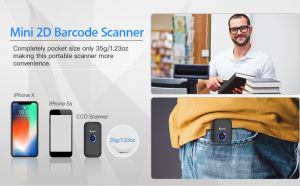
Eyoyo Mini 2.4G Wireless 1D 2D Barcode Scanner 3in1 Via Bluetooth USB Wired Connected QR Bar Code Scan Reader for iPad iPhone Tablet POS Support Windows XP PC Android IOS
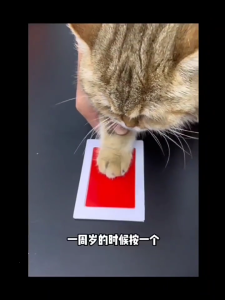
Pet Dog and Cats Paws Printing Kits with Professional Print Paper and 2 Photo Frame Print Pad for Pet Lover Memorial Gift
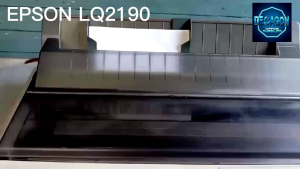
EPSON LQ2190 DOT MATRIX PRINTER
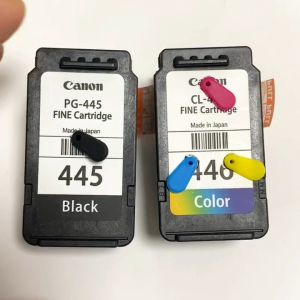
Canon 445 446 ink cartridge PG445 CL446 MG2440 MG2540S MG2640 MG2940 TS3140 Printers
Epson 664 Inks: Compatible Options for L1300 & L200-L565 Printers
30mmx100m Thermal Hot Stamp Ribbon Hot Code Printer Ribbon Roll For DY8 HP241B Coding Machine
1D 2D Handheld Barcode Scanner Reader QR PDF417 Bluetooth 2.4G Wireless Wired USB Green Light Source for Pos Payment Scanning
LIOTOG C19 Bluetooth Thermal Printer Photo Printer Mini Printer Paper Printer Sticker Paper Portable Rechargeable Printer for Study Work Storage Lable
CANON Mobile Photo Printer SELPHY CP1500 1500 USB Type C Wi-Fi 300 x 300 DPI Resolution MVP CAMERA