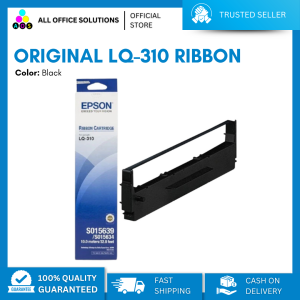
Original LQ-310 Ribbon Cartridge (Black): A Comprehensive Guide
Original LQ-310 Ribbon Cartridge (Black): A Comprehensive Guide
Understanding the LQ-310 Ribbon Cartridge
What is an LQ-310 Ribbon Cartridge?
The LQ-310 ribbon cartridge is a consumable component used in thermal printers, specifically designed for the LQ-310 printer model. It consists of a ribbon coated with ink or wax that transfers onto the paper during printing. This black ribbon cartridge is essential for producing high-quality, clear, and durable prints.
High-Quality Ribbon Cartridge Features
High-quality replacement ribbon cartridges like the LQ-310 offer numerous advantages over lower-quality alternatives:
- Durability: High-quality ribbons have a longer lifespan and produce consistent print quality over time.
- Color Accuracy: High-quality ribbons ensure accurate color reproduction, reducing the risk of faded or distorted prints.
- Compatibility: Original LQ-310 ribbon cartridges are designed specifically for the LQ-310 printer model, guaranteeing optimal performance and compatibility.
How to Choose the Right LQ-310 Ribbon Cartridge
When selecting a replacement ribbon cartridge for your LQ-310 printer, consider the following factors:
- Brand Reputation: Opt for reputable brands known for producing high-quality ribbon cartridges, such as the original LQ-310 ribbon cartridge.
- Price: While cost may be a factor, remember that investing in a high-quality ribbon cartridge can save money in the long run due to its extended lifespan and consistent performance.
- Compatibility: Ensure the chosen ribbon cartridge is compatible with your LQ-310 printer model.
Installation and Maintenance
How to Install a Black Ribbon Cartridge
Installing a black ribbon cartridge in your LQ-310 printer is a straightforward process:
- Turn off the printer and disconnect the power cord.
- Open the printer cover and remove the old ribbon cartridge.
- Insert the new black ribbon cartridge into the designated slot, ensuring it is securely in place.
- Close the printer cover and reconnect the power cord.
- Turn on the printer and test print to verify proper installation.
Troubleshooting Common Issues
If you encounter issues with your LQ-310 printer after installing a new ribbon cartridge, consider the following troubleshooting steps:
- Check Ribbon Cartridge Compatibility: Ensure the ribbon cartridge is compatible with your LQ-310 printer model.
- Inspect Ribbon Cartridge: Verify that the ribbon cartridge is properly installed and not damaged.
- Clean Printer Components: Clean the print head and any other relevant components to remove debris or ink buildup.
Extending the Life of Your Ribbon Cartridge
To maximize the lifespan of your LQ-310 ribbon cartridge:
- Store Properly: Store the ribbon cartridge in a cool, dry place away from direct sunlight.
- Handle with Care: Avoid touching the ribbon itself to prevent contamination.
- Use High-Quality Paper: Using high-quality paper can help reduce wear and tear on the ribbon cartridge.
Replacements and Alternatives
High-Quality Replacement Ribbon Cartridges
When searching for a replacement ribbon cartridge for your LQ-310 printer, consider reputable brands known for producing high-quality ribbon cartridges. These alternatives offer similar performance and compatibility to the original LQ-310 ribbon cartridge.
Original LQ-310 Cartridge vs. Compatible Cartridges
While compatible ribbon cartridges may offer cost savings, they might not provide the same level of performance and compatibility as the original LQ-310 ribbon cartridge. Always weigh the pros and cons before making a decision.
Black Ribbon Cartridge Compatibility
The black ribbon cartridge is designed specifically for the LQ-310 printer model. Ensure that any replacement ribbon cartridge you choose is compatible with your printer to avoid potential issues.

AllOfficeSolutions Reference Number: 250923-161608
Review

You May Also Like
Printer Cartridge Designs for Longevity Print Quality Professional Home Setting for 5M 3D Printer Accessories
MOTEX embossing machine waterproof sticker manufacturer E-5500 E-505 motex label maker with 6mm 9mm 12mm label tape refill Roll
Eyoyo 2D Wearable Ring Barcode Scanner Mini Portable 3-In-1 USB Wired & 2.4G Wireless & Bluetooth Finger Scanner Image 1D QR Bar Code Reader PDF417 Data Matrix Screen Scanning for IPad iPhone Android PC

Japan Transfer Belt for Use and Compatible with MPC 2003 2503 3003 3503 4503 5503 6003 6503 2004 2504 3004 3504 5504 6004
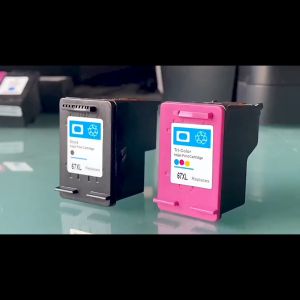
PG245 CL246 Ink Cartridges For Canon PG 245XL CL 246XL for Pixma iP2820 MX492 MG2924 MX492 MG2520 printer
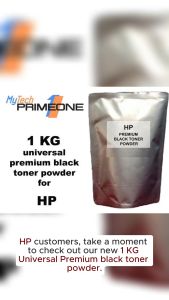
Universal HP Premium Black Toner Powder - 1 KG (1000 grams) - Compatible with HP Monochrome Printers - Grade A Quality - 90% Cost Savings
Thermal Print Head Only for Thermal Printer Spare / Replaceable Parts for Damaged or Missing Print

LIOTOG C23 Mini Printer Bluetooth Thermal Printer Photo Waybill Printer Sticker Paper Portable Rechargeable Printer with LED Light for Study Work Storage Table
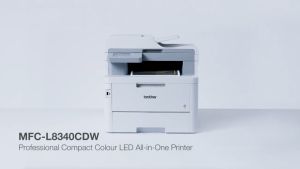
Brother MFC-L8340CDW MFC Color Laser Duplex Printer Replacement Model for MFC-3770CDW Brother Mfc L8340Cdw Price M40X Replacement - Lazada
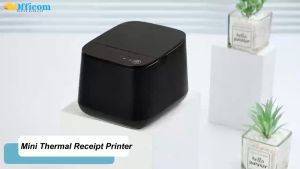
Officom OC-58II: A No-Ink Needed Direct Thermal USB & Bluetooth Printer
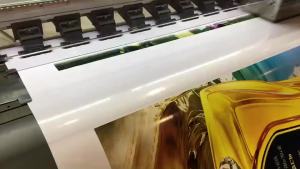
190g Inkjet Photo RC Glossy Luster Photo Paper A4*30m Roll Factory Supplier