Comprehensive Guide to External SSDs: 500GB to 30TB
Comprehensive Guide to External SSDs: 500GB to 30TB
Understanding External SSDs
What is an External SSD?
An external solid-state drive (SSD) is a portable storage device that allows users to store and transfer data quickly and efficiently. Unlike traditional hard disk drives (HDDs), external SSDs have no moving parts, making them more durable and reliable. They come in various capacities, from 500GB to 30TB, and offer fast read and write speeds, making them ideal for transferring large files, backing up data, and storing media collections.
Types of External SSDs Available
External SSDs come in different form factors, including:
- Portable SSDs: Compact and lightweight, ideal for users who need to carry their data on-the-go.
- Desktop SSDs: Larger and more robust, designed for users who need a reliable storage solution for their desktop computers.
- Rugged SSDs: Built to withstand harsh conditions, such as extreme temperatures, water, and shock, making them perfect for outdoor activities or industrial settings.
Key Features of External SSDs
External SSDs offer several key features, including:
- Fast read and write speeds: External SSDs can transfer data up to 10 times faster than traditional HDDs, making them ideal for transferring large files and backing up data.
- High capacity: External SSDs come in various capacities, from 500GB to 30TB, allowing users to store large amounts of data.
- Durability: With no moving parts, external SSDs are more durable and reliable than traditional HDDs, reducing the risk of data loss.
- Compatibility: External SSDs are compatible with most devices, including computers, laptops, and gaming consoles.
Choosing the Right External SSD
Factors to Consider When Selecting an External SSD
When choosing an external SSD, consider the following factors:
- Capacity: Choose an external SSD with enough capacity to store your data, whether it's 500GB, 2TB, 16TB, 20TB, or 30TB.
- Speed: Look for an external SSD with fast read and write speeds, ideally 500MB/s or higher.
- Durability: If you plan to use your external SSD in harsh conditions, choose a rugged SSD designed to withstand extreme temperatures, water, and shock.
- Compatibility: Make sure the external SSD is compatible with your device, whether it's a computer, laptop, or gaming console.
Comparing Different External SSD Models
To compare different external SSD models, consider the following factors:
- Capacity: Compare the capacity of different external SSD models to find one that meets your storage needs.
- Speed: Compare the read and write speeds of different external SSD models to find one that offers fast data transfer.
- Durability: Compare the durability of different external SSD models to find one that can withstand harsh conditions.
- Price: Compare the prices of different external SSD models to find one that fits your budget.
Tips for Purchasing an External SSD
When purchasing an external SSD, keep the following tips in mind:
- Check compatibility: Before purchasing an external SSD, make sure it's compatible with your device.
- Compare prices: Compare prices from different retailers to find the best deal.
- Check reviews: Read reviews from other customers to ensure the external SSD meets your expectations.
- Consider warranty: Check the warranty offered by the manufacturer to ensure your external SSD is protected.
Using External SSDs
How to Connect an External SSD to Your Device
To connect an external SSD to your device, follow these steps:
- Connect the external SSD to your device using a USB cable.
- Wait for your device to recognize the external SSD.
- Once recognized, open the external SSD to access your files.
Best Practices for Using External SSDs
To get the most out of your external SSD, follow these best practices:
- Keep your external SSD clean: Regularly clean your external SSD to prevent dust buildup.
- Avoid dropping your external SSD: Handle your external SSD with care to prevent damage.
- Backup your data: Regularly backup your data to ensure it's safe in case of a failure.
- Update firmware: Check for firmware updates from the manufacturer to ensure your external SSD is running smoothly.
Troubleshooting Common Issues with External SSDs
If you experience issues with your external SSD, try the following troubleshooting steps:
- Check connections: Make sure your external SSD is properly connected to your device.
- Update drivers: Check for driver updates from the manufacturer to ensure your external SSD is recognized by your device.
- Run diagnostics: Run diagnostics on your external SSD to identify any issues.
- Contact support: If you continue to experience issues, contact the manufacturer's support team for assistance.

Global Merch Park
You May Also Like
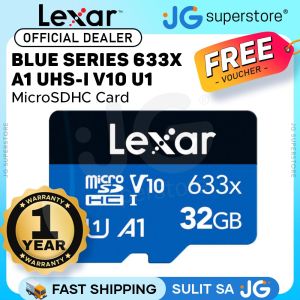
♥100%Original Product+Free Send adapter+card reader♥Lexar Professional 32GB 64GB 128GB 256GB 512GB 1TB 2TB 633x Blue Series MicroSDHC UHS-I U1 A1 V10 Class 10 Micro SD Card
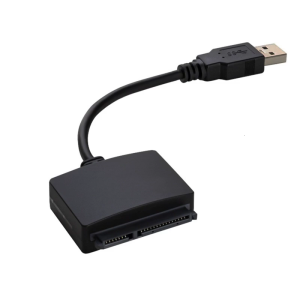
USB A/USB C to SATAs 2.5inch Adapter Converters for External SSDs HDD Drive Plugs and Play Operation
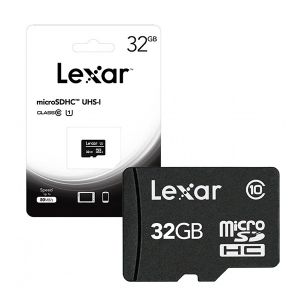
Lexar MicroSD Card: A Reliable Choice for Surveillance Cameras & More

Yoobao A-L01 USB-A Female to Lightning Male OTG Adapter High Quality with Lanyard For Apple Devices
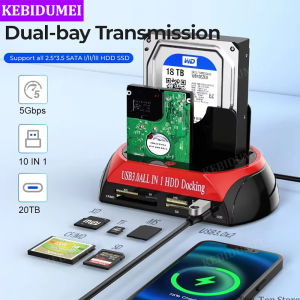
10 IN 1 Dual-bay Hard Drive Station USB3.0 5Gbps HDD Docking Station with 12V 3A Power Adapter for 2.5/3.5 Inch HDD/SSD TF Card

ORICO 80Gbps Compatibale with Thunderbolt 5 External SSD Intel Advanced Chipset 10x Enhanced Cooling Efficiency Transfer 6GB in 1 Second
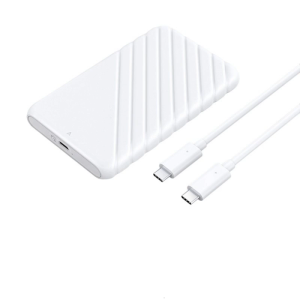
USB3.0 2.5inch External Hard Drive Enclosure Easy Installation Hard Drive Disk Box Enclosure 5Gbps Data Transfer
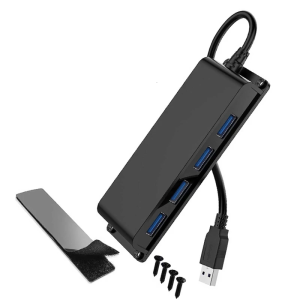
4 Port USB version Divider Center 5Gbps Speed Wall Mountable Link With 3.3ft Extension Cord For Computer Notebook Office Arrange
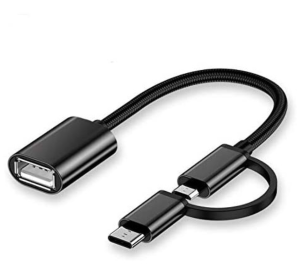
2in1 OTG USB Cable Adapter Micro USB Type C To USB Converter Cable
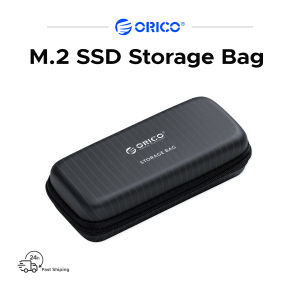
Orico M.2 SSD Storage Bag Suitable for NGFF/NVMe SSD Case Headset Data Cable Storage
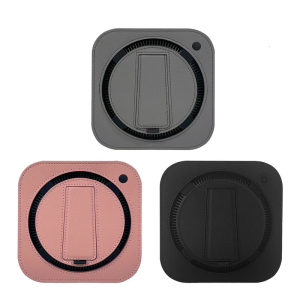
Portable Shock Resistant PU Case For Mini Desktop Computer Abrasion Proof Construction Multiple Color Option