2025 Smart Electric Height Adjustable Desk: A Comprehensive Guide
2025 Smart Electric Height Adjustable Desk: A Comprehensive Guide
Introduction to the 2025 Smart Electric Height Adjustable Desk
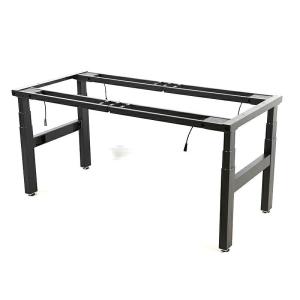
The 2025 Smart Electric Height Adjustable Desk is a modern office desk designed to offer convenience, ergonomics, and efficiency. This computer desk features four sturdy legs and four motors, allowing for smooth height adjustments and optimal workspace customization. With a formal setup and three sections (including a controller), this smart electric height adjustable desk is perfect for home study, office work, or remote working environments.
Key Features and Specifications
The 2025 Smart Electric Height Adjustable Desk boasts several key features and specifications:
- Material: Metal
- Certification: EU CE Certification
- Color: White, Black
- Size: 4A3 - four legs - four motors - formal setup - three sections (with controller)
- Edge Sealing: Plastic Spraying
- Function: Lifting
- Model: NT33-4A3
- Certificate No.: 1160054708a 001
Why Choose This Desk?
There are several reasons why the 2025 Smart Electric Height Adjustable Desk is an excellent choice for your workspace:
- Ergonomics: This desk promotes good posture and reduces strain on your back, neck, and shoulders.
- Health Benefits: It encourages movement throughout the day, which can improve circulation and reduce the risk of sedentary-related health issues.
- Enhanced Productivity: By adjusting the desk height, you can find the perfect position for working more efficiently and comfortably.
- Customization: The three-section design allows you to personalize your workspace to suit your specific needs.
How to Set Up Your New Desk
Setting up your new smart electric height adjustable desk is simple and straightforward:
Unboxing and Initial Setup
Upon receiving your desk, carefully unbox it and lay out all the components. Assemble the legs and attach them to the desk surface using the provided hardware accessories.
Connecting the Controller
Attach the controller to the desk and plug it into a power source. Follow the manufacturer's instructions to set up the controller and adjust the desk height as desired.
Finalizing the Installation
Once the desk is assembled and the controller is connected, you're ready to start using your new workspace! Remember to store any leftover hardware accessories in a safe place for future reference.
Maximizing the Benefits of Your Smart Electric Height Adjustable Desk
To get the most out of your new smart electric height adjustable desk, consider the following tips:
Ergonomics and Health Benefits
Position your monitor at eye level, keep your keyboard and mouse within easy reach, and ensure your feet are flat on the floor. Adjust the desk height throughout the day to maintain good posture and reduce strain on your body.
Enhancing Productivity
Experiment with different desk heights to find the optimal position for working efficiently and comfortably. Consider investing in ergonomic accessories like a standing mat or footrest to further enhance your productivity.
Customizing Your Workspace
Use the three-section design to organize your workspace according to your needs. Place essential items within arm's reach and store less frequently used items in nearby drawers or shelves.
Maintenance and Troubleshooting
To keep your smart electric height adjustable desk in top condition, follow these maintenance and troubleshooting tips:
Regular Cleaning and Care
Wipe down the desk surface regularly with a soft cloth and mild cleaning solution. Avoid using abrasive materials or harsh chemicals that could damage the finish.
Addressing Common Issues
If you encounter any issues with your desk, consult the user manual or contact customer support for assistance. Common problems may include malfunctioning motors or loose hardware, which can usually be resolved with simple adjustments or repairs.
Contacting Customer Support
If you have any questions or concerns about your smart electric height adjustable desk, don't hesitate to reach out to customer support. They can provide guidance on setup, usage, and troubleshooting, as well as answer any other inquiries you may have.

fei9922547
Review

You May Also Like

Multi-layer Bra Underwear Hanger Scarf Tie Hanger Underwear Hanger Rack Suspender Hanger
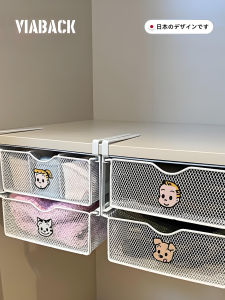
Three-In-One Clothing Underwear Storage Box Drawer Type Storage Hanging Space Home Organization Tool Viaback Brand Colorful Style
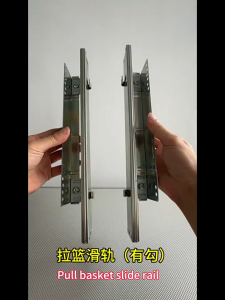
Three-compartment sliding rail track - thickened 15 inches installable track made of cold-rolled
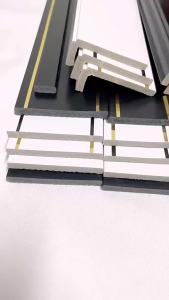
L Multi-Functional Ceiling Level 2 Window Frame Door Set Tablet Crown Moulding Door Frame Edge Self-Adhesive Decorative Background

Multicolored Silk Flower Stem Five Prongs Design Pansies Elegant Decorative Floral For Modern Interior Styling
Ofix Deluxe-31W School Chair: A Comfortable Learning Chair

5PCS 2 Office Chair Caster Wheels 360 Swivel With Lock Rubber Pu Roller For Wood Floor Computer Chair Universal Wheel
10Pcs Tarp Clamps Shade Cloth Clips Fasteners Black Tent Disc Buckles

Home Furniture Shoe rack storage organizer shoe display rack shoe rack foldable Standing multi-layer shoe organizer rack

Modern & Minimalist Coffee Table for Home

Weekly Organizer Dust- Large Compartments Travel 3 Times A Day Reminders Box Dispenser for Oil Tablet