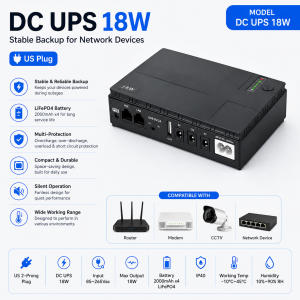
Expose 12400mAh UPS Power Supply for wifi Router modem powerbank backup for Security Camera CCTV battery DC power
👋👋Welcome to Buwan 👋👋Your trusted source for high‑performance 3C electronics that make life easier.We offer worldwide shipping, secure payments, and dedicated customer support – so you can shop with total confidence.⚡ MINI UPS – Backup Power for Your WiFi Router & 12V Devices⚡Never lose connection during a power outage again.Whether you're in a meeting, online class, gaming, or streaming – our MINI UPS keeps your router running smoothly.Compatible with: PLDT, Converge, Globe, SKY Broadband, Smart, Tenda, D‑Link, Asus, Xiaomi, TP‑Link, Huawei, and most other routers.Automatic switchover – instantly powers your router from its internal battery when the mains fails, with no reboot needed.Always‑on connectivity – your internet stays alive, even during blackouts.Works like a power bank for your router – but smarter, with no step‑up cable required.Also powers 12V devices – such as CCTV cameras and 12V DC lamps.Built‑in protections: overcharge, overload, and short‑circuit protection – safe for 24/7 continuous use.Why choose us?✅ 100% authentic products – guaranteed✅ Wholesale orders welcome✅ 3‑year warranty for complete peace of mind✅ Same‑day dispatch – orders shipped within 24 hours✅ Fast delivery to your doorstep✅ Hassle‑free after‑sales – we reply to every query instantly and solve issues promptly❓ How long does the backup last?Older routers consume less power → longer backup time.Duration also depends on network activity (number of connected users, VoIP usage, etc.).Typical runtime ranges from 2–6 hours – ample for most short outages.❓ How is this different from using a regular power bank?Our MINI UPS is designed as a true UPS – it charges the battery only when needed and switches to battery mode during outages.A power bank keeps charging the router continuously, generating excess heat and shortening battery lifespan – plus, power banks are not meant to be left plugged in 24/7.Our device is engineered for always‑on operation, ensuring safety and longevity.❓ Need more help? We’re here for you – just drop us a message.

Buwan
Review
You May Also Like
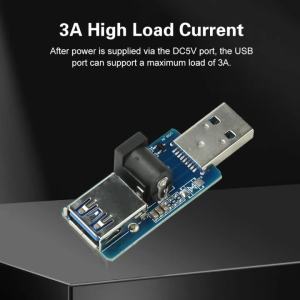
Power Supply Enhancement Module USB Power Splitter With DC Power Supply External Load USB Connected 5V

M5Stack Cardputer Adv ESP32 Card Computer 56 Key Programmable Development Board Stamp-S3A for IoT Intelligent system KIT

MACHINIST X79 S7 Motherboard Support Intel Xeon E5 v1&v2 LGA 2011 CPU Processor DDR3 REG ECC RAM Dual Channel Mainboard
Laptop CPU Cooling Fan BSB0505LA-00 BN5010S5H-N00P for VALVE Steam Deck Q1 256 go Q2 512 go
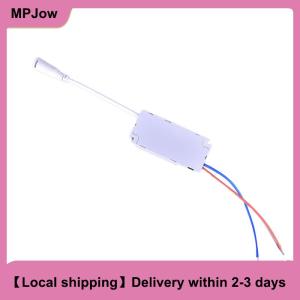
【Local shipping】 LED Driver 8 12 15 18 21W Power Supply Dimmable Transformer Waterproof LED Light
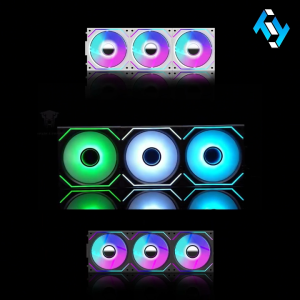
Jungle Leopard Interstellar V2 3in1 ARGB Block Chassis Fan
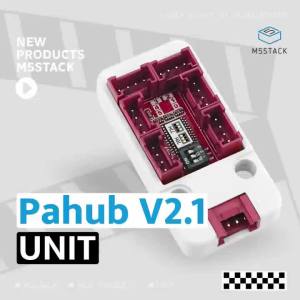
M5Stack | M5Stack Pahub V2.1 I2C Bus 1-to-6 Expansion Board with DIP Switch PCA9548AP for IoT Intelligent system KIT I2C expansion

Buck Converter Case for Piso Wifi No Warranty

4557667 M04557667 MO4557667 04557667 KS43 Knock Sensor Wholesale
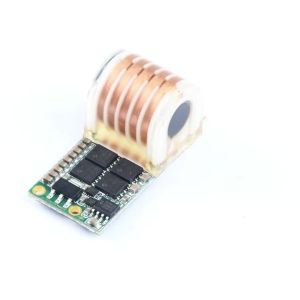
Aideepen | DC 9-12V to AC 20KV High Frequency AC Booster Coil High Voltage Ignition Module 12V Low Heat Arc for 10 Minutes 70W

Chuwi Hi10 Max 2in1 Windows Tablet Laptop Intel N150 | 512GB SSD 12GB RAM | With Docking Keyboard