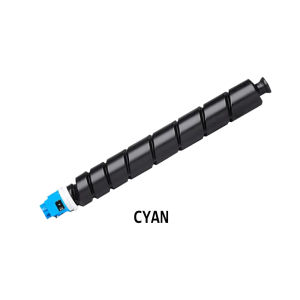
AOS Compatible TK-8349 For Kyocera TASKalfa 2552ci 2553ci
AOS Compatible TK-8349 For Kyocera TASKalfa 2552ci 2553ci
Introduction to Compatible Kyocera Accessories
When it comes to printer maintenance and repairs, compatible Kyocera accessories like the AOS Compatible TK-8349 can provide a cost-effective solution while maintaining high quality and performance. These replacement components are designed to work seamlessly with Kyocera TASKalfa 2552ci and 2553ci printers, ensuring optimal functionality and longevity.
What Are Compatible Kyocera Printer Parts?
Compatible Kyocera printer parts are high-quality alternatives to original equipment manufacturer (OEM) components. These parts undergo rigorous testing and quality control processes to ensure they meet the same standards as OEM parts. By using compatible Kyocera accessories, users can save money on maintenance and repairs without compromising on performance.
Why Choose AOS Compatible TK-8349?
AOS Compatible TK-8349 is a reliable and cost-effective solution for maintaining your Kyocera TASKalfa 2552ci and 2553ci printers. This compatible component is designed to work seamlessly with your printer, providing high-quality prints and long-lasting performance. Additionally, AOS Compatible TK-8349 is backed by a warranty, giving users peace of mind.
Installation & Setup Guide
Installing AOS Compatible TK-8349 on your Kyocera printer is a straightforward process. Follow these steps to ensure proper installation:
- Turn off and unplug your printer.
- Open the access door to reveal the toner cartridge bay.
- Remove the old toner cartridge carefully.
- Insert the AOS Compatible TK-8349 toner cartridge into the bay.
- Close the access door and turn on your printer.
Setting Up Your Printer After Installation
After installing AOS Compatible TK-8349, it's essential to set up your printer correctly to ensure optimal performance. Here are some tips for setting up your printer after installation:
- Check your printer's manual for specific setup instructions.
- Calibrate your printer to ensure accurate color reproduction.
- Update your printer's firmware to ensure compatibility with the new toner cartridge.
Troubleshooting Tips
If you encounter issues with AOS Compatible TK-8349, don't worry! Here are some common issues and solutions:
- Printer Not Recognizing New Toner Cartridge: Ensure that the toner cartridge is properly installed and aligned. If the issue persists, try resetting your printer.
- Poor Print Quality: Check your printer's calibration settings and update your firmware if necessary.
- Cartridge Not Lasting as Expected: Ensure that you are using high-quality paper and toner cartridge.
Maintenance & Care for Optimal Performance
To maintain optimal performance with AOS Compatible TK-8349, follow these tips:
- Clean your printer regularly to prevent dust buildup.
- Store toner cartridges in a cool, dry place.
- Use high-quality paper and toner cartridge.
Conclusion & Next Steps
In conclusion, AOS Compatible TK-8349 is a reliable and cost-effective solution for maintaining your Kyocera TASKalfa 2552ci and 2553ci printers. By using compatible Kyocera accessories, users can save money on maintenance and repairs without compromising on performance.
Recap of AOS Compatible TK-8349 Benefits
- Cost-effective alternative to OEM components
- High-quality performance and longevity
- Backed by warranty
Where to Purchase Compatible Kyocera Printer Parts
To purchase AOS Compatible TK-8349 and other compatible Kyocera printer parts, visit our website or authorized resellers.

AllOfficeSolutions Reference Number: 250923-161608
Review

You May Also Like
Original Epson Ink 003: High-Quality Replacement Options
CANON GI790 BLACK / CYAN / MAGENTA / YELLOW
For Canon PGI 570 PGI570 Canon CLI 571 571 Ink Cartridge For Canon PIXMA MG5750 MG5752 MG5753 MG6850 MG6851 MG6852 TS8050 TS8051 TS8052 TS8053

Epson L120 L121 Resetter Tools

PaperCornerPh - EPSON Waste Ink Pad Maintenance Box: A Comprehensive Guide
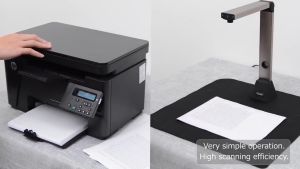
Book & Document Camera 1300P/1400P High Definition Professional Book Document Scanner Auto-Flatten
Applicable HP Hp 805 Ink Cartridge Can Add Ink Black Colors 2720 1210 2330 2722 1212 2332
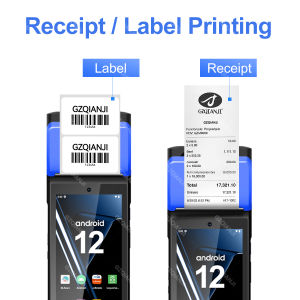
Android 12 POS Terminal Device with 58mm Thermal Receipt Bill Printer Label Maker Barcode Sticker Printing or 1d 2D Scanner NFC All-in-one Loyverse free App for Retail Store
💥🎁Free Gift🎁💥10pcs Eco Solvent Printer Ink Damper for Epson & Mutoh Galaxy
VSPH 1 Liter CUYI Cleaning Solution for Eco-Solvent Ink
ETQ T05 Pigment Ink Pack Standard Capacity