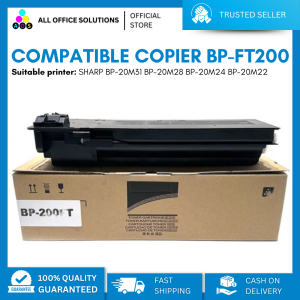
AOS Compatible Copier BP-FT200 Toner Cartridge For use in SHARP BP-20M31 BP-20M28 BP-20M24 BP-20M22
AOS Compatible Copier BP-FT200 Toner Cartridge For use in SHARP BP-20M31 BP-20M28 BP-20M24 BP-20M22
Understanding High-Quality Copier Toner Cartridges
BP-FT200 Toner Cartridge Overview
The BP-FT200 toner cartridge is an AOS compatible copier toner cartridge designed specifically for SHARP BP-20M series printers, including the BP-20M31, BP-20M28, BP-20M24, and BP-20M22 models. This high-quality toner cartridge provides superior print quality, longevity, and reliability for businesses and individuals who rely on their SHARP copiers.
AOS Compatible Copier Toner Cartridge Features
The BP-FT200 toner cartridge boasts several features that make it an ideal choice for users of SHARP BP-20M series copiers:
- Compatibility: Designed to work seamlessly with SHARP BP-20M series copiers, ensuring optimal performance and print quality.
- Longevity: The BP-FT200 toner cartridge offers an extended lifespan, reducing the frequency of replacements and saving costs.
- Reliability: AOS-compatible toner cartridges are known for their consistent performance and low failure rates, providing peace of mind for users.
High-Quality Toner Cartridge Benefits
Using high-quality toner cartridges like the BP-FT200 offers numerous benefits for your business or personal printing needs:
- Cost Savings: With its extended lifespan, the BP-FT200 toner cartridge reduces the frequency of replacements, resulting in cost savings over time.
- Consistent Print Quality: High-quality toner cartridges provide consistent print quality, ensuring professional-looking documents every time.
- Environmental Impact: By using long-lasting toner cartridges, you reduce waste and minimize the environmental impact of your printing activities.
Installing & Replacing BP-FT200 Toner Cartridge
Step-by-Step Installation Guide
To install the BP-FT200 toner cartridge in your SHARP copier, follow these steps:
- Turn off the copier and unplug it from the power source.
- Open the toner cartridge compartment and remove the old toner cartridge.
- Remove the new BP-FT200 toner cartridge from its packaging.
- Insert the new toner cartridge into the compartment, ensuring it is properly seated.
- Close the toner cartridge compartment and plug the copier back into the power source.
- Turn on the copier and perform any necessary calibration or initialization procedures.
Troubleshooting Common Issues
If you encounter issues during installation or while using the BP-FT200 toner cartridge, refer to the troubleshooting guide below:
- Error Messages: If your copier displays error messages related to the toner cartridge, check that the cartridge is properly seated and aligned. If the issue persists, consult the user manual or contact SHARP support for assistance.
- Print Quality Issues: If print quality is poor or inconsistent, try cleaning the printer heads or replacing the toner cartridge. Consult the user manual for specific troubleshooting steps.
Tips for Optimal Performance
To ensure optimal performance and longevity of your BP-FT200 toner cartridge, follow these tips:
- Regular Maintenance: Clean the printer heads and perform regular maintenance tasks to keep your copier running smoothly.
- Proper Storage: Store the toner cartridge in a cool, dry place away from direct sunlight and extreme temperatures.
- Monitor Toner Levels: Keep track of toner levels and replace the cartridge before it runs out to avoid disruptions in your printing workflow.
Maximizing Your Investment: Maintaining & Extending Toner Cartridge Lifespan
Proper Storage Techniques
To extend the lifespan of your BP-FT200 toner cartridge, store it properly when not in use:
- Cool Temperature: Store the toner cartridge in a cool environment to prevent damage from heat.
- Dry Conditions: Keep the toner cartridge away from moisture to avoid clumping or clogging.
Cleaning & Maintenance Tips
Regular cleaning and maintenance can help extend the life of your BP-FT200 toner cartridge:
- Clean Printer Heads: Clean the printer heads regularly to prevent clogging and maintain print quality.
- Monitor Toner Levels: Keep track of toner levels and replace the cartridge before it runs out to avoid disruptions in your printing workflow.
Identifying When to Replace Toner Cartridge
To determine when it's time to replace your BP-FT200 toner cartridge, look for these signs:
- Print Quality Decline: If print quality begins to decline, it may be time to replace the toner cartridge.
- Error Messages: If your copier displays error messages related to the toner cartridge, check that the cartridge is properly seated and aligned. If the issue persists, consider replacing the toner cartridge.

AllOfficeSolutions Reference Number: 250923-161608
Review

You May Also Like
3D Printing And 3D Design Service For Any Project
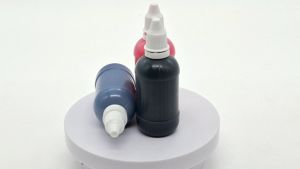
All U Want - Photosensitive Stamp Ink Blue / Black / Red - 50ML
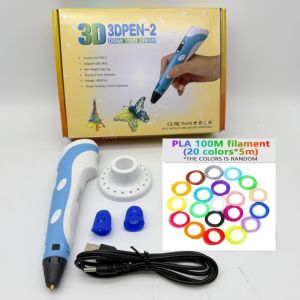
New 3D Printing Pen DIY Drawing 9M PLA Filament Three-dimensional Graffiti Toys Art Tools For Kids Birthday Christmas Day Gift
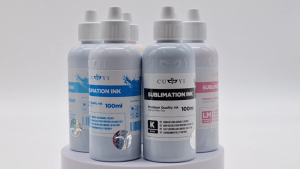
PaperCornerPh - Sublimation CUYI Ink for Epson Printer Sublimation Paper (CMYK LC LM) 100ML
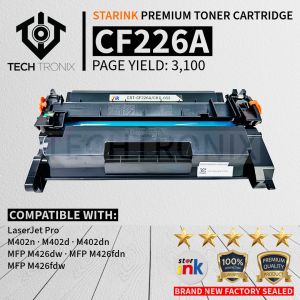
Starink CF226A Compatible Toner Cartridge: A Cost-Effective Alternative
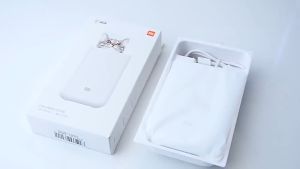
Xiaomi Mi Portable Photo Printer - Photo Paper 10PCS / 20PCS / 50PCS
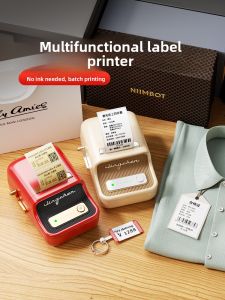
Portable Handheld Small Label Printer Jingchen B21 Thermal Printer Barcode Price Tag Sticker Clothing Jewelry Food Commercial Smart Printer for Home Use
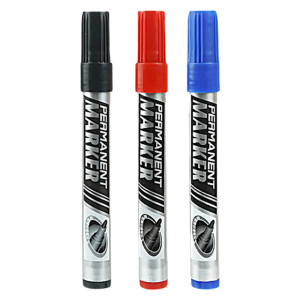
12Pcs 0.7mm Fine Tip Permanent Markers For Labeling Writing On Paper Plastic Discs Logistics Packaging Office Supplies
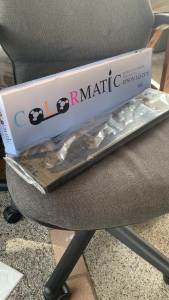
Colormatic Ribbon Cartridge for LQ-2170 / LQ- 2190
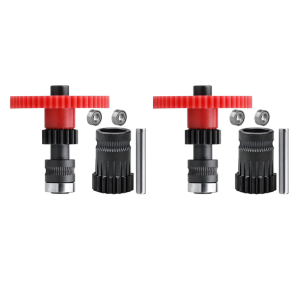
2Set Extruders Gears for DDG Voron Cw1 Cw2 3D Printers High Concentricity and Improved Transmission Ratio

HUSPER 100/20 Sheets Glossy Inkjet Photo Paper 180Gsm 3R/4R/5R/A4 Single-Sided Inkjet Compatible Home Office Use with Grey Back