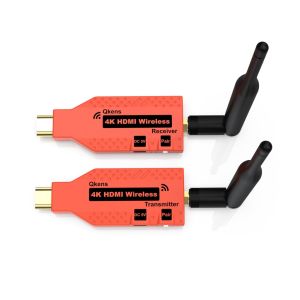
100m 4K Wireless Transmission HDMI Transmitter Receiver Cordless Display Adapter Video Meeting Share HDMI Extender for Camera Cable Box Laptop PC To TV Monitor Projector
100m 4K Wireless Transmission HDMI Transmitter Receiver Cordless Display Adapter Video Meeting Share HDMI Extender for Camera Cable Box Laptop PC To TV Monitor Projector
Introduction to HDMI Extenders
An HDMI extender, also known as a HDMI transmitter-receiver pair, allows you to extend the range of your HDMI signal over longer distances. These devices come in various forms, including wired and wireless options, and can be used to transmit video and audio signals from a source device, such as a laptop or camera, to a display device, like a TV, monitor, or projector.
What is an HDMI Extender?
An HDMI extender consists of two components: a transmitter and a receiver. The transmitter connects to the source device, while the receiver connects to the display device. The two components communicate wirelessly or through a cable, extending the range of the HDMI signal beyond the standard limit of 5 meters for HDMI cables.
Types of HDMI Extenders
There are two primary types of HDMI extenders: wired and wireless. Wired HDMI extenders use Ethernet cables to transmit the signal, while wireless HDMI extenders use radio frequency (RF) technology to transmit the signal over a distance of up to 100 meters.
Benefits of Using HDMI Extenders
Using an HDMI extender offers several benefits, including improved video quality, increased distance capabilities, and enhanced flexibility in setting up your display devices. HDMI extenders also eliminate the need for long HDMI cables, which can be cumbersome and expensive.
Choosing the Right HDMI Extender
When selecting an HDMI extender, consider the type of source device, the distance between the source and display devices, and the desired video quality.
HDMI to TV Monitor Extender
An HDMI to TV monitor extender is ideal for extending the range of your HDMI signal from a laptop or cable box to a TV or monitor. This type of extender is perfect for home theaters, classrooms, and conference rooms.
Laptop to Projector Adapter
A laptop to projector adapter is a type of HDMI extender that allows you to connect your laptop to a projector wirelessly or through a cable. This type of extender is ideal for presentations, meetings, and other events that require a large display.
4K Wireless HDMI Transmitter
A 4K wireless HDMI transmitter is a high-end HDMI extender that supports 4K resolution and offers a wireless connection over a distance of up to 100 meters. This type of extender is ideal for professional video meetings, live events, and other applications that require high-quality video transmission.
Setting Up Your HDMI Extender
Setting up your HDMI extender is relatively simple, but it may vary depending on the type of extender you choose.
Installing the Cordless HDMI Extender
To install a cordless HDMI extender, connect the transmitter to the source device and the receiver to the display device. Follow the manufacturer's instructions to set up the wireless connection between the two components.
Connecting Your Laptop & Camera
To connect your laptop and camera to the HDMI extender, use the appropriate HDMI cables to connect the source devices to the transmitter. Then, connect the receiver to the display device using another HDMI cable.
Testing Your Setup
Once you have set up your HDMI extender, test it by playing a video or audio file from the source device. Check the display device to ensure that the signal is being transmitted correctly.
Enhancing Your Video Meeting Experience
To enhance your video meeting experience, consider the following tips:
Improving Image Quality
To improve image quality, use a high-resolution source device and a high-quality display device. Additionally, ensure that the HDMI extender supports the desired resolution.
Troubleshooting Common Issues
Common issues with HDMI extenders include poor signal quality, connection problems, and compatibility issues. To troubleshoot these issues, check the manufacturer's instructions, ensure that the devices are properly connected, and verify that the source and display devices are compatible with the HDMI extender.
Maximizing Battery Life
To maximize battery life, use a power adapter instead of relying on the device's internal battery. Additionally, turn off any unnecessary features, such as Wi-Fi or Bluetooth, to conserve battery life.

China grocery store adventure
Review

You May Also Like
(66W) 100% Authentic Sanrio Hello Kitty Cable 3 in 1 Charging Cable Kuromi USB Cable Type C Lightning Cable Melody Micro USB Cable Fast Charging for iOS and Android Smartphone Accessories hellokitty AQ2 Cinnamoroll
Creative Korean Style Apple Illustration Phone Case for Vivo IQOO Neo10/Neo9Pro Z9 Turbo Z7X IQOONEO8 Y37 Z5X Womens Color Block Design
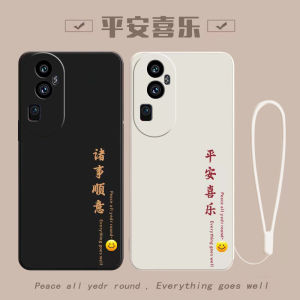
Oppo Reno10Pro+ Silicone Phone Case Full Cover Anti-Fall Womens Style with Lanyard New Fashion Creative Simple Design Eco-Friendly
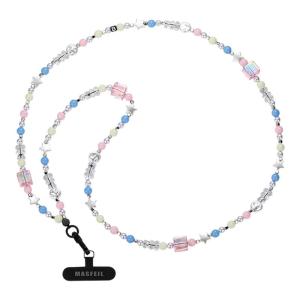
MASFEIL | Long Starry Bear Phone Strap Crossbody Bag Accessory Apple 16 Compatible Colorful Pendant Anti-Loss Rope Trendy Womens Shoulder Strap
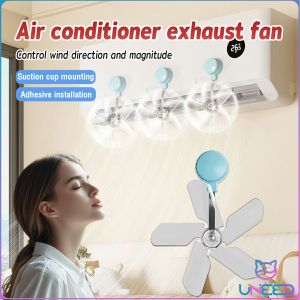
Need Air Vent Deflector Adjustable Angles Air Conditioner Exhaust Fan 1Pc
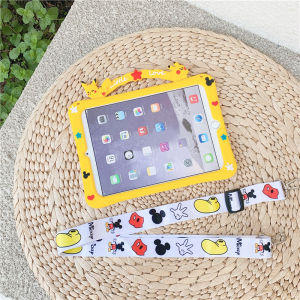
Cute Cartoon Tablet Cases for Huawei & Samsung Tablets: Portable Handle Silicone Cover & Anti-Drop Stand Case
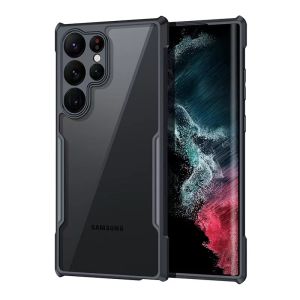
SAMSUNG S21 / S21 Plus / S21 Ultra / S21FE S21 FE / S22 / S22 PLUS / S22 ULTRA / S23 ULTRA / S23 PLUS / S23 FE S24 PLUS S24 ULTRA S24 FE S25 ULTRA EDGE S25 FE Case Original XUNDD Beatle Series shockproof Airbag Case
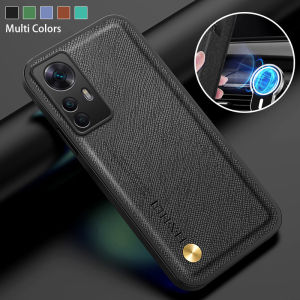
Comprehensive Guide to Soft TPU Anti-Drop Phone Cases & Luxury Leather Covers
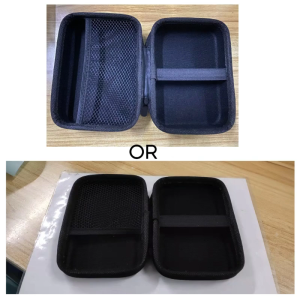
EVA Hard Case Square Heaphone Bag with Inner Mesh Pocket Carry Pouch with Inner Mesh Pocket for Electronic Accessory
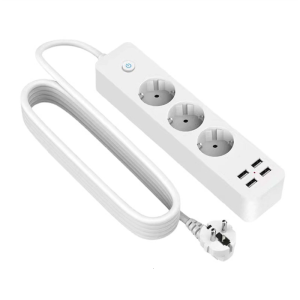
Efficient 4 USB Charging Station Power Strips for International Use Power Outlets Extenders Fast Charging Adapter
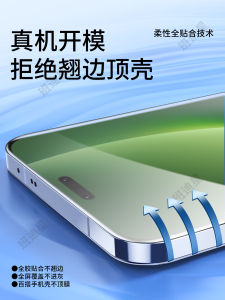
Honor Magic8 pro Tempered Water Condensing Full Screen Protective Film Soft Film Full Cover Sticker for Honor Huawei BKQ AN00