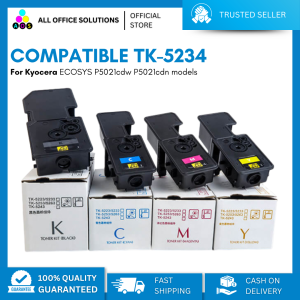
AOS Compatible TK5234 TK-5234 Toner Cartridge For Kyocera ECOSYS P5021cdw P5021cdn models
AOS Compatible TK5234 TK-5234 Toner Cartridge For Kyocera ECOSYS P5021cdw P5021cdn models
Introduction to High-Quality Toner Cartridges
High-quality toner cartridges play a vital role in maintaining optimal performance for Kyocera printers. When it comes to toner options, choosing the right cartridge can make a significant difference in print quality, cost-effectiveness, and overall printer longevity. In this article, we will explore the benefits of using AOS compatible TK5234 TK-5234 toner cartridges for Kyocera ECOSYS P5021cdw and P5021cdn models.
Understanding Kyocera Printer Toner Options
Kyocera printers offer a range of toner options, including original equipment manufacturer (OEM) cartridges and third-party alternatives. While OEM cartridges are designed specifically for Kyocera printers, they often come at a higher cost. On the other hand, third-party toner cartridges, such as AOS compatible TK5234 TK-5234 toner cartridges, provide an affordable alternative that can still deliver high-quality prints.
Benefits of Using AOS Compatible Toner Cartridges
AOS compatible TK5234 TK-5234 toner cartridges offer several advantages over OEM alternatives:
- Cost-effective: Third-party toner cartridges are often significantly cheaper than OEM options, allowing users to save money on printing costs.
- High-quality prints: AOS compatible TK5234 TK-5234 toner cartridges are designed to meet the highest standards of print quality, ensuring crisp, clear, and consistent prints.
- Compatibility: These toner cartridges are specifically designed to work seamlessly with Kyocera ECOSYS P5021cdw and P5021cdn models, ensuring reliable performance and compatibility.
Installation Guide for TK5234 TK-5234 Toner Cartridge
Installing a new toner cartridge is a straightforward process that can be completed in just a few steps. Follow the step-by-step process below to ensure a smooth installation:
Step-by-Step Process for Installing Toner Cartridge
- Turn off the printer and unplug it from the power source.
- Open the front cover of the printer and locate the empty toner cartridge slot.
- Remove the new TK5234 TK-5234 toner cartridge from its packaging and carefully remove the protective tape.
- Insert the new toner cartridge into the designated slot, ensuring it is securely seated.
- Close the front cover of the printer and plug it back into the power source.
- Turn on the printer and allow it to initialize the new toner cartridge.
Troubleshooting Common Issues During Installation
If you encounter any issues during the installation process, refer to the troubleshooting tips below:
- Toner cartridge not recognized: Ensure the new toner cartridge is securely seated in the designated slot. If the issue persists, try resetting the printer by holding down the stop button for 10 seconds.
- Print quality issues: Verify that the new toner cartridge is compatible with your Kyocera printer model. If the issue persists, try cleaning the print head or replacing the toner cartridge.
Maximizing Printer Performance with TK5234 TK-5234 Toner Cartridge
To get the most out of your AOS compatible TK5234 TK-5234 toner cartridge, follow these tips:
Tips for Extending Toner Cartridge Life
- Use energy-saving mode: Enable energy-saving mode on your printer to reduce power consumption and extend the life of your toner cartridge.
- Print in draft mode: Printing in draft mode can help reduce toner usage and extend the life of your toner cartridge.
- Regularly clean the printer: Regularly cleaning the printer can help prevent dust and debris from clogging the toner cartridge, extending its life.
Improving Print Quality with TK5234 TK-5234 Toner Cartridge
- Adjust print settings: Experiment with different print settings, such as resolution and contrast, to achieve optimal print quality.
- Calibrate the printer: Regularly calibrating the printer can help maintain consistent print quality.
- Use high-quality paper: Using high-quality paper can help improve print quality and reduce the risk of paper jams.
Conclusion: Choosing the Right Toner Cartridge for Your Kyocera Printer
When it comes to choosing the right toner cartridge for your Kyocera printer, AOS compatible TK5234 TK-5234 toner cartridges offer a cost-effective and high-quality alternative to OEM options. By following the installation guide and tips for maximizing printer performance, you can enjoy reliable and consistent prints from your Kyocera ECOSYS P5021cdw and P5021cdn models.

AllOfficeSolutions Reference Number: 250923-161608
Review

You May Also Like
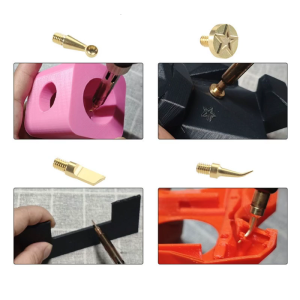
Heat Insertion Tool for Voron 2.4/MK4 Brass Hot Melt Inset Iron Tip Heat Insertion Nuts 3D Printing Parts Accessories
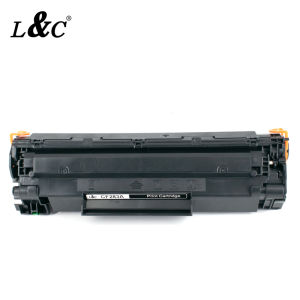
【PH Ready Stock】L&C for HP 83A (CF283A) Black Original LaserJet Toner Cartridge For HP Printer Laser Jet Pro MFP M127 M125 M225 M201
Xiaomi Portable Photo Printer 1S Slim And Ultra-Light Zero-Ink Printing For Instant Results Supports Simultaneous Multi-User Connection

ETQ Compatible APEOS 2150/2350 CT203553 Toner Cartridge
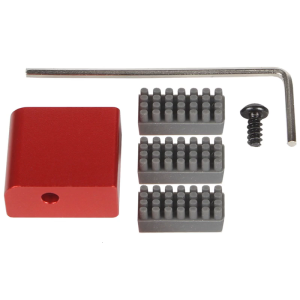
Aluminum Alloy 3D Printing Nozzle Wiping Set for Easy Maintenance in Home Studios School and Industrial Environment

Fuji Xerox Docucentre S2110 S1810 S2011 S2320 S2420 S2520Toner Cartridge Compatible Xerox Docucentre S2520 Toner Brother Dcp 1510 Toner Office Toner Toner Laser Printer - Lazada
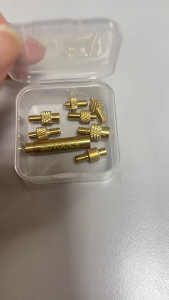
Heat Insert Nut Iron Tip Heat Insertion Tool Thread Embedded Kit For Plastic 3D Printer Soldering Iron Insert Nut

AOS GREASE FOR FILM CK-05515-020
ETQ Compatible 35A CB435A Toner Cartridge as replacement for HP Printer
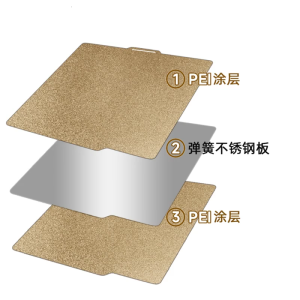
for Lab X1 3D Printer Hot Bed Steel Plate Double-Sided Textured PEI with Magnetic Base 260° Heat Resistant 257x257mm
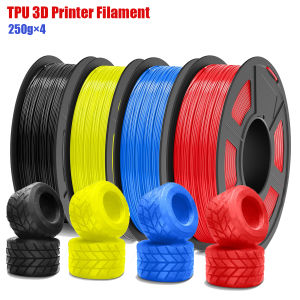
TPU 3D Printer Filament Bundle High Speed 95A TPU Filament 1.75mm ±0.03mm Individually Vacuum Packed 250g per Spool