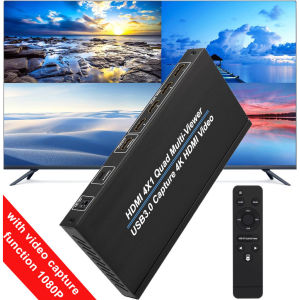
4K 4x1 HDMI Multi Viewer QuadView with IR Remote – 4 in 1 Out 9 Display Modes with 1080p60Hz Recording USB3.0 Video Capture Card Function for Camera Laptop PC To HDTV Monitor
4K 4x1 HDMI Multi Viewer QuadView with IR Remote – 4 in 1 Out 9 Display Modes with 1080p60Hz Recording USB3.0 Video Capture Card Function for Camera Laptop PC To HDTV Monitor
The 4K HDMI Multi Viewer QuadView is a versatile device designed for professionals who require a powerful solution for displaying multiple video sources simultaneously. With its 4 in 1 out configuration, this device allows you to connect up to four HDMI devices, such as cameras, PCs, and laptops, and display them on a single output. This article will provide a comprehensive overview of the device's features, benefits, compatibility, setup, usage, recording capabilities, integration with HDTV monitors, and troubleshooting tips.
What is a 4K HDMI Multi Viewer QuadView?
A 4K HDMI Multi Viewer QuadView is a device that enables users to display multiple video sources on a single output. It supports up to four HDMI inputs, allowing you to connect various devices, including cameras, PCs, and laptops. The device is capable of displaying up to nine different display modes, giving you the flexibility to choose the best configuration for your needs.
Key Features & Benefits
- 4K Resolution: The device supports 4K resolution, providing a sharp and clear picture quality for all connected devices.
- 9 Display Modes: Choose from nine different display modes to suit your specific requirements.
- IR Remote Control: Easily control the device using the included IR remote control.
- 1080p60Hz Recording: Record high-quality videos at 1080p60Hz resolution.
- USB3.0 Video Capture Card: Connect the device to your computer using a USB3.0 video capture card for easy recording and editing.
Compatibility & Setup
The 4K HDMI Multi Viewer QuadView is compatible with various devices, including cameras, PCs, and laptops. To set up the device, simply connect the HDMI inputs to your desired devices and the output to your HDTV monitor. Power on the device and use the IR remote control to configure the display modes and other settings.
How to Use the IR Remote Control
Using the IR remote control, you can easily navigate through the device's features and settings. The remote control includes buttons for power, input selection, display mode configuration, and more.
Configuring Display Modes
The device supports nine different display modes, including Picture-in-Picture (PiP), Picture-by-Picture (PbP), and more. To configure the display mode, use the remote control to select the desired mode and adjust the settings to your preference.
Troubleshooting Common Issues
If you encounter any issues with the device, refer to the troubleshooting guide provided in the user manual. Common issues include incorrect display modes, poor picture quality, and connection problems. The manual provides step-by-step instructions for resolving these issues.
Recording & Capturing High-Quality Video
The device supports 1080p60Hz recording capabilities, allowing you to capture high-quality videos from any connected device. To record videos, connect the device to your computer using a USB3.0 video capture card and use a video editing software to record and edit your videos.
1080p60Hz Recording Capabilities
With its 1080p60Hz recording capabilities, the device ensures that your videos are captured at the highest possible quality. This feature is ideal for professionals who require high-quality recordings for their projects.
Connecting to Camera, PC, & Laptop
To connect your camera, PC, or laptop to the device, simply connect the HDMI cables to the appropriate inputs. The device supports various devices, making it a versatile solution for any professional.
Integrating with HDTV Monitors
The device is compatible with various HDTV monitors, providing a seamless viewing experience. To optimize display performance, adjust the settings on your monitor to match the resolution and refresh rate of the device.
Optimizing Display Performance
To ensure optimal display performance, adjust the settings on your monitor to match the resolution and refresh rate of the device. This will ensure that your videos are displayed at the highest possible quality.
Connecting via USB3.0 Video Capture Card
To connect the device to your computer, use a USB3.0 video capture card. This will allow you to easily record and edit your videos using a video editing software.
Conclusion
In conclusion, the 4K HDMI Multi Viewer QuadView is a powerful device that provides professionals with a versatile solution for displaying multiple video sources simultaneously. Its 4K resolution, nine display modes, IR remote control, 1080p60Hz recording capabilities, and USB3.0 video capture card make it an ideal choice for any professional who requires a high-quality multi-viewer solution.
Summary of Key Points
- Supports up to four HDMI inputs
- Displays up to nine different display modes
- Includes an IR remote control for easy navigation
- Supports 1080p60Hz recording capabilities
- Compatible with various devices, including cameras, PCs, and laptops
Final Thoughts & Recommendations
Overall, the 4K HDMI Multi Viewer QuadView is a highly recommended device for professionals who require a powerful multi-viewer solution. Its versatility, high-quality performance, and ease of use make it an excellent choice for any professional who wants to display multiple video sources simultaneously.

China grocery store adventure
Review

You May Also Like
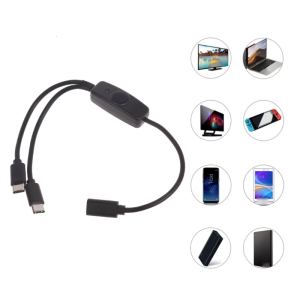
Type C Extension Cord with USB C Charging Ports LED Power Indicator and On/Off Perfect for Phone Tablet
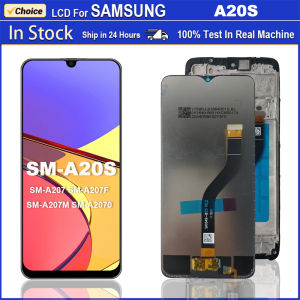
AAA+++ For Samsung Galaxy A20S LCD Touch Screen Digitizer Assembly For SM-A20S Screen A207 A207F LCD Display Replacement Parts
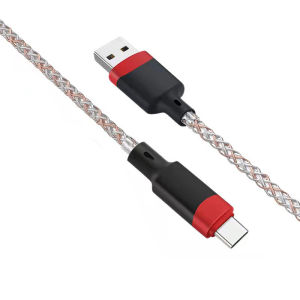
VAORLO LED 6A USB Type C Cable Micro USB Fast Charging Plastic Head For iPhone 11 Huawei Android Phone Charger For Xiaomi Samsung Oppo Vivo Type C Cable Micro USB Data Line
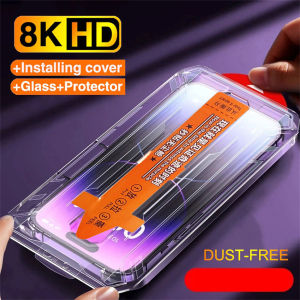
One-Click Full Cover Tempered Glass For VIVO X50 X60 X70 S1 Pro V15 V20 V21e V23e V25e V27e V29e V40 V50 Lite 4G 5G Screen Protector

Universal Stylus Pen for Android & iPad: A Comprehensive Guide

Original Liquid Silicone Shockproof Case For Apple iPhone 15 14 12 11 13 Pro Max Soft Cute Back Cover For 14 15 Plus Accessories
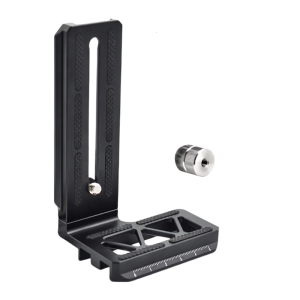
Aluminum L Bracket for RSC2 Enhances Vertical Photography Experience on Gimbals Stabilizers and Cameras
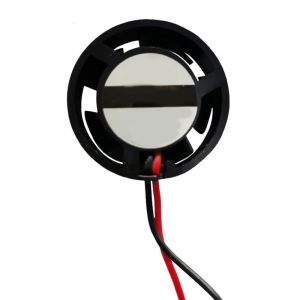
2510 Round Frame Cooling Fan Brushless Fan for Effective Heat Dissipation Enhances Device Performances 25x25x10mm
For Samsung Galaxy A56 A55 A36 A26 A25 A06 A16 A15 5G Cover Samsung A55 A56 A15 A16 4G Phone Case Flower Magnetic Leather Wallet Card Slot Fashion Flip Cover Casing

Cute Cartoon Kuroko Phone Case Soft Silicone Protective Cover for Redmi Note14 4G Fashionable Girls Phone Accessories
7 Grids Cable Organizers Box Cable Management Box Cable Cord Storage Box for Data Cables Charging Cable Phone