Charging Dock Station for PlayStation Portal: A Comprehensive Guide
Charging Dock Station for PlayStation Portal: A Comprehensive Guide
What is a Charging Dock Station for PlayStation Portal?
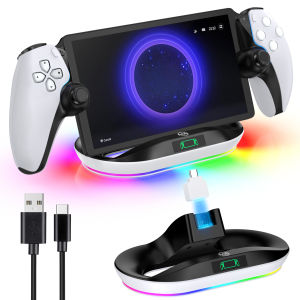
A Charging Dock Station for PlayStation Portal, also known as a PS Portal Charger Stand, is a device designed specifically for charging and displaying the PlayStation Portable (PS Portal). This innovative accessory offers a convenient way to keep your PS Portal charged and organized, enhancing both its functionality and aesthetics.
Key Features of PS Portal Charger Stand
The PS Portal Charger Stand comes with several key features that make it a must-have accessory for any PlayStation fan. Some of its notable features include:
-
Sturdy Design: The charger stand is built with a robust and durable construction, ensuring that your PS Portal remains secure and stable.
-
9 Lights Charging Station: This feature provides a visually appealing display while charging your device, making it a great addition to any gaming setup.
-
Compatibility: The PS Portal Charger Stand is designed specifically for the PS Portal, guaranteeing seamless integration and optimal performance.
-
Convenient Placement: The charger stand allows you to easily position your PS Portal at the perfect angle for viewing and gaming.
Benefits of Using a Charging Dock Station for PS Portal
Using a Charging Dock Station for PS Portal offers several benefits, including:
-
Improved Organization: Keep your PS Portal tidy and organized by charging it on the stand, freeing up valuable desk space.
-
Enhanced Aesthetics: The 9 Lights Charging Station adds a stylish touch to your gaming setup, making it a must-have accessory for any PlayStation fan.
-
Convenient Charging: Charge your PS Portal effortlessly with the built-in charger stand, eliminating the need for separate charging cables.
How to Choose the Right Charging Dock Station for PS Portal
When selecting a Charging Dock Station for PS Portal, consider the following factors to ensure you find the perfect accessory for your gaming setup:
Considerations for Choosing a PS Portal Accessories
-
Compatibility: Ensure the charger stand is specifically designed for the PS Portal to guarantee seamless integration and optimal performance.
-
Durability: Look for a charger stand made from high-quality materials to ensure long-lasting durability and stability.
-
Design: Choose a charger stand that complements your gaming setup and personal style.
Factors to Consider When Selecting a Handheld Stand Holder for PS
-
Angle Adjustment: Opt for a charger stand that allows you to adjust the angle of your PS Portal for comfortable viewing and gaming.
-
Lighting: Consider a charger stand with built-in lighting, such as the 9 Lights Charging Station, to enhance the visual appeal of your gaming setup.
-
Additional Features: Look for a charger stand with additional features, such as a built-in fan or USB ports, to further enhance your gaming experience.
Setting Up Your Charging Dock Station for PS Portal
Follow these steps to install and set up your Charging Dock Station for PS Portal:
Step-by-Step Guide to Installing a PS Portal Charger Stand
- Unbox the charger stand and carefully remove any packaging materials.
- Connect the charger stand to a power source using the included power adapter.
- Position the charger stand on a flat surface, such as a desk or table.
- Place your PS Portal on the charger stand, ensuring it is securely seated in the designated slot.
- Charge your PS Portal by connecting the charging cable to the device and the charger stand.
Tips for Optimal Placement of 9 Lights Charging Station
- Position the charger stand in a location that allows for easy access and viewing of your PS Portal.
- Ensure the charger stand is placed on a stable surface to prevent any accidental tipping or falling.
- Adjust the angle of your PS Portal on the charger stand for comfortable viewing and gaming.
Maintaining Your Charging Dock Station for PS Portal
To keep your Charging Dock Station for PS Portal in top condition, follow these cleaning and care instructions:
Cleaning and Care Instructions for PS Portal Accessories
- Wipe the charger stand with a soft, dry cloth to remove any dust or debris.
- Avoid using harsh chemicals or abrasive materials when cleaning the charger stand.
- Store the charger stand in a cool, dry place when not in use.
Troubleshooting Common Issues with PS Portal Charger Stand
If you encounter any issues with your Charging Dock Station for PS Portal, refer to the following troubleshooting tips:
- Charging Issues: Ensure the charger stand is properly connected to a power source and that the charging cable is securely connected to both the device and the charger stand.
- Lighting Issues: If the lights on the charger stand are not functioning properly, check the power source and ensure the charger stand is securely connected to the device.
- Stability Issues: If the charger stand is unstable or wobbly, check that it is placed on a flat surface and that the device is securely seated in the designated slot.

Global Merch Park
You May Also Like

Qi2 3 in 1 Desktop Wireless Charger for Apple Cybertruck Exterior for IPhone (15W)Apple & Samsung Watch(2.5W) Earbuds (5W)

Cute Cartoon Silicone Earphone Case Full Cover Protection for Redmi Buds5 6S Soft Shell Anti-Fall Female Style Digital Accessories
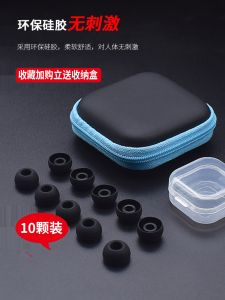
In-Ear Earphone Silicone Case Xiaomi Huawei Earphone Earplug Vivo Earphones Accessories Universal Soft Rubber Silica Gel Cap
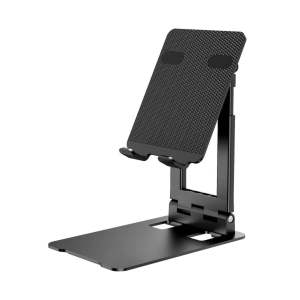
XO-C91 IPAD TABLET Holder Stand LARGE Size Stainless
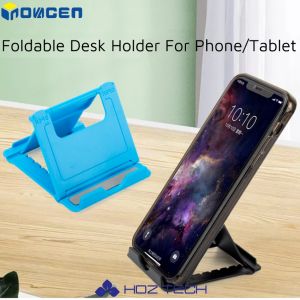
INOVAGEN 2023 Foldable Universal Adjustable Desk Phone Holder Mount Tablet Stand
![[COD] Laogeliang 1pcs Newest Wired Connection Gamepad For Sony PS2 Controller For Sony PS2 PSX Joystick For Sony PSone Joypad Wired Controller](https://img.lazcdn.com/g/p/3ec365c45db36b0a570ba330a861e7d0.jpg_300x300q80.jpg)
[COD] Laogeliang 1pcs Newest Wired Connection Gamepad For Sony PS2 Controller For Sony PS2 PSX Joystick For Sony PSone Joypad Wired Controller
Case for VIVO Y03 4G 2024 VIVO Y18 4G Y28S Y03T Y03A phone casing Softcase Silicone shockproof Cover new design aesthetic clear Cartoon with holder and soft film SJMlbbzj01
Wired Gamepad for Sony PS2 Controller for Mando PS2/PS2 Joystick for Playstation 2 Vibration Shock Joypad Wired USB PC Controle
Wireless Mobile Phone Magnetic Screen Connection Device Rear Display with Beauty Filters Selfie Function Magnetic Screen Sharing Live Streaming 4-inch Screen for Iphone

High Definition Sky Mirror Photography Lens for Apple Mobile Phone Image Shooting Reflection Shooting Tour Essential New Model
Safe and Secure RJ45 Coupler Ethernet Cable Extender for Cat7/Cat6A Networking Cables Shielded and Tool Less Design