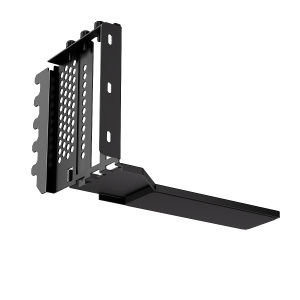
TEUCER PCI-E 3.0/4.0 Graphics Card Vertical Mounting Bracket Holder & PCI-E 4.0 x16 Extension Cable
TEUCER PCI-E 3.0/4.0 Graphics Card Vertical Mounting Bracket Holder & PCI-E 4.0 x16 Extension Cable
What is TEUCER PCI-E 3.0/4.0 Graphics Card Vertical Mounting Bracket Holder?
TEUCER is a leading manufacturer of high-quality graphics card mounting accessories, including the PCI-E 3.0/4.0 Graphics Card Vertical Mounting Bracket Holder. This bracket holder allows users to mount their graphics cards vertically, freeing up space inside their computer cases and improving airflow.
Key Features
- Compatible with both PCI-E 3.0 and 4.0 graphics cards
- Vertical mounting bracket holder for improved airflow and space-saving design
- Durable construction using high-quality materials
Benefits of Using TEUCER Bracket Holder
Using the TEUCER PCI-E 3.0/4.0 Graphics Card Vertical Mounting Bracket Holder offers several benefits, including:
- Improved airflow inside the computer case
- Increased space efficiency
- Enhanced stability and support for graphics cards
How to Install TEUCER PCI-E 3.0/4.0 Graphics Card Vertical Mounting Bracket Holder
Installing the TEUCER PCI-E 3.0/4.0 Graphics Card Vertical Mounting Bracket Holder is a straightforward process. Follow these steps to ensure a successful installation.
Preparing Your System
Before installing the bracket holder, ensure that your system meets the following requirements:
- Compatible PCI-E 3.0 or 4.0 graphics card
- Sufficient space within the computer case
Step-by-Step Installation Guide
- Turn off your computer and unplug it from the power source.
- Open the computer case and locate the available PCI-E slot.
- Remove any existing bracket holders or riser cards.
- Attach the vertical mounting bracket holder to the PCI-E slot.
- Carefully insert the graphics card into the bracket holder.
- Secure the graphics card in place by tightening the screws.
- Close the computer case and reconnect the power source.
- Power on your computer and verify that the graphics card is recognized.
Troubleshooting Common Issues
If you encounter any issues during the installation process, refer to the troubleshooting guide below:
- Ensure that the bracket holder is securely attached to the PCI-E slot.
- Verify that the graphics card is properly inserted into the bracket holder.
- Check that the screws are tightened securely.
Understanding PCI-E 4.0 x16 Extension Cable
The PCI-E 4.0 x16 extension cable is a crucial component in extending the reach of your graphics card connection. This cable allows users to connect their graphics cards to the motherboard from a greater distance, providing flexibility in case layout and design.
Why Use an Extension Cable
Using a PCI-E 4.0 x16 extension cable offers several advantages, including:
- Increased flexibility in case layout and design
- Improved cable management
- Enhanced compatibility with various graphics cards
Connecting the Extension Cable
Connecting the PCI-E 4.0 x16 extension cable is simple and straightforward. Follow these steps to ensure a successful connection:
- Turn off your computer and unplug it from the power source.
- Open the computer case and locate the available PCI-E slot.
- Connect one end of the extension cable to the PCI-E slot on the motherboard.
- Connect the other end of the extension cable to the bracket holder or riser card.
- Close the computer case and reconnect the power source.
- Power on your computer and verify that the graphics card is recognized.
TEUCER 200mm GPU Mounting Bracket Kit: A Closer Look
The TEUCER 200mm GPU mounting bracket kit is a comprehensive solution for mounting graphics cards vertically. This kit includes all the necessary components to ensure a stable and secure installation.
Components Included
- Vertical mounting bracket holder
- PCI-E 4.0 x16 extension cable
- Screws and hardware
Installation Tips
- Ensure that the bracket holder is securely attached to the PCI-E slot.
- Verify that the graphics card is properly inserted into the bracket holder.
- Check that the screws are tightened securely.
Conclusion
The TEUCER PCI-E 3.0/4.0 Graphics Card Vertical Mounting Bracket Holder and PCI-E 4.0 x16 extension cable provide a versatile solution for mounting graphics cards vertically. By improving airflow, increasing space efficiency, and enhancing stability, these accessories are essential for any serious PC builder or gamer.

Global Merch Park
Review

You May Also Like
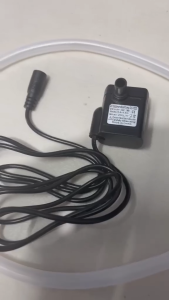
Circuitrocks Water Pump Immersible and Water Tube
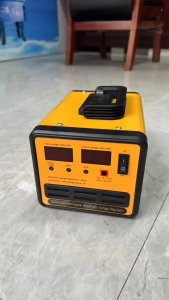
Voltage Regulator 3000W AVR Automatic Voltage Regulator AVR Power Supply Surge Protection SVR-3000VA/2500VA/2000VA/1500VA/1000VA Servo Type AVR Time Delay Power Supply Automatic Voltage Regulator For Computer/TV/Home Theater/Telephone/Fax/Gaming
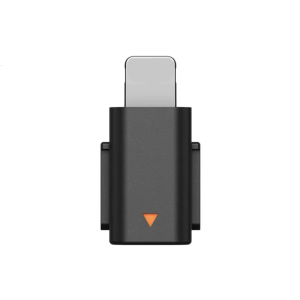
Interchangeable Charging Port Adapters Plugs & Play Solution Multiple Device Sound Interfaces Converter for Mic Mini
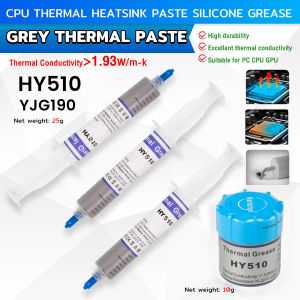
Vacaka HY5110 YJ-G190 Grey Thermal Paste: A Comprehensive Guide
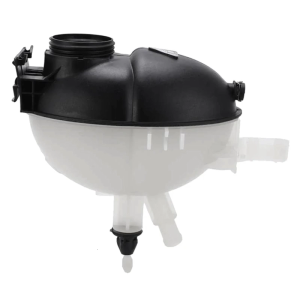
Coolant Expansion Tanks 2045000749 2045000549 2045000049 603-257 for W204 W207 C180 C218 Replacement Expansion Tanks

Lenovo Laptop/Lenovo ThinkPad/14 inch/Intel Core i7/Intel HD Graphics
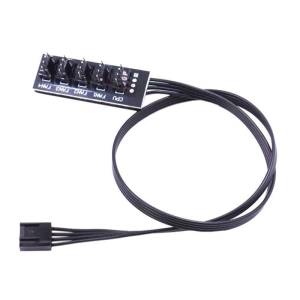
4 Pin PWM PC Fan Hub 1 to 4/5 Way Internal Fan Power Supply Extension Cable CPU Coolers Cooling 4 PIN Motherboards Fan
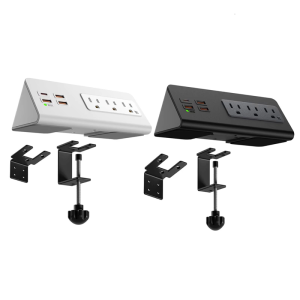
Nightstands Desk Edges Power Strips with USB C and 3AC Outlets Clamp Mount for Office and Dormitory
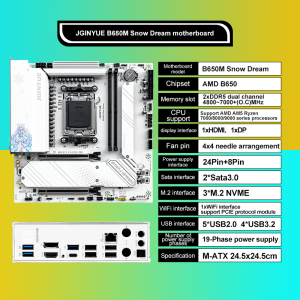
JGINYUE B650M Snow Dream AM5 DDR5 ARGB M-ATX Motherboard For Gaming PCIe 4.0×4 M.2 For CPU 9700X/9900X/7800X3D gaming pc DIY
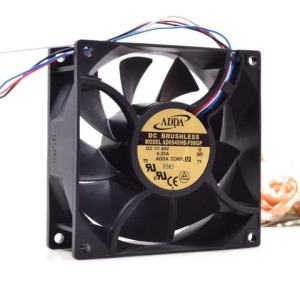
92mm X 38mm DC 48V Fan for ADDA 9238 48V 0.25A 4-Wire PWM Temperature Control Server Cooling Fan
ORIGINAL!!! LENOVO YOGAChromebook LAPTOP upgraded to WIN 10 I 3 MONTHS WARRANTY REFURBISHED