Aluminum Alloy Graphics Card Holder 28-120mm Adjustable GPU Stand Bracket With Magnetic Base
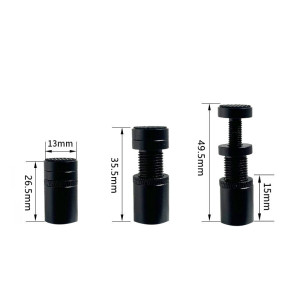
🎉Features:1. Telescopic Spiral Design: The graphics card bracket adopts a telescopic screw design. Free height adjustment, suitable for various specifications of chassis. Provide effective support for the rear of the graphics card and provide protection for the graphics card.2. Aluminum Magnesium Alloy Material: The material of Magnalium provides strong and lasting support and is durable. The surface has undergone sandblasting and anodizing treatment, with excellent oxidation resistance and outstanding texture, lasting for a long time.3. Magnetic Suction Anti-slip Safety Protection: Both ends are equipped with anti slip rubber pads, making it easy for users to install and firmly stand in the chassis without scratching it. The bottom adopts a magnetic suction design, which can be adsorbed on iron materials such as the power compartment and chassis bottom plate, providing stable adsorption and support.4. Strong Compatibility: The GH screw series bracket is small and exquisite, with a sturdy and stable appearance design, solid and stable, and fearless in the face of various large graphics cards; Compatible for traditional ATX, M-ATX, and ITX chassis structures, adjustable height to meet user needs.5. Graphics Card Protection Support Rod Function: High order graphics cards are expensive and large in size, and most chassis do not provide additional graphics card support protection. The graphics card support frame has emerged, which can provide effective support for the tail of the graphics card, keeping the high-level graphics card in a parallel state and reducing its failure rate.🌼Specification:Product Name:GPU StandSize: 50mm: 26.5 to 49.5mm80mm: 48.5 to 78.5mm120mm: 72.5 to 111.5mmMaterial: Aluminum alloyColor: Black🎁Package Included:1*GPU Stand📌Notes:1.Due to the difference between different monitors, the picture may not reflect the actual color of the item. We guarantee the style is the same as shown in the pictures.2.Due to the manual measurement and different measurement methods, please allow 1-5mm deviation.

Tarsier.ph
Review

You May Also Like
PERFECT-EF Ready Stock Kingston SSD 120GB 240GB 480GB 960GB A400 SATA 3 2.5 Inch For Laptop Desktop Pc Kingston NV1 M.2 Nvme SSD 250GB 500GB 1B For Laptop Desktop Pc

Brushless DC Blower Fan Cooling Fan 2 Wires 5015S 5V 50x15mm mini blower fan high output for DIY
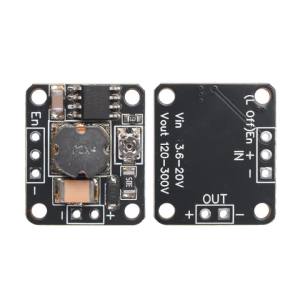
diymore | Boost Step Up Module DC 3.6-20V to 120-300V/150-500V Boost Module Dc-Dc Power Module High Voltage Module Supply for DIY Projects
14 inch IPS Laptop LCD Screen N140HCE-G52 LP140WF7-SPH1 B140HAN03.3 NV140FHM N47 NV140FHM-N47 Non-Touch Display Panel
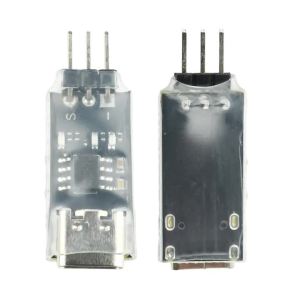
AM32 Electric Tuning Parameter Adjuster ESC USB Link Brushless Electric Tuning Universal Programming Tool Connect ESC to PC
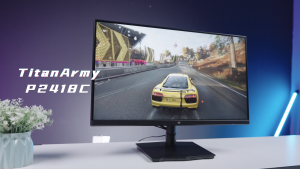
Titan Army P2418C 23.8 IPS 144Hz Gaming Monitor FHD 1920X1080 HDR400 99%sRGB Adaptive-Sync Hardware Low Blue Light
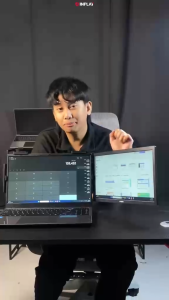
Nvision 14" Laptop Screen Extender Portable Monitor FHD IPS Panel Portable Laptop Extender Monitor N14X1

DC Precision Laboratory Bench Power Supply 30V/60V/120V Adjustable Voltage with Preset Current ON/OFF
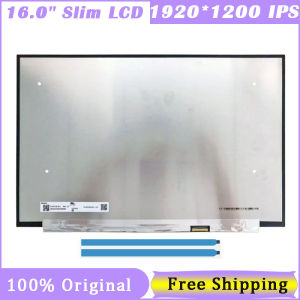
16 Inch 30 Pin Screen N160JCE ELL N160JCE-ELL B160UAN03.3 1920*1200 FHD 60HZ IPS 16:10 eDP Laptop Screen
Thermalright TF7 Thermal Paste CPU Heat Sink Paste for CPU & Graphics Card Core Cooling Compatible with CPU Air Cooler CPU Liquid Cooler & Gaming Laptops Thermal Conductivity 12.8 W/(mK)
MICROSOFT SURFACE GO 10" LAPTOP TABLET SILVER-64GB