



50M Wireless HDMI Extender 1080P - Screen Share Adapter for Camera PC TV Projector Support Up to 1 TX to 4 RX Plug & Play No WiFi Needed
50M Wireless HDMI Extender 1080P - Screen Share Adapter for Camera PC TV Projector Support Up to 1 TX to 4 RX Plug & Play No WiFi Needed
Key Features & Benefits
Long-Range Transmission
Our 50M Wireless HDMI Extender 1080P offers long-range transmission capabilities, allowing you to connect up to four RX units with one TX unit. Here's how it works:
- 1 TX to 1 RX: Max. 50m
- 1 TX to 2 RX: Max. 30m
- 1 TX to 3 RX: Max. 20m
- 1 TX to 4 RX: Max. 10m
These distances provide ample room for various applications, such as home theaters, classrooms, and conference rooms.
HD Smooth Streaming
Enjoy crystal-clear visuals with our HDMI Extender 1080P, which supports 1080p@60Hz resolution. Our built-in protocol ensures stable and lag-free transmission, making it perfect for streaming movies, playing games, or presenting projects.
No WiFi Needed
Our Plug & Play HDMI Extender doesn't require WiFi connectivity, so you can easily set it up without worrying about network issues. It's ideal for locations with limited or no internet access.
Product Specifications
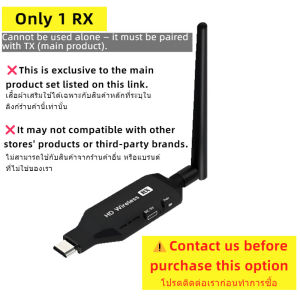
1 TX to Multiple RX Units
The 50M Wireless HDMI Extender supports up to four RX units, providing flexibility for various setups. It's compatible with a wide range of devices, including cameras, PCs, TVs, and projectors.
Compatibility with HDMI 1.3 & HDCP 1.2
Our HDMI Extender is compatible with HDMI 1.3 and HDCP 1.2, ensuring seamless integration with most modern devices. It supports a wide range of resolutions, including 1080p@60Hz.
Instant Pairing
Pairing the TX and RX units is simple and straightforward. Just plug them in, and they'll automatically connect, saving you time and effort.
Installation & Setup
Unboxing & Initial Setup
Unbox your 50M Wireless HDMI Extender and familiarize yourself with the components. The TX unit is the transmitter, while the RX units are the receivers. Follow the instructions to set up the devices.
Connecting TX & RX Units
Connect the TX unit to your source device (camera, PC, etc.) and the RX units to your display devices (TV, projector, etc.). Make sure they're within the specified range for optimal performance.
Configuring HDMI Connections
Configure the HDMI connections by plugging the cables into the appropriate ports on the TX and RX units. Our Plug & Play HDMI Extender supports various resolutions, so adjust the settings accordingly.
Troubleshooting & FAQs
Common Issues & Solutions
Here are some common issues and their solutions:
- Issue: No signal on the display Solution: Check the HDMI connections and ensure the TX and RX units are paired correctly.
- Issue: Poor video quality Solution: Adjust the resolution settings or move the TX and RX units closer together.
Frequently Asked Questions
Q: Is the 50M Wireless HDMI Extender compatible with my device? A: Yes, it's compatible with most devices supporting HDMI 1.3 and HDCP 1.2.
Q: Do I need WiFi for this extender? A: No, our Plug & Play HDMI Extender doesn't require WiFi connectivity.
Q: Can I use multiple RX units? A: Yes, you can connect up to four RX units with one TX unit.

Maiba Store
You May Also Like
Ultra-Thin Silicone Protective Case for iQOO13 Mobile Phone Full Cover Anti-Fall Transparent Design Suitable for Men And Women Eco-Friendly

Haier Washing Machine Stand Universal Mobile Caster Roller Barrel Foot Automatic High Pad Storage Rack Modern Simplicity Design
Case Realme 13Pro 13 12 11 Pro Plus 12X 11X C67 5G Phone Case Luxury Cute Fashion Shockproof New Design Girls Women Back Cover
Metal Straps for Xiaomi Mi Band: A Comprehensive Guide
Wriol Frosted Transparent Semi-Cover Phone Case for Xiaomi Mix4 Mix3 Mix2s Anti-Fall Protection Men Women Style Not Bubble
SH 24mm Durable CCD Sensor Full-Frame Digital Camera CMOS Sensor Cleaner Swab Sensor Cleaning Swabs Lens Cleaning Brush Camera Cleaning Kit
Yoobao LS10 PD20W SCP 22.5W Power Supply Fast Charge Portable 10000mah with Built-in Cable Power Bank with LED Display
PRESSER BAR BUSHING LOWER 6001223 FOR YAOHAN MODEL N600A
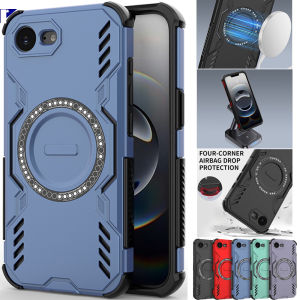
For Samsung Galaxy S25 Plus Ultra Edge A06 A16 A26 A36 A55 A56 5G 4G Shockproof iPhone Case with Ventilated Cooling and Magsafe Magnetic Support
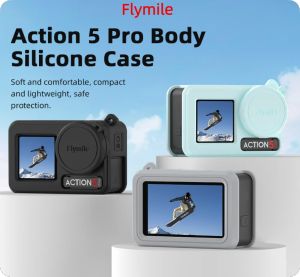
Flymile Silicone Protective Case Anti-Lost Lanyard For DJI Action 5 Pro/Action 4/3 Lens Cap Full Protector Cover Camera Accessories
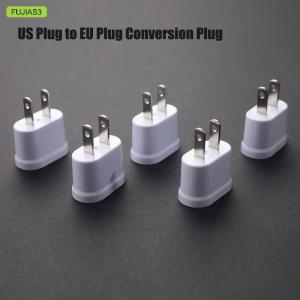
FUJIAS3 US Plug to EU Plug Round And Flat Dual-Purpose Conversion Plug Converter Socket


















