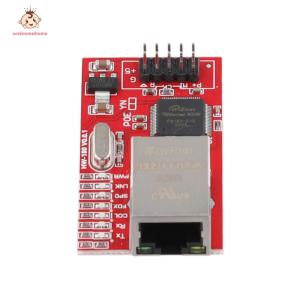
W5100 LAN Ethernet Shield Network Expansion Module SPI Interface TOP Mini LAN Ethernet Shield Network Module for Arduino
W5100 LAN Ethernet Shield Network Expansion Module SPI Interface TOP Mini LAN Ethernet Shield Network Module for Arduino
Introduction to W5100 Ethernet Shield
Overview of W5100 Ethernet Shield
The W5100 Ethernet Shield Network Module is a high-quality network expansion module designed specifically for Arduino boards. This module offers a compact, mini-sized LAN Ethernet shield that supports SPI interface communication. With its robust features and reliable performance, it is an ideal choice for developers looking to add networking capabilities to their projects.
Key Features of W5100 Ethernet Shield
- High-Quality Ethernet Module: The W5100 Ethernet Shield Network Module provides a reliable and efficient solution for networking applications. It ensures seamless connectivity and optimal data transfer rates, making it suitable for various projects.
- Network Expansion Module: This module enables users to expand their Arduino projects by integrating network capabilities. With its SPI interface support, it simplifies the process of connecting and configuring the Ethernet shield.
- Mini LAN Ethernet Shield: The compact design of the W5100 Ethernet Shield Network Module makes it easy to integrate into projects with limited space. Its small form factor does not compromise on performance, making it a perfect fit for developers working on space-constrained projects.
- SPI Interface for Arduino: The module supports SPI interface communication, allowing for seamless integration with Arduino boards. This ensures easy setup and configuration, making it accessible for both beginners and experienced developers.
How to Choose the Right Ethernet Shield
Comparing W5100 Ethernet Shield with Other Modules
When selecting an Ethernet shield for your project, it is essential to consider factors such as performance, compatibility, and ease of use. The W5100 Ethernet Shield Network Module stands out due to its high-quality design, reliable performance, and compact form factor. It offers a cost-effective solution compared to other modules, making it an attractive choice for developers working on various projects.
Factors to Consider When Selecting an Ethernet Shield
- Performance: Ensure that the module meets the performance requirements of your project. Look for features such as data transfer rates, network capabilities, and reliability.
- Compatibility: Verify that the module is compatible with your Arduino board and supports the necessary interfaces, such as SPI or I2C.
- Ease of Use: Consider the ease of setup and configuration, as well as the availability of documentation and support resources.
Setting Up W5100 Ethernet Shield
Connecting W5100 Ethernet Shield to Arduino
To connect the W5100 Ethernet Shield Network Module to your Arduino board, follow these steps:
- Connect the shield to the Arduino board using the header pins.
- Connect the Ethernet cable to the shield's RJ45 port.
- Power the Arduino board using the appropriate power supply.
Configuring W5100 Ethernet Shield
To configure the W5100 Ethernet Shield Network Module, follow these steps:
- Install the necessary libraries for Ethernet communication in the Arduino IDE.
- Upload the example sketches provided with the library to test the module's functionality.
- Customize the code according to your project requirements.
Using W5100 Ethernet Shield for Network Applications
Creating Basic Network Applications with W5100 Ethernet Shield
With the W5100 Ethernet Shield Network Module, you can easily create basic network applications for your projects. Some examples include:
- Web server: Host a simple web server on your Arduino board to serve web pages or collect data from remote clients.
- Client-server communication: Establish a connection between two devices using TCP/IP protocols for data exchange.
- Data logging: Collect data from sensors and send it to a remote server for storage and analysis.
Advanced Network Applications with W5100 Ethernet Shield
For more complex projects, the W5100 Ethernet Shield Network Module offers advanced network capabilities, such as:
- Multithreading: Run multiple tasks simultaneously using the module's built-in support for multithreading.
- UDP communication: Send and receive data using User Datagram Protocol (UDP) for low-latency applications.
- Custom protocols: Implement custom network protocols tailored to your project requirements." }

welcomehome
Review

You May Also Like
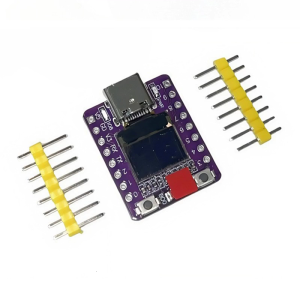
Ready Esp32 LED Module 160MHz Processor Low Power Consumption 0.42Inch Display

Eyoyo 13.3 Inch 2K HD Gaming Monitor: A Comprehensive Guide
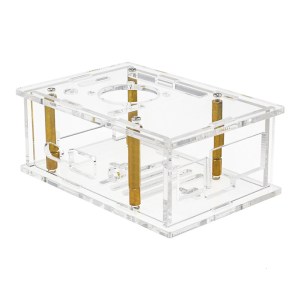
Clear Acrylic Transparent Case Enclosure Shell Box For PI 4A Protector For Board Protector
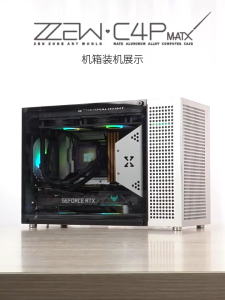
(New Version)ZZAW C4P Micro ATX/ITX Aluminum Computer Case ATX PSU 360 Water Cooling 400mm Long Graphics Card with Type-C
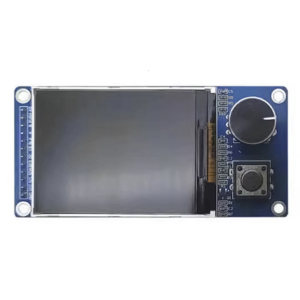
Easy Integration 1.8Inch/2.4inch TFT Display Module With EC11 Rotarys Encoders For Control Panel And Gamings Devices
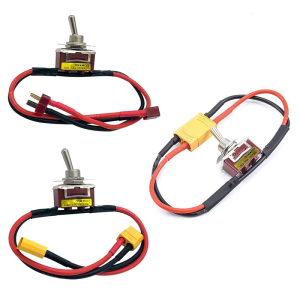
High Current Power Switches For Electric Models With T XT60 XT90 Connector Option And Overloads Protections
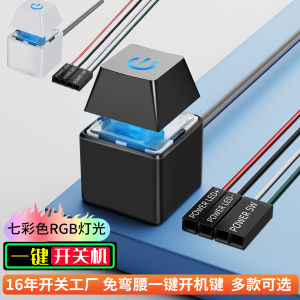
Desktop Computer Power Switch Button Extension Cable for PC Monitor Power Supply On-Off Key External Case Start Button
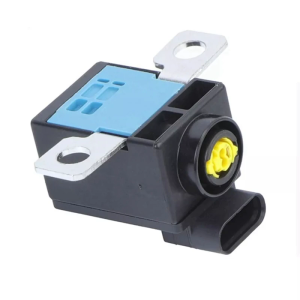
Automatic Power Cutoff Switches For Auto Electrical Systems Features Fast Response Time And 50% Higher Current Capacity
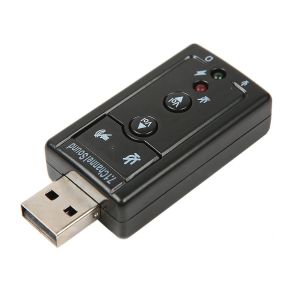
Mini USB 2.0 7.1 Channel Audio Sound Card Adapter USB To 3.5mm Jack Aux headset Adapter Stereo Audio sound card For Speaker PC Mic
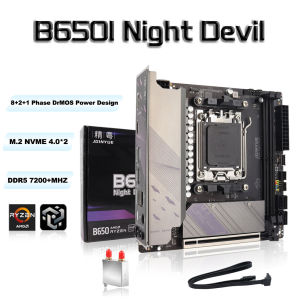
JGINYUE B650 ITX Motherboard DDR5 Mini AM5 Ryzen motherboard supports CPU 9600X/7800X3D/7500F (AMD B650/AM5 interface)

V8S F998 Sound Card Microphone Mixer Kit 16 SoundEffects Audio Recording Sound MixerAudio Mixing Console Amplifier for Phone