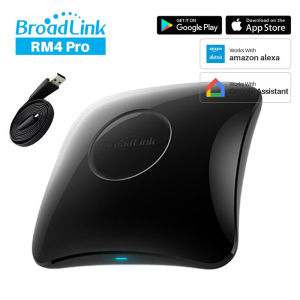
Broadlink RM4 Pro Universal Intelligent Remote Control: WiFi + IR + RF Smart Home Automation Device
Broadlink RM4 Pro Universal Intelligent Remote Control: WiFi + IR + RF Smart Home Automation Device
Broadlink RM4 Pro is a versatile, universal intelligent remote control that supports WiFi, infrared (IR), and radio frequency (RF) signals. This smart home automation device allows users to control their connected devices seamlessly while providing compatibility with Alexa. In this article, we will explore the key features, setup process, usage, and benefits of using the Broadlink RM4 Pro remote control.
What is Broadlink RM4 Pro Universal Intelligent Remote Control?
Broadlink RM4 Pro is a cutting-edge universal intelligent remote control designed to simplify home automation. Its compatibility with WiFi, IR, and RF signals enables users to control a wide range of smart home devices. Moreover, the device is compatible with Alexa, allowing users to control their connected devices through voice commands.
Key Features
Broadlink RM4 Pro offers a plethora of features, including:
- Support for WiFi, IR, and RF signals
- Compatibility with Alexa
- User-friendly interface
- Customizable scenes and timers
- Energy-efficient operation
Compatibility with Alexa
Broadlink RM4 Pro is compatible with Alexa, enabling users to control their connected devices through voice commands. Users can set up routines, scenes, and timers using Alexa, streamlining their smart home automation experience.
How to Set Up Broadlink RM4 Pro Remote Control
Setting up the Broadlink RM4 Pro remote control is a straightforward process that involves connecting the device to a WiFi network and pairing it with smart home devices.
Connect to WiFi Network
To connect the Broadlink RM4 Pro remote control to a WiFi network, follow these steps:
- Download the Broadlink app on your smartphone or tablet.
- Launch the app and sign in or create an account.
- Tap the '+' icon to add a new device.
- Follow the on-screen instructions to connect the Broadlink RM4 Pro remote control to your WiFi network.
Pair with Smart Home Devices
Once connected to the WiFi network, pair the Broadlink RM4 Pro remote control with your smart home devices by following these steps:
- Launch the Broadlink app and select the Broadlink RM4 Pro remote control from the device list.
- Tap the 'Add Device' button.
- Follow the on-screen instructions to pair the remote control with your smart home devices.
How to Use Broadlink RM4 Pro Remote Control
Using the Broadlink RM4 Pro remote control is simple and intuitive. Users can control their smart home devices, customize scenes and timers, and more.
Control Smart Home Devices
To control your smart home devices using the Broadlink RM4 Pro remote control, simply press the corresponding buttons on the remote control or use the Broadlink app to send commands to your devices.
Customize Scenes and Timers
Users can customize scenes and timers using the Broadlink app to streamline their smart home automation experience. For example, users can set up a 'Goodnight' scene that turns off all lights and locks doors at a specific time.
Benefits of Using Broadlink RM4 Pro Remote Control
Using the Broadlink RM4 Pro remote control offers several benefits, including increased convenience, enhanced security, and energy efficiency.
Increased Convenience
Broadlink RM4 Pro simplifies home automation by allowing users to control their connected devices with ease. Users can control their smart home devices using the remote control or through voice commands with Alexa.
Enhanced Security
Broadlink RM4 Pro enhances security by enabling users to monitor and control their smart home devices remotely. Users can receive alerts and notifications if any device is tampered with or if there is a security breach.
Energy Efficiency
Broadlink RM4 Pro promotes energy efficiency by allowing users to set up scenes and timers that optimize energy consumption. For example, users can set up a 'Goodnight' scene that turns off all lights and locks doors at a specific time, reducing energy waste.

Global Merch Park
You May Also Like
New Smart Watch 2.09inch AMOLED Screen Bluetooth Call GPS Tracker Smartwatch Health Monitor Men Women Sports Watches Waterproof
【For iOS】Smartifact S4 Smart Anti-Lost Device GPS Tracker Plastic Universal Structure Button 5.3 Car Keys Pet Kids Bag Wallet Luggage Tracking Finder Locator Certification Works With iOS Find My App for iPhone 16 15 MacBooK iPad Pro Mac
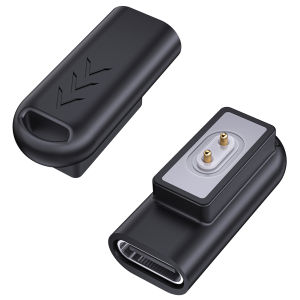
USB-C Female to Male Adapter: Charging Solutions for Xiaomi Smartwatch & Redmi Smart Band 2

Outdoor Gold Pan Basin Nugget Mining Pan Dredging Prospecting River Tool Wash Gold Panning Equipment Gold Silver Metal Detector

Bluetooth-Compatible Kid Dog s Key Finder Battery Operated Smart GPS Locator Wireless Child Bag Wallet Finder for Android 8+
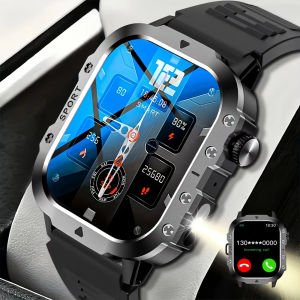
LAXASFIT Outdoor Smart Watch 2.01 inch HD Screen LED Flashlight Bluetooth Talk Sports Smart Watches For Men Women Holiday Gifts
Zeblaze Beyond 3 Plus GPS Smart Watch 1.78 AMOLED Display Built-in GPS & Amazon Alexa Make/Receive Phone Calls 3ATM Smartwatch
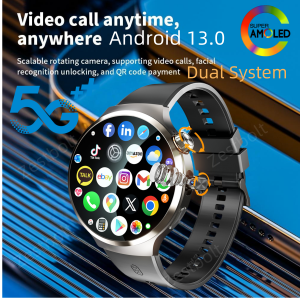
Dual System Android 13.0 Smartwatch 4G 5G LTE Smart Watches With 210° Rotary Camera GPS WIFI Compass 1900Mah Battery 1.98inch

De Li | Portable Mini Currency Detector Deli 2024 Upgrade Version Commercial Store Use B Class Chinese Yuan Home Use New Model

Watch Protectors Cover Case for 5 watch Protectors Frame Cover Shell Smartwatch Scratchproof Housing

Original KOSPET TANK M3 Rugged smartwatch for men 100M Waterproof 60 Days Extra-Long Battery 1.96”AMOLED Always-On Display Bluetooth Call 100+ Sport Modes