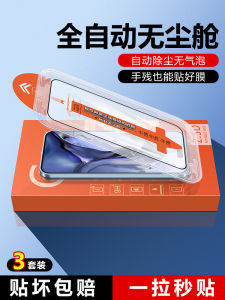
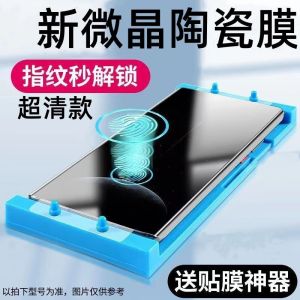
Full Screen Coverage Ceramic Crystal Phone Film for IQOO13/12pro/12/11/10/9/8pro Anti-Fingerprint Shockproof Soft Film Neo9/8/7/6/5se
Full Screen Coverage Ceramic Crystal Phone Film for IQOO13/12pro/12/11/10/9/8pro Anti-Fingerprint Shockproof Soft Film Neo9/8/7/6/5se
Introduction to Full Screen Coverage Ceramic Crystal Phone Film
Full screen coverage ceramic crystal phone films are an excellent choice for protecting your smartphone screen while maintaining a sleek appearance. These films are designed to provide comprehensive protection against scratches, smudges, and fingerprints, making them a popular choice among smartphone users. In this comprehensive guide, we will explore the key features, compatibility, benefits, installation process, and maintenance tips for full screen coverage ceramic crystal phone films.
Key Features of the Ceramic Crystal Phone Film
Full screen coverage ceramic crystal phone films come with several key features that set them apart from other screen protectors. These include:
-
Anti-fingerprint shockproof film: The ceramic crystal material used in these films helps to reduce fingerprint smudges, making it easier to keep your screen clean.
-
Multi-device compatible phone film: These films are designed to fit a wide range of devices, including IQOO13/12pro/12/11/10/9/8pro and Neo9/8/7/6/5se smartphones.
-
Soft film: The soft material used in these films ensures a smooth and comfortable touch experience, while also providing excellent shock absorption.
Compatibility with Multiple Devices
Full screen coverage ceramic crystal phone films are compatible with a wide range of devices, including IQOO13/12pro/12/11/10/9/8pro and Neo9/8/7/6/5se smartphones. This makes them a versatile choice for users who own multiple devices or want to protect their current device without worrying about compatibility issues.
Benefits of Using a Full Screen Coverage Film
Using a full screen coverage ceramic crystal phone film offers several benefits, including:
-
Protection against scratches and smudges: The ceramic crystal material used in these films helps to protect your screen from scratches and smudges, keeping it looking new and pristine.
-
Easy cleaning: The anti-fingerprint shockproof film makes it easier to clean your screen, reducing the need for frequent cleaning and maintenance.
-
Shock absorption: The soft material used in these films helps to absorb shocks and impacts, reducing the risk of damage to your device.
How to Install the Full Screen Coverage Ceramic Crystal Phone Film
Installing a full screen coverage ceramic crystal phone film is a simple process that can be completed in just a few minutes. Here's how to do it:
Preparing Your Device for Installation
Before installing your new phone film, make sure to clean your device thoroughly to remove any dust or debris. This will help ensure a smooth and even application.
Step-by-Step Installation Process
-
Peel off the protective backing from the film.
-
Align the film with your device and gently press it into place.
-
Use a credit card or similar tool to smooth out any air bubbles or wrinkles.
-
Trim any excess film around the edges of your device.
Tips for a Successful Installation
-
Work in a clean, well-lit environment to avoid dust or debris getting trapped under the film.
-
Take your time and be patient during the installation process to avoid mistakes.
-
If you encounter any air bubbles or wrinkles, try to remove them by gently pressing the film into place.
Maintaining Your Full Screen Coverage Ceramic Crystal Phone Film
To ensure the longevity of your new phone film, it's important to follow proper cleaning and care instructions. Here are some tips for maintaining your film:
Cleaning and Care Instructions
-
Use a soft, lint-free cloth to clean your screen.
-
Avoid using harsh chemicals or abrasive cleaners, which can damage the film.
-
If you notice any scratches or damage to the film, replace it immediately to avoid further damage to your device.
Troubleshooting Common Issues
If you encounter any issues with your new phone film, here are some tips for troubleshooting:
-
If you notice air bubbles or wrinkles, try to remove them by gently pressing the film into place.
-
If the film is loose or doesn't stick properly, try reapplying it or replacing it with a new film.
-
If you notice any scratches or damage to the film, replace it immediately to avoid further damage to your device.
Extending the Life of Your Phone Film
To extend the life of your new phone film, it's important to follow proper cleaning and care instructions and avoid exposing your device to extreme temperatures or rough handling. By taking good care of your film, you can enjoy its benefits for years to come.

TAO Factory Outlet
Review

You May Also Like
Oppo Reno10 pro Silicone Phone Case Full Cover Protective Soft Shell Men Women Stress Relief Curved Design Anti-Fall Protection
Professional Hollow Out Lens Hoods for X100V X100F X100S X100T X70 with 49mm Adapter Rings Included
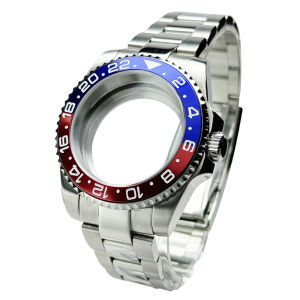
Diver Watch Case Fit for Sub Polish Oyster Band Mod NH34 NH35 NH36 NH70 NH72 20bar red blue bezel 120 Clicks Sliding Buckle
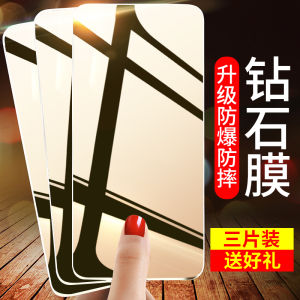
Transparent Tempered Glass Screen Protector for iQOO Neo5 SE Mobile Phone Full Screen Coverage Privacy Protection Anti Glare
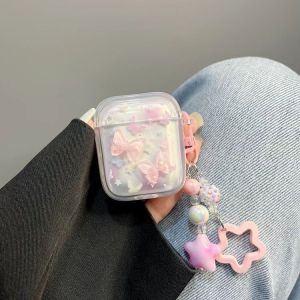
Korean Japanese Ins Style Pink Butterfly Protective Case for Redmi Buds4 Vitality Version Gradient Simple Buds5pro Anti-fall Detachable Bluetooth Buds6 Youth pro
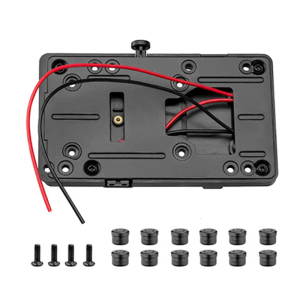
V Mount Adapter Plate D-Tap Output for DSLR Cameras and Monitors with Quick Release Functionality

Espresso Tamper Mat: Food Safe Silicone Coffee Tamp Mat Anti-Slip Corner Tamping Pad Non-Slippery

35W Dual USB-C Port Compact Power Adapter PD 3.0 GaN Foldable USB Type C Plug Fast Wall Charger Block Compatible for iPhone 15 14 13 12 11 Pro Max Plus Mini iPad AirPods MacBook Air and More

New Home Decoration Creative Wooden Magnetic Fridge Patch Moving in Gift Rural Style Decorative Item Moving Celebration
0-sense touch glass 0.2mm ultra-thin mobile phone tempered glass screen protector Anti dust For 16 PRO MAX 16 16 PRO 15 PRO MAX 15 PRO 15 14 PRO MAX 14 PRO 14 easy to install
AUFU 540 Rotate Magnetic USB C Cable Fast Charging Type C Mirco USB Phone Data Cord For iPhone Xiaomi POCO Redmi Magnet Charger