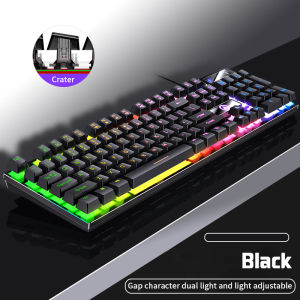
K500 / K600 Gaming Keyboard Mechanical Feel Two-color Chocolate/Punk Keycap Color Backlit Wired Keyboard LED Membrane Keyboard
K500 / K600 Gaming Keyboard Mechanical Feel Two-color Chocolate/Punk Keycap Color Backlit Wired Keyboard LED Membrane Keyboard
Introduction to K500 & K600 Gaming Mechanical Keyboards
Introducing the K500 and K600 gaming mechanical keyboards, two powerful options designed specifically for gamers seeking a top-notch experience. Both models feature a two-color keycap design, backlit wired keyboard, and membrane gaming keyboard elements, providing a unique and customizable setup. These gaming keyboards are built to enhance your gaming experience and offer a competitive edge over other keyboards in the market.
Key Features & Benefits
- Two-color Keycap Design: Choose between the chocolate and punk color schemes to match your gaming setup and personal style.
- Backlit Wired Keyboard: Enjoy a customizable lighting experience with vibrant backlighting that illuminates your keyboard, making it easier to navigate during late-night gaming sessions.
- Membrane Gaming Keyboard: The membrane design ensures a comfortable typing experience, while the mechanical feel provides tactile feedback and precise control.
- Enhanced Gaming Performance: Both models offer advanced features like anti-ghosting and N-key rollover, ensuring your keystrokes are registered accurately and quickly.
Comparing K500 & K600 Models
While both the K500 and K600 gaming mechanical keyboards share many similarities, they differ in a few key aspects:
- K500: This model offers a slightly more affordable price point, making it ideal for gamers who want a high-quality gaming keyboard without breaking the bank.
- K600: This model comes with advanced features such as customizable RGB lighting and a higher build quality, making it perfect for serious gamers who demand the best.
How to Choose the Right Gaming Mechanical Keyboard
Selecting the right gaming mechanical keyboard depends on your individual needs and preferences. Consider the following factors before making your decision:
Identifying Your Needs
- Gaming Genre: Different genres may require different keyboard features. For example, fast-paced shooters might benefit from a keyboard with a low profile and quick response time.
- Personal Style: Choose a keyboard that matches your gaming setup and personal taste. Both the K500 and K600 gaming mechanical keyboards offer two-color keycap designs to suit your preferences.
Considering Budget & Performance
- Budget: Determine how much you're willing to spend on a gaming mechanical keyboard. The K500 offers great value for its price, while the K600 provides more advanced features at a slightly higher cost.
- Performance: Consider the features that matter most to you, such as backlighting, anti-ghosting, and N-key rollover. Both models offer excellent performance, but the K600 has a slight edge in terms of customization and build quality.
Setting Up Your Gaming Mechanical Keyboard
Once you've chosen the right gaming mechanical keyboard for you, it's time to set it up and customize it to suit your needs:
Connecting to Your Computer
Both the K500 and K600 gaming mechanical keyboards connect to your computer via a USB cable. Simply plug the keyboard into an available USB port on your computer, and it will automatically detect and install the necessary drivers.
Customizing Keycaps & Backlighting
Customize your gaming mechanical keyboard by swapping out keycaps to match your preferred color scheme or gaming setup. Additionally, adjust the backlighting settings to create a unique lighting experience that enhances your gaming environment.
Maximizing Performance with K500 & K600 Gaming Mechanical Keyboards
To get the most out of your K500 or K600 gaming mechanical keyboard, consider the following tips:
Enhancing Gaming Experience
- Anti-Ghosting & N-key Rollover: Utilize these advanced features to ensure accurate and quick keystrokes during intense gaming sessions.
- Customizable RGB Lighting: Create a personalized lighting environment that complements your gaming setup and enhances your overall experience.
Maintaining & Cleaning Your Keyboard
- Regular Cleaning: Keep your gaming mechanical keyboard clean by regularly wiping down the keys and using compressed air to remove dust and debris.
- Replacing Keycaps: Swap out worn or damaged keycaps to maintain the appearance and functionality of your keyboard.
In conclusion, the K500 and K600 gaming mechanical keyboards are powerful options designed specifically for gamers seeking a top-notch experience. By considering your needs and preferences, you can choose the right gaming mechanical keyboard for you and maximize its performance to enhance your gaming experience.

Daybuy_Mall
Review

You May Also Like
3 in 1 Silicone Case for Apple Pencil: Anti-loss & Dustproof Protection
GEEBON Earphone Case Silicone Anti-drop Cover For Boses QuietComfort Earbuds II Earbuds 2
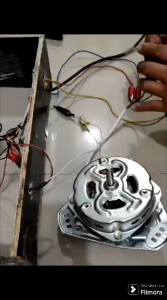
Camel Spin Dryer Motor: A Comprehensive Guide

LPO Cellphone LCD Screen 6.3 inches Compatible with Samsung Galaxy Note 8 2017 SM N950F with Digitizer Fully Assembly
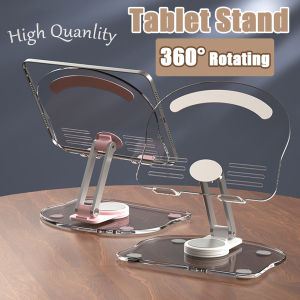
360° Rotating Foldable Tablet Stand Transparent Acrylic Tablet Stand Anti-Slip Mobile Phone Stand Aluminum Alloy Cute Kitten Shape Desk Stand
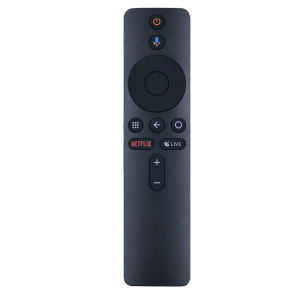
XMRM-006 Voice Remote For Xiaomi MI Box S: A Comprehensive Guide
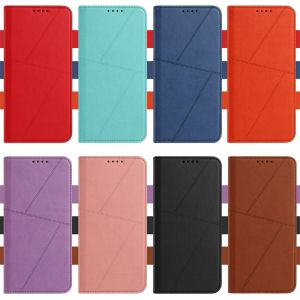
Luxury Simple Flip Case for ZTE Blade V70 Vita V60 Smart V50 V41 A75 A72s A32 Design 5G Leather Business Wallet Shockproof Card Slots Cover
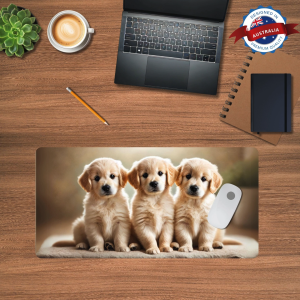
DESKMATEC Mouse Pad Golden Trio Retriever

Compatible USB Cable Cover: A Comprehensive Guide
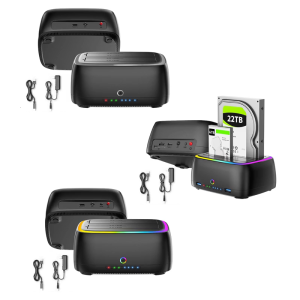
3.5inch/2.5inch Hard Drive Docking Station Heat Dissipation Support Offline Duplication Enclosure Case with LED

Cellphone Battery Replacement B-H0 fit for V17 NEO