BOOX Nova5 7.8 Inch Ink Screen E-book Reader & Handwriting Input Device
BOOX Nova5 7.8 Inch Ink Screen E-book Reader & Handwriting Input Device
About the Product
BOOX Nova5 7.8 Inch Ink Screen E-book Reader
Welcome to our store, where we offer high-quality products and the most popular items in the market, all of which have received positive reviews from countless users. Our products are genuine, and we guarantee that if you receive a fake product, we will compensate you 100 times over.
The BOOX Nova5 7.8 inch ink screen e-book reader is a remarkable device designed to provide an immersive reading experience. With its 32GB storage tablet, you can store thousands of books, documents, and other files. This Android 11 tablet supports handwriting input, making it easy to take notes, sketch, and write directly on the screen.
Key Features of BOOX Nova5 Tablet
- Ink Screen Technology: The e-paper screen mimics the look and feel of traditional paper, reducing eye strain and providing a comfortable reading experience.
- Handwriting Input Device: The built-in handwriting input device allows you to write, sketch, and take notes effortlessly.
- Android 11 Operating System: With the latest Android OS, the BOOX Nova5 tablet offers a seamless and user-friendly interface.
- 32GB Storage: Store thousands of books, documents, and other files on this compact device.
High-Quality Products & Customer Satisfaction
At our store, we prioritize customer satisfaction. Our products are genuine, and we strive to provide excellent service to ensure a pleasant shopping experience. We encourage customers to leave positive reviews and follow us for future updates.
Customer Service
Customer Service Hours & Support
Our customer service team is available Monday through Sunday, from 08:00 to 23:00. We are dedicated to addressing any concerns or questions you may have about the BOOX Nova5 tablet.
Cash on Delivery & Payment Options
We support cash on delivery for added convenience. Our store also offers various payment options to accommodate different preferences.
Feedback & Reviews
We value customer feedback and encourage our customers to leave reviews. This helps us improve our products and services while providing valuable insights for potential buyers.
How to Use BOOX Nova5 Tablet
Setting Up Your BOOX Nova5 Tablet
To get started with your new BOOX Nova5 tablet, follow these steps:
- Charge the device fully before use.
- Power on the device by pressing the power button.
- Connect to Wi-Fi or cellular data to access the internet.
- Download and install any desired apps or documents.
Using Handwriting Input Device
The built-in handwriting input device allows you to write, sketch, and take notes effortlessly. To use this feature:
- Open the desired app or document.
- Tap the screen to activate the handwriting input mode.
- Use the stylus to write, sketch, or take notes directly on the screen.
Tips for Optimizing Your Reading Experience
To maximize your reading experience with the BOOX Nova5 tablet:
- Adjust the font size and style to suit your preferences.
- Customize the screen brightness and contrast settings.
- Organize your library by creating folders and categories.
- Download and install e-books from trusted sources.
In conclusion, the BOOX Nova5 7.8 inch ink screen e-book reader is an excellent choice for anyone looking for a high-quality reading experience. With its 32GB storage tablet, Android 11 operating system, and built-in handwriting input device, the BOOX Nova5 offers a versatile and user-friendly solution for all your reading needs.

Onxy★Hi
![BOOX Nova5 7.8 inci Ink Screen E-book Reader Tulisan Tangan 32G Android 11 [Penghantaran Hari Sama]](https://img.lazcdn.com/g/p/3dfafbcc011ea07021f9496216b27a33.jpg_300x300q80.jpg)
Review

You May Also Like

POCO C75 Helio G81-Ultra Processor Smartphone with 50MP Camera - 8GB+256GB Storage Options With 3-year Warranty
Plastic Walkie Talkie Push Lock Suitable for Baofeng UV-5R UV 5R UV-5RA UV-5RE BF-F8HP Wear-resistant
V3 mobile phone World Version Flip GSM Quad Band Motorola Razr

Delicate Alloy Angel Wing Phone Charm Plush Bowknot Birthday Christmas Present Trendy Phone Accessory
Numchai 6300 4G Keypad phone Original Dual SIM Basic phone 2.4 inches Type-C Charging 2MP Rear Cam Bluetooth 5.0 1 Year Warranty
Corded Landline Wall Mount Hotel Telephone with Large Buttons for Easy Use and Enhances Call Clarities
SOYES S24 PRO MAX Mini 4G Smartphone: Features & Benefits
Intercom Handset - N8000
SERVO KING8000 4G LTE Mini Smartphone Android System 2GB+16GB Google Play WhatsAPP WiFi Hotspot Dual SIM Super Small Smart Phone
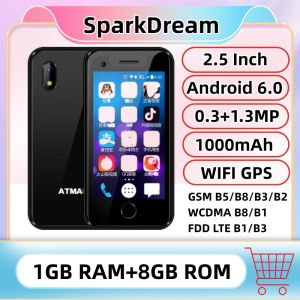
4G LTE Super Mini Smartphone 1GB RAM 8GB ROM 2.5" Android 6.0 MTK6737 Quad Core Google Play WIFI Small Card Mobile Pocket Phone

OUKITEL WP32 Rugged Smartphones Octa Core 4GB+128GB 5.93Inch HD Android 13 Mobile phone 6300mAh Battery 20MP Dual Camera NFC