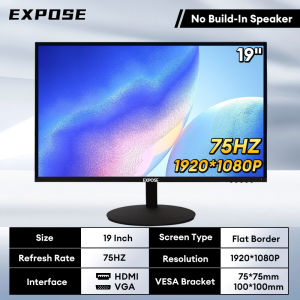
EXPOSE 27 Inch Monitor HD Curved Surface 2K/4K Desktop Computer 75Hz 27 Inch 144Hz/165Hz Curved Monitors
EXPOSE 27 Inch Monitor HD Curved Surface 2K/4K Desktop Computer 75Hz 27 Inch 144Hz/165Hz Curved Monitors
What is a 27 Inch Curved Monitor?
A 27 inch curved monitor is a high-quality display device designed specifically for desktop computers. It features a curved screen that provides a more immersive viewing experience compared to traditional flat monitors. The curvature of the screen enhances depth perception and minimizes eye strain, making it ideal for extended periods of use.
Key Features of a 27 Inch Curved Monitor
- Curved Screen: A curved screen offers a wider field of view, making it easier to see more of the display at once.
- 2K/4K Resolution: High-resolution displays provide sharper images and finer details, enhancing overall visual quality.
- 75Hz Refresh Rate: A higher refresh rate reduces motion blur and improves fluidity, particularly during fast-paced gaming or video playback.
Benefits of a 27 Inch Curved Monitor
- Enhanced Immersion: The curved design provides a more immersive viewing experience, making it ideal for gaming, watching movies, or working on creative projects.
- Reduced Eye Strain: The curvature of the screen helps to reduce eye strain, allowing for extended periods of use without discomfort.
- Improved Depth Perception: The curved screen enhances depth perception, making it easier to see details and navigate complex scenes.
Choosing the Right 27 Inch Curved Monitor
Selecting the perfect 27 inch curved monitor depends on several factors, including resolution, refresh rate, and intended use.
Factors to Consider When Selecting a 27 Inch Curved Monitor
- Resolution: Determine whether you prefer a 2K or 4K resolution monitor based on your specific needs.
- Refresh Rate: Consider the refresh rate that best suits your intended use, such as gaming or video playback.
- Intended Use: Identify whether you primarily plan to use the monitor for gaming, work, or entertainment.
Comparing 2K vs 4K Resolution Monitors
| Feature | 2K Resolution | 4K Resolution | | --- | --- | --- | | Image Quality | Crisper images | Sharper images | | Detail Level | Moderate detail | High detail | | Price | Lower cost | Higher cost |
Refresh Rate: 75Hz vs 144Hz/165Hz Gaming Monitors
- 75Hz Refresh Rate: Ideal for general use, such as web browsing, office work, and streaming.
- 144Hz/165Hz Gaming Monitors: Best suited for fast-paced gaming, offering smoother motion and reduced input lag.
Setting Up Your 27 Inch Curved Monitor
Setting up your new 27 inch curved monitor is straightforward, requiring only a few simple steps.
How to Connect Your 27 Inch Curved Monitor to a Desktop Computer
- Connect the power cable to the monitor and plug it into a power outlet.
- Connect the HDMI, DisplayPort, or DVI cable to both the monitor and your desktop computer.
- Turn on the monitor and select the appropriate input source using the monitor's menu.
Adjusting Settings for Optimal Viewing Experience
- Brightness and Contrast: Adjust these settings to your preference, taking into account the ambient lighting conditions.
- Color Temperature: Choose a color temperature that suits your needs, such as warmer tones for gaming or cooler tones for work.
- Refresh Rate: Set the refresh rate to match your intended use, such as 75Hz for general use or 144Hz/165Hz for gaming.

Axe Hammer
You May Also Like
ATX/SFX 400/500/600W 80 Plus Mini Power Supply PSU For POS Full Voltage 94V-264V SFX-T500 Power Conversion ITX Solution/Micro
2406GL-04W-B59 12V 0.26A 6CM 60mm Cooling Fan for Converters Power Systems Industrial Equipment - 4600RPM 0.52m³/min Airflow
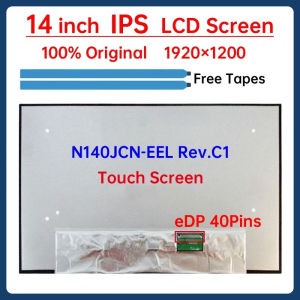
14 Inch IPS Laptop LCD Screen N140JCN EEL N140JCN-EEL Rev.C1 Display Matrix Panel Replacement 1920x1200 eDP 40 Pins Touch Screen
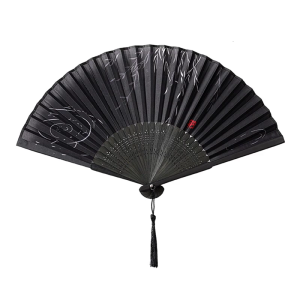
Summer Bamboos Fan With Willow Pattern Cooling Accessories Lightweight Silk Fabric Chinese Styles Decorative Craft

Surface Pro 9 Sapphire i5 8GB Memory 256GB SSD | Signature Alcantara Keyboard | Surface Slim Pen 2
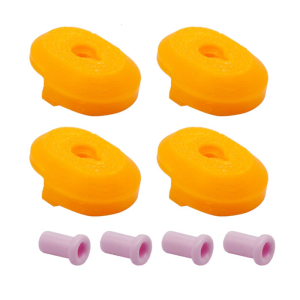
4Pcs/set Ceramic Guard Adapter Feed Throat Protector Replacement For X1 X1C P1P P1S 3D Printer Nozzle Accessories
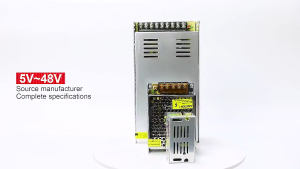
220V input DC 12V 30A output 360W Power Supply Centralize Switching Power Supply for Security Camera CCTV Fan Automatically Universal Led Module Regulated Switching Power Supply
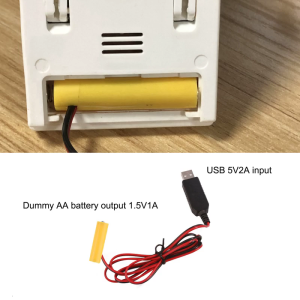
Universal LR6 AA Eliminators Replace 1pc 1.5V AA for LED Light Electronic Toy USB 5V to 1.5V Power
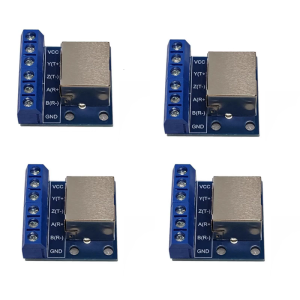
RS485 Communication Board Featuring Standard RJ45 Interfaces And Not Construction
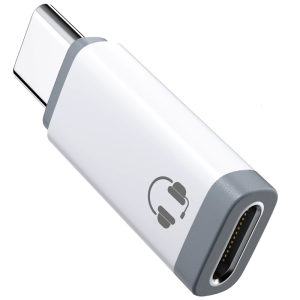
Type C To Connector Sound Adapter Easy Plugs & Play Adapter with Microphones Support & In Line Control for Phone 15/1
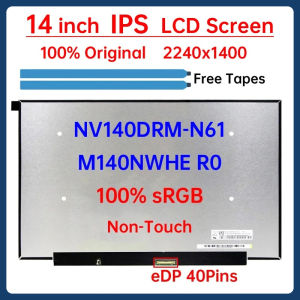
14" Laptop LCD Screen NV140DRM N61 NV140DRM-N61 M140NWHE R0 Display Panel Matrix 2240x1400 IPS 100% sRGB eDP 40 Pins Non-Touch