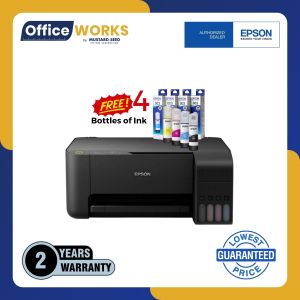
Epson L3210 A4 3-in-1 Printer: Continuous Ink & Scanner
Epson L3210 A4 3-in-1 Printer: Continuous Ink & Scanner
Introduction to Epson L3210 A4 Printer
The Epson L3210 A4 printer is a versatile and efficient device designed for students and small businesses alike. This printer comes with a continuous ink system, making it a cost-effective solution for printing large volumes. Additionally, it features a built-in scanner and copier, providing a comprehensive package for your printing needs.
Key Features
- Continuous ink system for cost-effective printing
- Built-in scanner and copier
- Wi-Fi connectivity
- Print speeds up to 9.5 ipm (pages per minute)
- High-quality print resolution of up to 5760 x 1440 dpi
Benefits for Students & Small Businesses
The Epson L3210 A4 printer offers several benefits for students and small businesses, including:
- Cost-effective printing due to the continuous ink system
- Time-saving features such as scanning and copying capabilities
- Easy connectivity options, including Wi-Fi
- High-quality print resolution for clear and legible documents
How to Choose the Right Printer
When selecting a printer, consider the following factors:
- Print volume and frequency
- Budget
- Connectivity options
- Additional features such as scanning and copying
Comparing Epson L3210 with Other Printers
Compared to other printers in its class, the Epson L3210 A4 printer stands out due to its cost-effective continuous ink system, built-in scanner and copier, and high-quality print resolution.
Setting Up Your Epson L3210 Printer
To set up your Epson L3210 A4 printer, follow these steps:
- Unpack the printer and remove any packaging materials
- Connect the power cord and turn on the printer
- Install the ink cartridges and paper
- Connect the printer to your computer or Wi-Fi network
Installation Guide
For detailed installation instructions, refer to the user manual provided with your Epson L3210 A4 printer.
Connecting to Wi-Fi & Other Devices
To connect your Epson L3210 A4 printer to Wi-Fi, follow these steps:
- Press the Wi-Fi button on the printer
- Select your Wi-Fi network and enter the password
- Follow the on-screen prompts to complete the connection
Maximizing Printer Performance
To get the most out of your Epson L3210 A4 printer, consider the following tips:
- Regularly clean the printer to maintain optimal performance
- Replace ink cartridges when necessary
- Update the printer driver to ensure compatibility with your operating system
Tips for Efficient Printing
- Use draft mode for non-critical documents to save ink
- Print double-sided to reduce paper waste
- Use the correct paper type for the best results
Troubleshooting Common Issues
If you encounter issues with your Epson L3210 A4 printer, consult the user manual or visit the Epson support website for troubleshooting tips.
Conclusion & Final Thoughts
The Epson L3210 A4 printer is a reliable and efficient choice for students and small businesses. With its continuous ink system, built-in scanner and copier, and high-quality print resolution, it offers excellent value for money. Consider the factors outlined in this article when choosing a printer that meets your needs.
Epson L3210 Printer Pros & Cons
Pros:
- Cost-effective continuous ink system
- Built-in scanner and copier
- High-quality print resolution
Cons:
- May require regular maintenance to maintain optimal performance
Final Recommendation
If you're looking for a cost-effective and efficient printer that meets the needs of students and small businesses, the Epson L3210 A4 printer is an excellent choice.

OfficeWorks PH
Review
You May Also Like
Black Wax-Based Carbon Ribbon 110mm*300m for Barcode Printing Compatible with TSC Zebra Printers Enhanced Performance Office Supplies
3D-Printer Resin Funnel 304 Stainless-Steel Kitchen Funnel Strainer for SLA/DLP/LCD UV Resin Cup
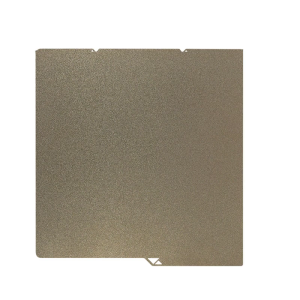
264x276mm PEI Magnetic Build Plate PEI Spring Steel for S1 3D Printers Spring Steel Plate Print Bed Sheet

NPG67 Toner Cartridge Compatible with Canon IR C3320 C3325 C3330 C3520 C3525i C3530i C3020
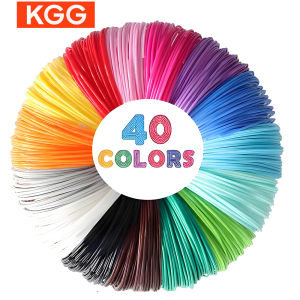
40/32/30 Colors PLA Filament for 3D Pen Printing Diameter 1.75mm 200M Odorless Safe Plastic Refill for 3D children Printing Pen

InkBright CL 57 Tri-Color Refillable (CL-57 CL57)

OPC Drum for Use and Compatible with Ecosys P2235 M2040 M2540 FS1150
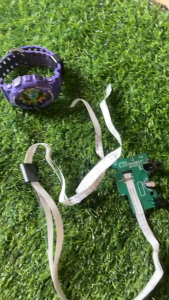
Original B57C050-2 Brother Printer Head PCB Board Flex DCP T300 T500 T700 T800. Preloved.
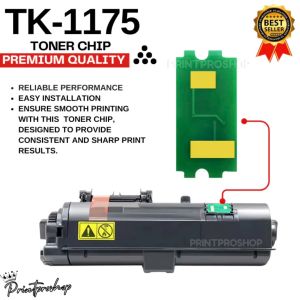
TK1175 Toner Chip for Kyocera Printers: A Comprehensive Guide
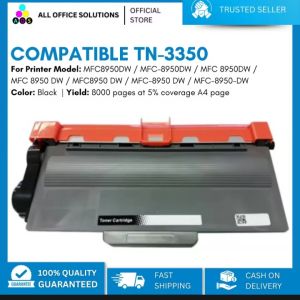
AOS Compatible TN3350 Toner Cartridge for Brother MFC-8910DW Brother MFC8950DW / MFC-8950DW / MFC 8950DW / MFC 8950 DW / MFC8950 DW / MFC-8950 DW / MFC-8950-DW
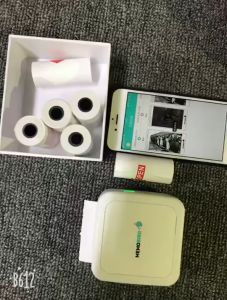
5roll Mini Photo Pocket Printer Portable Ink-free Thermal 57mm Sticker Trans Paper Wireless BT 200dpi Android IOS Printing Machine