



KUKU Platinum Remote Control: A Comprehensive Guide
KUKU Platinum Remote Control: A Comprehensive Guide
Introduction to KUKU Platinum Remote Control
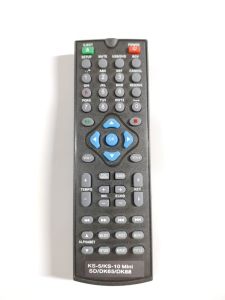
The KUKU Platinum Remote Control is a high-quality, versatile remote control designed specifically for use with KS-5 Junior Lite, KS-10 Mini SD, DK65, and DK88 remotes. Available in black, this remote control offers a sleek, professional appearance that complements any home entertainment setup. With its intuitive interface and robust functionality, the KUKU Platinum Remote Control is an ideal choice for users seeking a reliable and user-friendly remote control solution.
Overview of KUKU Platinum Remote Control
The KUKU Platinum Remote Control is compatible with KS-5 Junior Lite, KS-10 Mini SD, DK65, and DK88 remotes, making it a versatile option for various home entertainment systems. Its black color adds a touch of elegance to any room, while its ergonomic design ensures comfortable handling during use. In addition to its compatibility with multiple devices, the KUKU Platinum Remote Control features a range of convenient functions, including volume control, channel selection, and power management.
Key Features & Benefits
- Compatibility: Compatible with KS-5 Junior Lite, KS-10 Mini SD, DK65, and DK88 remotes
- Color: Black
- Ergonomic Design: Comfortable grip and intuitive layout
- Functionality: Volume control, channel selection, and power management
How to Use KUKU Platinum Remote Control
Setting up and using the KUKU Platinum Remote Control is straightforward and easy. Follow these steps to get started:
Setting Up Your KUKU Platinum Remote Control
- Insert the batteries into the remote control according to the manufacturer's instructions.
- Press and hold the 'SET' button until the LED light turns on.
- Point the remote control at the device you wish to control and press the 'SOURCE' button to select the appropriate device type.
- Press the 'OK' button to confirm the selection and save the settings.
Pairing with KS-5 Junior Lite/KS-10 Mini SD/DK65/DK88 Remote
To pair the KUKU Platinum Remote Control with your device, follow these steps:
- Press and hold the 'SET' button until the LED light turns on.
- Point the remote control at the device you wish to control and press the 'SOURCE' button to select the appropriate device type.
- Press the 'OK' button to confirm the selection and save the settings.
Using Black Remote Control
Once paired, you can use the KUKU Platinum Remote Control to control your device by pressing the appropriate buttons. For example, press the 'VOL+' button to increase the volume, the 'VOL-' button to decrease the volume, and the 'CH+' and 'CH-' buttons to navigate through channels.
Troubleshooting Common Issues
If you encounter any issues with your KUKU Platinum Remote Control, refer to the following troubleshooting guide:
Identifying Problems with KUKU Platinum Remote Control
Common problems include:
- Remote control not working: Check that the batteries are installed correctly and have sufficient power.
- Device not responding: Ensure that the remote control is paired with the correct device type.
Solutions for Common Issues
- Replace batteries: Replace the batteries if they are low or not installed correctly.
- Re-pair remote control: Re-pair the remote control with the correct device type if necessary.
Contacting Customer Support
If you continue to experience issues with your KUKU Platinum Remote Control, contact customer support for further assistance.
Comparing KUKU Platinum Remote Control with Other Models
The KUKU Platinum Remote Control offers several advantages over other models, including its compatibility with multiple devices, ergonomic design, and robust functionality. In addition, the black color adds a touch of elegance to any room.
KS-5 Junior Lite vs. KS-10 Mini SD
The KS-5 Junior Lite and KS-10 Mini SD remotes offer similar functionality, but the KS-10 Mini SD has a slightly larger display and more buttons.
DK65 vs. DK88 Remote
The DK65 and DK88 remotes offer similar functionality, but the DK88 has a slightly larger display and more buttons.
Black Remote Control vs. Other Colors
The black color adds a touch of elegance to any room, while other colors may be more suitable for specific decor styles.
Conclusion & Final Thoughts
In summary, the KUKU Platinum Remote Control is a high-quality, versatile remote control designed specifically for use with KS-5 Junior Lite, KS-10 Mini SD, DK65, and DK88 remotes. Its black color adds a touch of elegance to any room, while its ergonomic design ensures comfortable handling during use. With its compatibility with multiple devices and robust functionality, the KUKU Platinum Remote Control is an ideal choice for users seeking a reliable and user-friendly remote control solution.
Additional Tips & Recommendations
- Replace batteries regularly: To ensure optimal performance, replace the batteries regularly.
- Store remote control properly: Store the remote control in a dry, cool place when not in use to prevent damage.

KUKU SPEAKER.PH
You May Also Like
Silicone Remote Control Case for Samsung BN59 Series TV Remote Cover for BN59-01327C Silicone Remotes Control Protector Sleeve
Sanrio Kuromi Fashion Cloud Cell Phone Lanyard Keychain Hello Kitty Cinnamoroll Mug Camera Package Cell Phone Cases Pendant Gift

Original Copper Washing Machine Spin Motor (Big Gap) SG 10mm
For 2025 iPad Air 11 Case iPad 10th Generation 11th A16 9th Cover Gen iPad Pro11 4 5 10.9in 12.9 M2 M3 M4 Pencil Holder Case
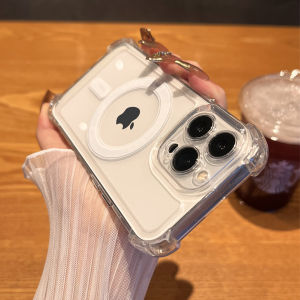
CrashStar MagSafe Thickened Corners Hard Clear Shockproof Phone Case For iPhone 17 16e 15 14 Pro Max Plus 13 12 11 Pro Max Air Wireless Charging Phone Casing Transparent Silicone Phone Cover With Full Cover Lens Camera Protection

Valorant Keycaps Killjoy (Alarm Bot) Artisan by V.
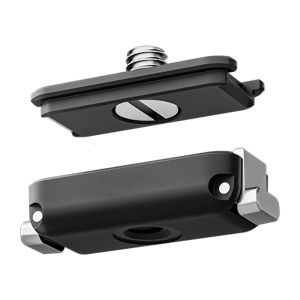
Universal Quick Release Plate Camera Adapter NonSlip Surfaces Design Heavy Duty Metal Construction For Film

VMC MD3 USB Power Cable for Sony Cameras: Compatible Models & Features
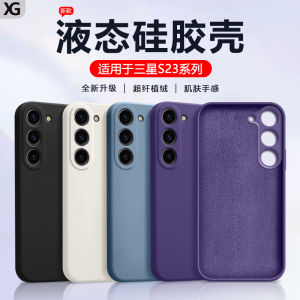
Drop-Resistant Soft Case & Samsung S23 Phone Case: A Comprehensive Guide
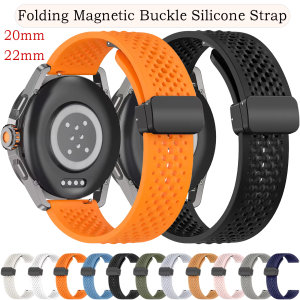
20 22mmWatch Strap For Xiaomi Watch 2 Pro S3 S2 S1 Soft Silicone Breathable Wristband For Xiaomi Watch S4 41mm Sport Watchband
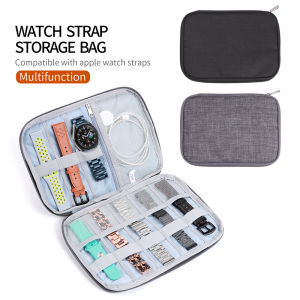
Watch Organizer Box & Watchband Storage Case: A Comprehensive Guide



















