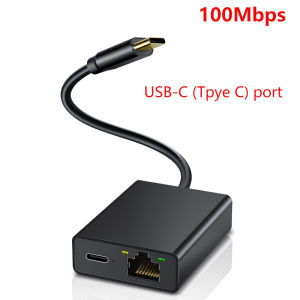
Electop Ethernet Adapter for Chromecast 4K Google TV USBC Type-C to 1000Mbps Network Card for Smartphones Tablets Android Device
Electop Ethernet Adapter for Chromecast 4K Google TV USBC Type-C to 1000Mbps Network Card for Smartphones Tablets Android Device
What is Electop Ethernet Adapter?
The Electop Ethernet Adapter is a high-speed network adapter designed specifically for smart devices, including smartphones, tablets, and Android devices. This compact and reliable adapter allows users to connect their devices to a wired network, providing a stable and fast internet connection. Compatible with USB-C ports, the Electop Ethernet Adapter supports speeds up to 1000Mbps, making it an excellent choice for streaming 4K Google TV content on Chromecast and other smart devices.
Key Features & Benefits
- High-speed connectivity: The Electop Ethernet Adapter supports up to 1000Mbps, ensuring a fast and seamless internet experience.
- Compatibility: The adapter is compatible with a wide range of smart devices, including smartphones, tablets, and Android devices equipped with USB-C ports.
- Reliable performance: The Electop Ethernet Adapter provides a stable and reliable connection, minimizing buffering and lag during streaming.
- Compact design: The adapter is lightweight and portable, making it easy to carry around and use wherever you go.
Compatibility with Smart Devices
The Electop Ethernet Adapter is compatible with a variety of smart devices, including:
- Smartphones
- Tablets
- Android devices with USB-C ports
- Chromecast
How to Use Electop Ethernet Adapter
Using the Electop Ethernet Adapter is simple and straightforward. Follow the steps below to set up and connect your device to a wired network:
Setup & Installation Guide
- Connect the Ethernet cable to the adapter.
- Plug the adapter into the USB-C port of your device.
- Wait for the device to recognize the adapter and establish a connection.
Connecting to 4K Google TV Network
To stream 4K content on your Chromecast, follow these steps:
- Connect the Electop Ethernet Adapter to your Chromecast using an Ethernet cable.
- Power on your Chromecast and wait for it to connect to the wired network.
- Open the Google Home app on your device and select your Chromecast.
- Start streaming your favorite 4K content.
Troubleshooting Tips
If you encounter any issues while using the Electop Ethernet Adapter, try the following troubleshooting tips:
- Check the Ethernet cable for any damage or loose connections.
- Restart your device and the adapter.
- Make sure your device is compatible with the Electop Ethernet Adapter.
Why Choose Electop Ethernet Adapter?
The Electop Ethernet Adapter offers several advantages over other network adapters on the market:
Superior Performance & Reliability
With its support for up to 1000Mbps speeds, the Electop Ethernet Adapter provides a fast and stable internet connection. The adapter is built to last, ensuring reliable performance even under heavy usage.
Affordable Pricing & Warranty
The Electop Ethernet Adapter offers excellent value for money, with a competitive price point and a warranty to protect your investment.
Customer Reviews & Testimonials
Don't just take our word for it - here's what some satisfied customers have to say about the Electop Ethernet Adapter:
- "I've been using the Electop Ethernet Adapter for months now, and I couldn't be happier with its performance. It's fast, reliable, and easy to use." - John, USA
- "As someone who streams a lot of 4K content, I was looking for a reliable network adapter. The Electop Ethernet Adapter has exceeded my expectations, providing a seamless streaming experience every time." - Sarah, USA

GlobalLifestyle
Review

You May Also Like
Funhouse | AMD Ryzen 5 5600GT Tray (6 Cores 12 Threads) (Integrated Graphics) Desktop CPU Processor
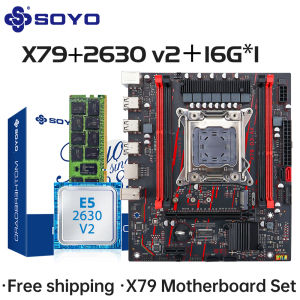
SOYO X79 Game Motherboard Set LGA 2011 with E5 2630 V2 CPU16G DDR3 ECC RAM Memory M.2 NAME Computer components Mainboard
2510 5V Cooling Fan Brushless 3D Printer Part For X1 X1C P1S P1P 3D Printer Blower Plastic Fan Hydraulic Cooling Fan
P1 PC Fan Jungle Leopard Interstellar SE Building Block Fan Triple 12cm ARGB Computer Metal contacts without wire splicing
4G Wireless WiFi Router 150Mbps USB Modem Pocket Hotspot for Fast Networking Connection for Remote Work and Travel
Motherboard USB 2.0 9Pin to Dual USB Double Shielded Cable USB2.0 Rear Chassis Baffle Cable 2 Ports USB Durable
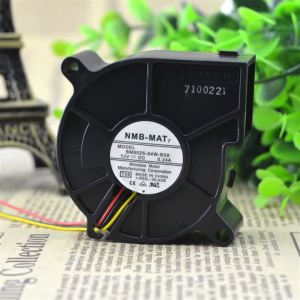
BM6025-04W-B59 NMB 6025 DC12V 0.24A Turbine Cooling Blower for Laptops Small Servers and Circuit Boards
YAMY Gaming Monitor curved 24 Inch Monitor 144HZ PC Monitor 27 Inch 100HZ 180HZ 240HZ 165HZ
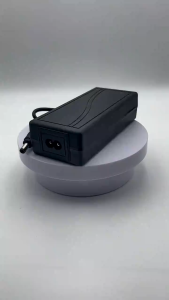
DC12V Adapter 3A / 5A /6A/8A Power Supply Adapter For CCTV/TV Plus/WIFI Routers/DVR/LED Strip Lights
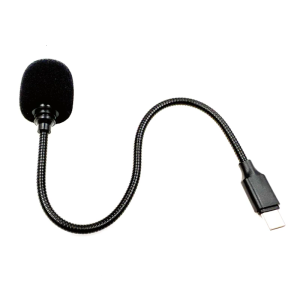
Metal Hose Microphones Adjustable Position USB C Plugs And Play For Clear Sound Recording
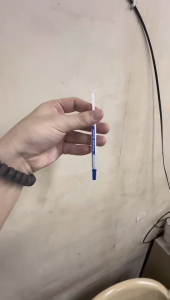
2PCS HY510 CPU Thermal heatsink Paste Silicone Grease Compound Carbon Based High Performance Non-Conductive for pc CPU gpu PS4