



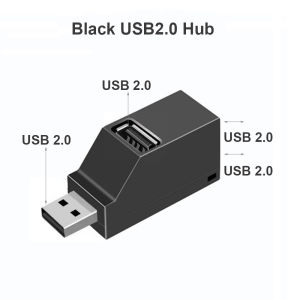
USB 3.0 HUB Adapter Extender Mini Splitter Box 1 to 3 Ports High Speed USB 2.0 For PC Laptop U Disk Card Reader
USB 3.0 HUB Adapter Extender Mini Splitter Box 1 to 3 Ports High Speed USB 2.0 For PC Laptop U Disk Card Reader
What is a USB 3.0 HUB Adapter?
A USB 3.0 hub adapter is a device that allows you to connect multiple USB devices to a single port on your computer, laptop, or other compatible devices. This versatile adapter, also known as a mini splitter box, provides a convenient solution for expanding your available USB ports while maintaining high-speed data transfer rates.
Key Features
- Compatible with both USB 3.0 and USB 2.0 devices
- 1 to 3 ports configuration
- High-speed data transfer rates
- Compact and portable design
How It Works
The USB 3.0 hub adapter works by taking the input from a single USB port and splitting it into multiple output ports. This allows you to connect several USB devices simultaneously without having to worry about running out of ports on your computer or laptop.
Benefits
- Increased port availability
- Faster data transfer rates
- Simplified cable management
Choosing the Right Adapter
When selecting a USB 3.0 hub adapter, consider the following factors:
- Compatibility: Ensure the adapter is compatible with your device's operating system and USB ports.
- Port Configuration: Choose an adapter with the desired number of ports, such as 1 to 3 ports.
- Brand: Research top brands in the market to find reliable and durable adapters.
- Price Range: Determine your budget and select an adapter within your price range.
Top Brands
Some popular brands offering high-quality USB 3.0 hub adapters include:
- Anker
- Aukey
- Cable Matters
- Belkin
Price Range
USB 3.0 hub adapters typically range from $10 to $50, depending on the brand, port configuration, and features.
Installation & Setup
To install and set up your USB 3.0 hub adapter, follow these steps:
Preparation
- Ensure your computer or laptop is turned off or in sleep mode.
- Gather all necessary devices and cables.
Connecting Devices
- Connect the USB 3.0 hub adapter to an available USB port on your computer or laptop.
- Plug in your desired USB devices into the adapter's ports.
- Power on your computer or laptop.
Troubleshooting Common Issues
If you encounter any issues during installation or setup, try the following solutions:
- Restart your computer or laptop.
- Unplug and replug the USB 3.0 hub adapter.
- Check for firmware updates for your operating system.
Tips for Optimal Performance
To ensure the best performance from your USB 3.0 hub adapter, follow these best practices:
- Compatibility: Verify that all connected devices are compatible with the adapter's USB version.
- Maintenance & Care: Keep the adapter clean and free from dust or debris.
- Cable Management: Organize cables to prevent tangling and improve airflow.
By following these guidelines, you'll be able to make the most out of your USB 3.0 hub adapter and enjoy a seamless experience with your connected devices.

Global Merch Park
Review
You May Also Like

LPO Laptop Charger 20V 8.5A 170W 7.9mm x 5.5mm Compatible with Lenovo ThinkPad T520 T520i T530 W500 W510 W520 W530 W700
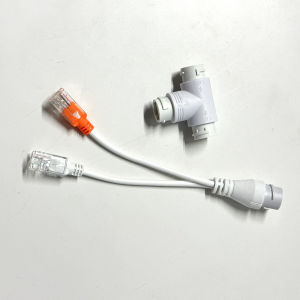
POE Splitter 2 IN 1 Network cabling Connector Three-Way RJ45 Connector POE Cable For IP Security Camera
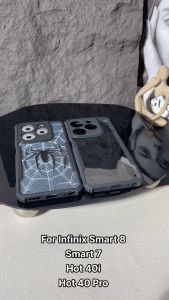
Middle Rabbit For Infinix Smart 8 Smart 7 Hot 40i Hot 40 Pro Phone Case 【Spider Man】Transparent Blade Back Shockproof Corners Slim Cover
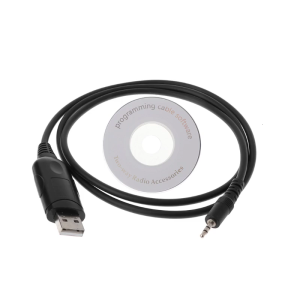
USB Programming Cable For EP450 GP3688 GP88S P040 GP2000 CP200 Radio
Huawei Pura70Pro New Model Phone Case Womens Style Frosted Anti-fall Full Lens Protection Color Silver with Stand Pura80Ultra
5/10Inch Clear Water Household Water Purification Station Pre Water Purification System for Water Sources
💖Original+FREE Shipping+COD💖 4K Bi-Directional HDMI Splitter: A Comprehensive Guide
Leather Repair Patches Self Adhesive Sofa Seat Cushion Genuine Leather Seat Repair Patch for Hole Repair Leather Patch
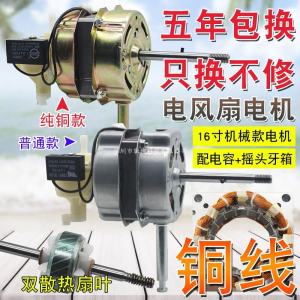
Electric Fan Motor: A Comprehensive Guide to Industrial Fan Motors, Double Ball Bearing Motors, and More
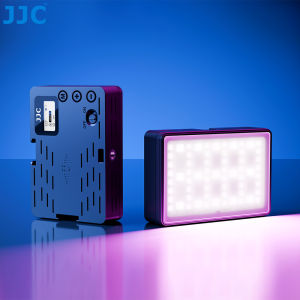
JJC Magnetic RGB Video Light: A Comprehensive Guide
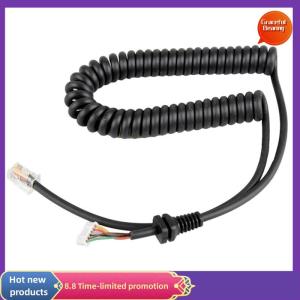
Graceful Replacement Microphones Mic Cable Cord Wire for Yaesu MH48A FT7800 1907


















