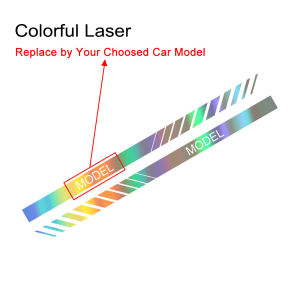
Car Door Side Stickers and Decals For Mitsubishi Lancer EX ASX L200 Colt Outlander Competition Delica Evolution X Galant Ralliart
Car Door Side Stickers and Decals For Mitsubishi Lancer EX ASX L200 Colt Outlander Competition Delica Evolution X Galant Ralliart
Background Context
Introduction to Mitsubishi Car Stickers & Decals
Car door side stickers and decals have become increasingly popular among car enthusiasts, particularly those who own Mitsubishi vehicles. These eye-catching designs add a personal touch to your ride and make your Mitsubishi stand out on the road. In this comprehensive guide, we'll cover everything you need to know about choosing and installing the perfect Mitsubishi car door side stickers and decals for your Lancer EX, ASX, L200, Colt Outlander, Competition Delica, Evolution X, and Galant Ralliart.
Why Choose Mitsubishi Car Stickers & Decals?
Mitsubishi car stickers and decals offer numerous benefits, including enhancing the visual appeal of your vehicle, showcasing your personal style, and increasing brand recognition. They're easy to install, affordable, and can be removed without damaging your car's paint. Plus, they're a great way to show off your passion for Mitsubishi vehicles!
Mitsubishi ASX Decals
Choosing the Right Mitsubishi ASX Decal Design
Mitsubishi ASX decals come in various styles, colors, and sizes, allowing you to personalize your ride according to your preferences. Some popular designs include the iconic Mitsubishi logo, racing stripes, and custom graphics that match your car's color scheme. When selecting a decal, consider its placement, visibility, and overall aesthetic appeal.
Installation Tips for Mitsubishi ASX Decals
Installing Mitsubishi ASX decals is a straightforward process that requires only a few simple steps:
- Clean the surface of your car where you plan to apply the decal using a mild soap solution and a lint-free cloth.
- Peel off the backing paper from the decal and carefully position it on the desired area.
- Smooth out any air bubbles or wrinkles using a squeegee or credit card.
- Allow the decal to cure for at least 24 hours before washing your car.
Mitsubishi L200 Side Graphics
Selecting the Best Mitsubishi L200 Side Graphics
Mitsubishi L200 side graphics offer a unique opportunity to transform the look of your pickup truck. Popular designs include custom graphics that match your personal style, bold racing stripes, and intricate patterns that showcase your creativity. When selecting side graphics, consider the overall appearance of your vehicle and how the design complements its existing features.
Applying Mitsubishi L200 Side Graphics
Applying Mitsubishi L200 side graphics requires a bit more care than decals, but the process is still relatively simple:
- Clean the surface of your truck where you plan to apply the graphics using a mild soap solution and a lint-free cloth.
- Peel off the backing paper from the graphic and carefully position it on the desired area.
- Smooth out any air bubbles or wrinkles using a squeegee or credit card.
- Allow the graphic to cure for at least 24 hours before washing your truck.
Mitsubishi Delica Competition Decals
Customizing Your Mitsubishi Delica with Competition Decals
Competition decals are a great way to show off your Mitsubishi Delica's racing heritage. Popular designs include bold graphics that match your car's color scheme, intricate patterns that showcase your creativity, and custom graphics that match your personal style. When selecting competition decals, consider the overall appearance of your vehicle and how the design complements its existing features.
Maintenance Tips for Mitsubishi Delica Competition Decals
To ensure your Mitsubishi Delica competition decals remain in top condition, follow these simple maintenance tips:
- Wash your car regularly using a mild soap solution and a lint-free cloth.
- Avoid using abrasive cleaners or scrub brushes, which can damage the decals.
- If your decals become dirty or faded, gently clean them with a soft cloth and mild soap solution.
Mitsubishi Colt Outlander Stickers
Mitsubishi Colt Outlander Sticker Designs
Mitsubishi Colt Outlander stickers come in various styles, colors, and sizes, allowing you to personalize your ride according to your preferences. Some popular designs include the iconic Mitsubishi logo, racing stripes, and custom graphics that match your car's color scheme. When selecting a sticker, consider its placement, visibility, and overall aesthetic appeal.
Installing Mitsubishi Colt Outlander Stickers
Installing Mitsubishi Colt Outlander stickers is a straightforward process that requires only a few simple steps:
- Clean the surface of your car where you plan to apply the sticker using a mild soap solution and a lint-free cloth.
- Peel off the backing paper from the sticker and carefully position it on the desired area.
- Smooth out any air bubbles or wrinkles using a squeegee or credit card.
- Allow the sticker to cure for at least 24 hours before washing your car.
Mitsubishi Lancer EX Door Stickers
Mitsubishi Lancer EX Door Sticker Options
Mitsubishi Lancer EX door stickers come in various styles, colors, and sizes, allowing you to personalize your ride according to your preferences. Some popular designs include the iconic Mitsubishi logo, racing stripes, and custom graphics that match your car's color scheme. When selecting a door sticker, consider its placement, visibility, and overall aesthetic appeal.
Installing Mitsubishi Lancer EX Door Stickers
Installing Mitsubishi Lancer EX door stickers is a straightforward process that requires only a few simple steps:
- Clean the surface of your car where you plan to apply the sticker using a mild soap solution and a lint-free cloth.
- Peel off the backing paper from the sticker and carefully position it on the desired area.
- Smooth out any air bubbles or wrinkles using a squeegee or credit card.
- Allow the sticker to cure for at least 24 hours before washing your car.

Global Merch Park
Review
You May Also Like
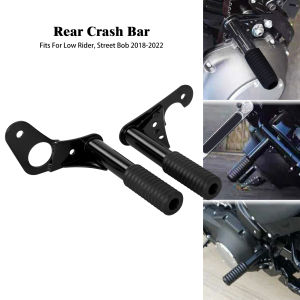
Motorcycle Rear Highway Engine Guard Crash Bar Falling Protection For Harley Softail Street Bob Low Rider FXBB FXLR 2018-21 2022
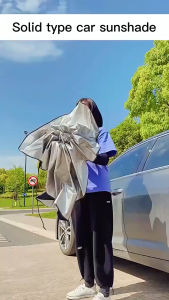
Car Sun Shade Foldable Sunshade Umbrella Front and Rear Windshield Sunshade Sunscreen Insulation Sunshade Retractable windshield cover sun shade for car shade
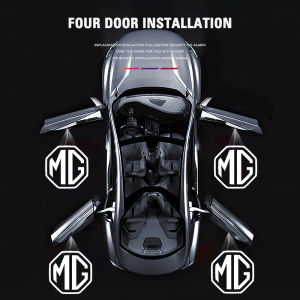
2pcs MG HD Car Door Welcome Light Led Projector Lamp For MG ZS 5 7 6 Cyberster MG4 EV ES5 HS ONE GT GS MG3 EZS 3SW MARVEL-R
Motorcycle T19 LED Headlight Universal H4 Super Bright HeadLamp Dual Beam HeadLamp For Motorcycle

KEBETEME 2pcs Motorcycle Propeller Plane Motorbike Handlebar Decoration Wind Power Airplane Generation Led Light Riding Accessories
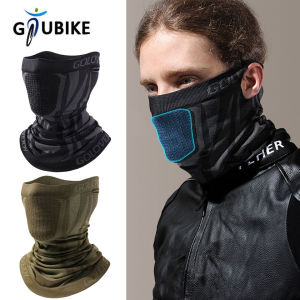
GTUBIKE Motorcycle Mask Winter Half Face Mask Windproof Cycling Snowboard Ski Masks Sport Scarf Neck Gaiter Warm Bicycle Mask
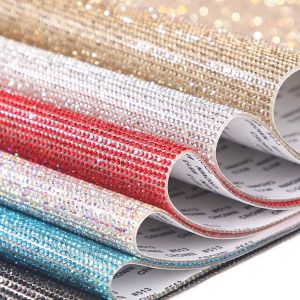
FLOW TOP High quality Self-Adhesive DIY Glitter Crystal Rhinestones Sticker Car Decoration Sticker Gift Decoration Gem Stickers
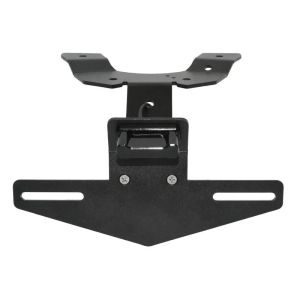
Motorbike License Plate Holder For Suzuki GSXR600 GSXR750 GSXR GSX-R 600 750 2011-2023 Tail Tidy Fender Bracket LED Light
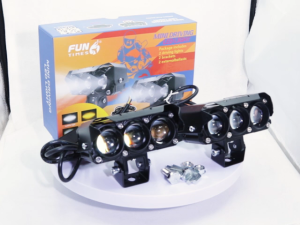
Super bright 2025 New LED Mini Driving Light Spot Light Fog Lamp For Motorcycle Car and Truck 12/24V
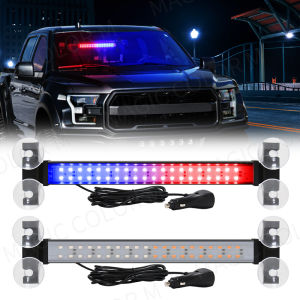
40 LED Strobe Light Emergency Flash Warning Lamp Auto Windshield Bar Traffic Advisor Flashlight Red Blue Car Accessories 12V-24V
Firefly Brand Mini Driving Light V6 High and Low Beam White and Yellow Single And Dual Lights Korean