Teclast T50 Tablet PC: A Comprehensive Guide
Teclast T50 Tablet PC: A Comprehensive Guide
Introduction to the Teclast T50 Tablet PC
The Teclast T50 Tablet PC is a powerful and versatile device designed for users who demand high performance and seamless connectivity. This comprehensive guide will provide you with a thorough understanding of its features, specifications, and usage tips.
Key Features Overview
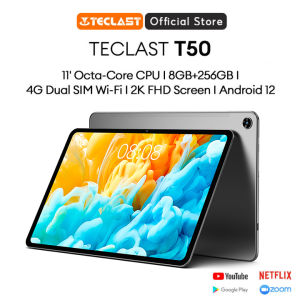
The Teclast T50 Tablet PC boasts an impressive array of features, including:
- 8-Core Processor: Ensures smooth multitasking and fast app loading times.
- 8GB RAM: Provides ample memory for running multiple applications simultaneously.
- 256GB ROM: Offers plenty of storage space for your files, photos, and videos.
- 4G Dual SIM Connectivity: Allows you to stay connected wherever you go.
- 2K Full HD Screen: Delivers stunning visuals with vibrant colors and sharp details.
- Wi-Fi Connectivity: Connects to Wi-Fi networks for seamless internet access.
Target Audience & Use Cases
The Teclast T50 Tablet PC is perfect for users who want a powerful tablet for various tasks, such as:
- Multimedia Consumption: Enjoy watching movies, TV shows, and playing games with its 2K Full HD screen.
- Productivity: Run multiple applications simultaneously thanks to its 8GB RAM and 8-core processor.
- Connectivity: Stay connected with 4G Dual SIM and Wi-Fi connectivity.
Performance & Specifications
The Teclast T50 Tablet PC is equipped with cutting-edge hardware and software features, making it a top choice for users who demand high performance and seamless connectivity.
8-Core Processor & 8GB RAM
The tablet's 8-core processor ensures smooth multitasking and fast app loading times, while its 8GB RAM provides ample memory for running multiple applications simultaneously.
256GB ROM & 4G Dual SIM Connectivity
With 256GB ROM, the Teclast T50 Tablet PC offers plenty of storage space for your files, photos, and videos. Its 4G Dual SIM connectivity allows you to stay connected wherever you go.
2K Full HD Screen & Wi-Fi Connectivity
The tablet's 2K Full HD screen delivers stunning visuals with vibrant colors and sharp details, making it perfect for multimedia consumption. Its Wi-Fi connectivity connects to Wi-Fi networks for seamless internet access.
Usage & Setup
Setting up and using the Teclast T50 Tablet PC is easy and straightforward.
How to Set Up Your Teclast T50 Tablet PC
To set up your Teclast T50 Tablet PC, follow these simple steps:
- Unbox the tablet and remove any protective stickers.
- Charge the tablet using the included charger.
- Turn on the tablet and follow the on-screen instructions to set up your device.
Tips for Optimizing Performance
To get the most out of your Teclast T50 Tablet PC, consider the following tips:
- Keep your tablet updated with the latest software updates.
- Uninstall unused apps to free up storage space.
- Regularly clear cache and temporary files.
Troubleshooting Common Issues
If you encounter any issues with your Teclast T50 Tablet PC, refer to the troubleshooting guide in the user manual or contact Teclast customer support for assistance.
Conclusion & Final Thoughts
The Teclast T50 Tablet PC is a powerful and versatile device that offers excellent performance and connectivity features. With its 8-core processor, 8GB RAM, 256GB ROM, 4G Dual SIM connectivity, 2K Full HD screen, and Wi-Fi connectivity, it's perfect for users who demand high performance and seamless connectivity.
Why Choose the Teclast T50 Tablet PC?
The Teclast T50 Tablet PC is a top choice for users who want a powerful tablet for various tasks, such as multimedia consumption, productivity, and connectivity.
Final Recommendations & Next Steps
If you're looking for a powerful and versatile tablet, the Teclast T50 Tablet PC is definitely worth considering. Order yours today and experience the power of high-performance computing on the go!

APPO TECHNOLOGY
Review

You May Also Like

A78 5G 8+256GB Phone Expansion 5000mAh Battery Smartphone Cellphone

Eye Catching Mobile Phone Chain Handmade Beaded Cellphone Lanyard For Women Girls Telephone Strap Drop-resistant
Original Unlocked Motorola V360 Flip GSM Mobile Phone Cell Phones with Russia/Arabic Language - Lazada
S24 Ultra Full Screen Mini 3G/4G Smartphone: Key Features & Performance
Cellphone Stand Angle Chair ShapePhone Holer for Desk Taller Office Desk Accessories Stand Fits All Mobile Phones

Pet Emergency Contact Keychain & Key with Emergency Contact Call Cards Emergency Dog Cats is Home Alones Alerts
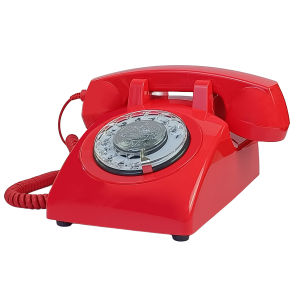
Red Corded Telephone Classic Rotary Dial Home Office Phones Antique Vintage Telephone of 1930s Old Fashion Telephone
SOYES F8 Pro Max Mini Smart Phone: A Comprehensive Guide
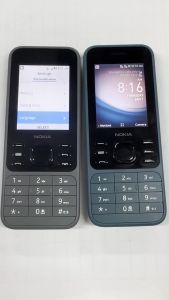
Numchai 6300 4G Keypad phone Original Dual SIM Basic phone 2.4 inches Type-C Charging 2MP Rear Cam Bluetooth 5.0 1 Year Warranty
![[NEW] Y36 5G Cellphone 8+8GB RAM 256GB ROM Mobiles AB 44W Fast Charge 5000mAh Battery Smartphone](https://img.lazcdn.com/g/ff/kf/S616b26df90814faea28ee0b84d384845t.png_300x300q80.png)
[NEW] Y36 5G Cellphone 8+8GB RAM 256GB ROM Mobiles AB 44W Fast Charge 5000mAh Battery Smartphone
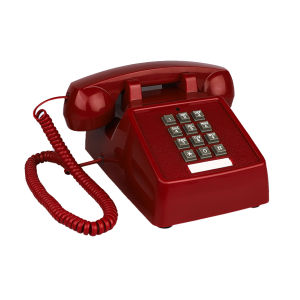
Landline Phones for Home Office Hotel School Corded Single Line Heavy Desktop Basic Telephone for Seniors Retro Classic Phone