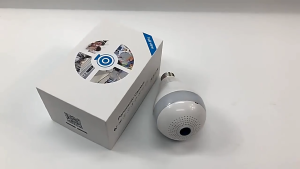
[Buy 1 Take 1]CCTV Camera No Need Internet - CCTV Camera Connect to Cellphone V380Pro 1080P Wireless Two-way Audio Outdoor cctv camera wifi connect Waterproof Night Vision Video Security Alarm Camera cctv camera connect cellphone
[Buy 1 Take 1]CCTV Camera No Need Internet - CCTV Camera Connect to Cellphone V380Pro 1080P Wireless Two-way Audio Outdoor cctv camera wifi connect Waterproof Night Vision Video Security Alarm Camera cctv camera connect cellphone
Introduction to V380Pro 1080P Wireless Two-way Audio CCTV Camera
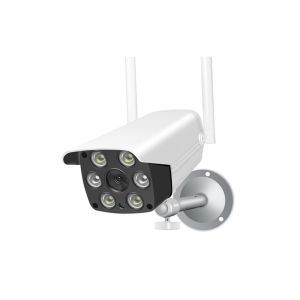
The V380Pro 1080P wireless two-way audio CCTV camera is a top-of-the-line security solution designed to provide peace of mind for homeowners and businesses alike. With its advanced features and sleek design, this outdoor waterproof night vision camera is perfect for monitoring your property, whether day or night. This article will guide you through the key features, benefits, setup process, and troubleshooting tips for the V380Pro.
Key Features & Benefits
The V380Pro 1080P wireless two-way audio CCTV camera offers several notable features that make it stand out from other security cameras on the market:
- 1080P HD Video Quality: Capture crystal-clear images and videos with the V380Pro's 1080P HD resolution.
- Wireless Two-Way Audio: Communicate with visitors or intruders using the camera's built-in microphone and speaker.
- WiFi Connectivity: Connect your camera to your smartphone or tablet via WiFi for remote monitoring and control.
- Waterproof Design: The V380Pro is IP66-rated, making it resistant to water, dust, and extreme weather conditions.
- Night Vision Capability: Equipped with infrared LEDs, the camera can see up to 30 meters in low-light conditions.
- Motion Detection Alerts: Receive instant notifications on your phone when motion is detected within the camera's field of view.
How Does V380Pro Compare to Other Outdoor Waterproof Night Vision Cameras?
When compared to other outdoor waterproof night vision cameras, the V380Pro offers several advantages:
- Higher Resolution: With its 1080P HD resolution, the V380Pro provides sharper images and videos than many competing models.
- Two-Way Audio: While some cameras offer one-way audio, the V380Pro allows for two-way communication, making it ideal for interacting with visitors or deterring potential intruders.
- WiFi Connectivity: The V380Pro can connect to your smartphone or tablet via WiFi, providing remote monitoring and control capabilities that are not available with some other cameras.
- Waterproof Design: The IP66-rated waterproof design of the V380Pro ensures that it can withstand harsh weather conditions, unlike some less durable models.
Setting Up Your V380Pro Camera
To get started with your V380Pro 1080P wireless two-way audio CCTV camera, follow these steps:
Connecting Your Camera to Your Cellphone
- Download the V380Pro app from the App Store or Google Play Store.
- Connect your phone to the camera's WiFi network.
- Follow the on-screen instructions to pair your camera with the app.
Configuring WiFi Settings
- Open the V380Pro app and select "Settings."
- Choose "WiFi Settings" and enter your home WiFi network credentials.
- Save your settings and wait for the camera to connect to your network.
Installing Your Camera
- Choose a suitable location for your camera, such as a wall or fence post.
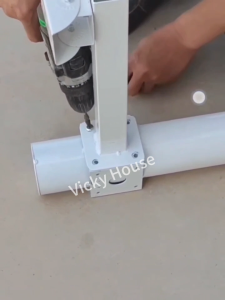
- Attach the camera to the mounting bracket using the included screws.
- Secure the bracket to your chosen surface using the provided hardware.
How to Use V380Pro CCTV Camera
Now that your V380Pro camera is set up, here's how to make the most of its features:
Monitoring Live Video Feeds
- Open the V380Pro app on your phone or tablet.
- Select your camera from the list of connected devices.
- Tap the "Live View" button to watch live video feeds from your camera.
Recording & Storing Video Footage
- Set up recording schedules or enable continuous recording in the app's settings.
- View recorded footage by selecting the "Recordings" tab in the app.
- Download or share video clips directly from the app.
Setting Up Motion Detection Alerts
- Open the V380Pro app and select your camera.
- Go to the "Settings" menu and choose "Motion Detection."
- Adjust sensitivity settings and enable notifications for motion events.
Troubleshooting Common Issues
If you're experiencing problems with your V380Pro camera, try these troubleshooting tips:
Connectivity Problems
- Make sure your camera is connected to the correct WiFi network.
- Check that your phone or tablet is within range of the camera's WiFi signal.
- Restart both your camera and your device to resolve any temporary connectivity issues.
Low Battery Life
- Charge your camera's battery fully before use.
- Install the camera in a location that receives plenty of sunlight if using solar power.
- Monitor battery levels regularly and replace batteries as needed.
Video Quality Issues
- Adjust the camera's settings to optimize image quality for your specific environment.
- Clean the camera lens to remove any dirt or debris that may be obstructing the view.
- Update the camera firmware to ensure you're using the latest software version.
Conclusion & Next Steps
The V380Pro 1080P wireless two-way audio CCTV camera is an excellent choice for anyone looking to enhance their home or business security. With its advanced features, easy setup process, and reliable performance, this camera provides peace of mind and helps protect what matters most. Follow the steps outlined in this article to get started with your V380Pro and enjoy the benefits of a top-of-the-line security solution. " }

1080P CCTV Camera
Review
You May Also Like
D-Link DCS-8330LH mydlink Smart AI Full HD WiFi Camera

Rover Systems 15U Wall Mount Endura Data Cabinet Package Kit for CCTV Surveillance System

8MP IP Camera with WIFI & Dual Lens CCTV Camera: A Comprehensive Guide

Professional HD Telescope: 10-380X100 High Magnification Long Range Zoom

V380 Pro 1080P HD 360° PTZ Wireless WiFi Security Camera with Color Night Vision and Two-Way Audio - E27 Light Bulb Voice Connect 1-Year Warranty

tp-link VIGI NVR1104H-4P 4 Channel PoE+ Network Video Recorder | TP-Link VIGI by EJD

4x30 Children Binoculars Telescope Rubber Handle Pocket Size Plastic Optics Telescope Games Toy Gift for Children Outdoor Sports

BKmall Q6 drones with long range 8k Dual Camera fpv drone for vlogging Suitable for Beginners wifi GPS Obstacle Avoidance Mini Drone 20 minutes flight drones quadcopters

Action Camera Suction Cup Mount 1/4 Inch Screw Rotation Arm Universal Camera Mount Device for Car Windshield

4K HD Action Camera: A Comprehensive Guide for Vlogging & Sports

Japan Used Camera: Kodak FZ43 Compact Digital Camera & PIXPRO Black


![[Buy 1 Take 1]CCTV Camera no need Internet CCTV Camera Connect to cellphone V380Pro 1080P Wireless Two-way Audio Outdoor cctv camera wifi connect Waterproof Night Vision Video Security Alarm Camera cctv camera connect cellphone](https://img.lazcdn.com/g/p/2a4b2fc57633fc03c638394ce29c3005.jpg_300x300q80.jpg)