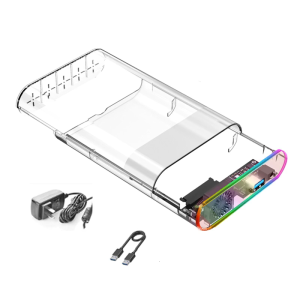
ACASIS NVMe M.2 Dual Bay Replica Offline Clone USB C: A Comprehensive Guide
ACASIS NVMe M.2 Dual Bay Replica Offline Clone USB C: A Comprehensive Guide
What is the ACASIS NVMe M.2 Dual Bay Replica Offline Clone USB C?
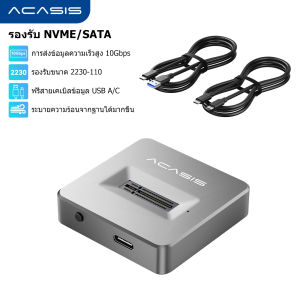
The ACASIS NVMe M.2 Dual Bay Replica Offline Clone USB C is a high-performance NVMe M.2 dual bay docking station that allows users to easily convert their NVMe M.2 SSDs into external drives using the USB 3.1 Gen2 interface. This device supports data transfer rates of up to 10 Gbps, making it an ideal solution for those looking to expand their storage capacity and transfer data offline.
Key Features & Specifications
- Dual Bay Support: Supports two NVMe M.2 SSDs simultaneously
- High-Speed Transfer: Utilizes USB 3.1 Gen2 interface for up to 10 Gbps data transfer rates
- Memory Expansion: Supports memory expansion for M03 devices
- Offline Data Transfer: Provides an offline data transfer solution for NVMe M.2 SSDs
Compatibility & Usability
The ACASIS NVMe M.2 Dual Bay Replica Offline Clone USB C is designed exclusively for NVMe M.2 SSDs and is compatible with a wide range of devices, including desktops, laptops, and other USB-enabled devices. It is easy to use and requires no mounting screws or attachments, simply insert the NVMe M.2 device and connect the USB cable to start using immediately.
How to Use the ACASIS NVMe M.2 Dual Bay Replica Offline Clone USB C
Using the ACASIS NVMe M.2 Dual Bay Replica Offline Clone USB C is straightforward and simple. Follow these steps to get started:
Setup & Installation
- Connect the ACASIS NVMe M.2 Dual Bay Replica Offline Clone USB C to a power source using the included USB cable.
- Insert the NVMe M.2 SSD into the docking station.
- Connect the USB cable to your computer or other device.
Tips & Tricks for Optimal Performance
- Heat Dissipation: The ACASIS NVMe M.2 Dual Bay Replica Offline Clone USB C comes with an aluminum heat sink and heat sink silicon pad to help dissipate heat during operation. Ensure proper ventilation to avoid overheating.
- Data Transfer: For optimal data transfer speeds, use a high-speed USB 3.1 Gen2 port on your device.
Benefits of Using the ACASIS NVMe M.2 Dual Bay Replica Offline Clone USB C
Using the ACASIS NVMe M.2 Dual Bay Replica Offline Clone USB C offers several benefits, including:
Memory Expansion for M03
The ACASIS NVMe M.2 Dual Bay Replica Offline Clone USB C supports memory expansion for M03 devices, allowing users to easily expand their storage capacity without the need for additional hardware.
Offline Data Transfer Solution
The ACASIS NVMe M.2 Dual Bay Replica Offline Clone USB C provides an offline data transfer solution for NVMe M.2 SSDs, making it easy to transfer large amounts of data between devices without the need for internet connectivity.
Conclusion & Final Thoughts
In conclusion, the ACASIS NVMe M.2 Dual Bay Replica Offline Clone USB C is a versatile and high-performance NVMe M.2 dual bay docking station that offers several benefits, including memory expansion for M03 devices and an offline data transfer solution. Its ease of use and compatibility make it an ideal choice for those looking to expand their storage capacity and transfer data offline.

ACASIS official store
You May Also Like
Do It Home SanDisk SDDDCZ-128GB Dual Drive Type-C 3.1 128GB
ORICO Portable SSD 3500MB/s External Solid State Drive 4TB 2TB 1TB Type- C Aluminum Alloy PSSD Built-in Cooling Fan (R40)

Kawaii Sanrioed My Melody High beauty cartoon USB flash disk 3264128G cute mini mobile computer on-board USB flash disk

70s Music Video Set 6 in 64GB USB Flash Drive 192TV Show from 1970 1973 1974 1976 1977 1979 MP4 File Collection Very Rare Music Video Show Plus Free Surprise Gift Plus Free Android OTG
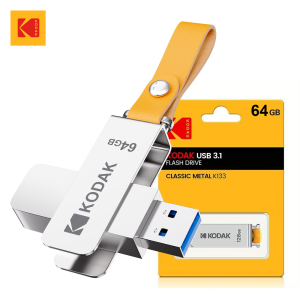
Original KODAK USB 3.1 Flash Drive 64GB 128GB 256GB High Speed Memory USB Stick Pen Drive Metal Leather Band Pendrive for PC
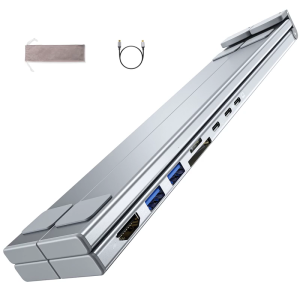
Foldable Aluminum Laptop Stand Hubs with 8 Expansion Port Including 4K and PD100W Charging Capability
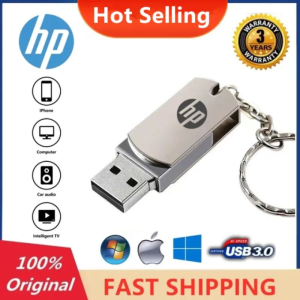
HP USB3.0 Pen Drive: High-Speed Data Storage Solution
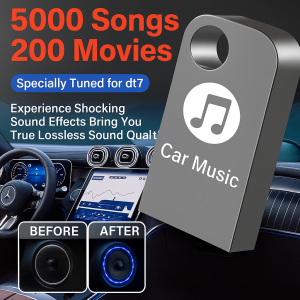
64G Car Music Usb Flash Drive High Quality Sound 2025 Popular New Songs Drive Lossless Sound Quality Vehicle Mounted USB Drive Instantly Enjoyable Popular Music Car Accessories Portable Audio Player For Vehicle高品质热门歌曲 车载音乐 u盘
💖FREE+COD+Ready Stock💖 4-in-1 Flash Drive USB 3.0 Memory Stick OTG Pendrive Fast Speed Type-C
Dual Protocol M.2 NVME SATA SSD Docking Station Base External SSD Hard Disk Enclosure 10G Online Reading Writing Speed SSD Case
Sandisk Micro SD Card Class 10 8GB